Jabra GO™ 6430 Set up guide
Make your softphone talk Jabra
The Jabra PC Suite drivers enable remote call control with Jabra wireless headsets and the latest generation of IP softphones.
Product features
- Touch screen & touch sensors for easy call control
- Triple Multiuse connectivity: mobile phone, softphone and desk phone
- Easy installation with SmartSetup wizard
- Superior sound and Noise Blackout™
- Choice of 3 wearing styles for greater comfort
- Up to 300-foot wireless Bluetooth® range (80 feet for mobile phone)
- Future-proof investment through feature upgrades via Jabra PC Suite
Product details
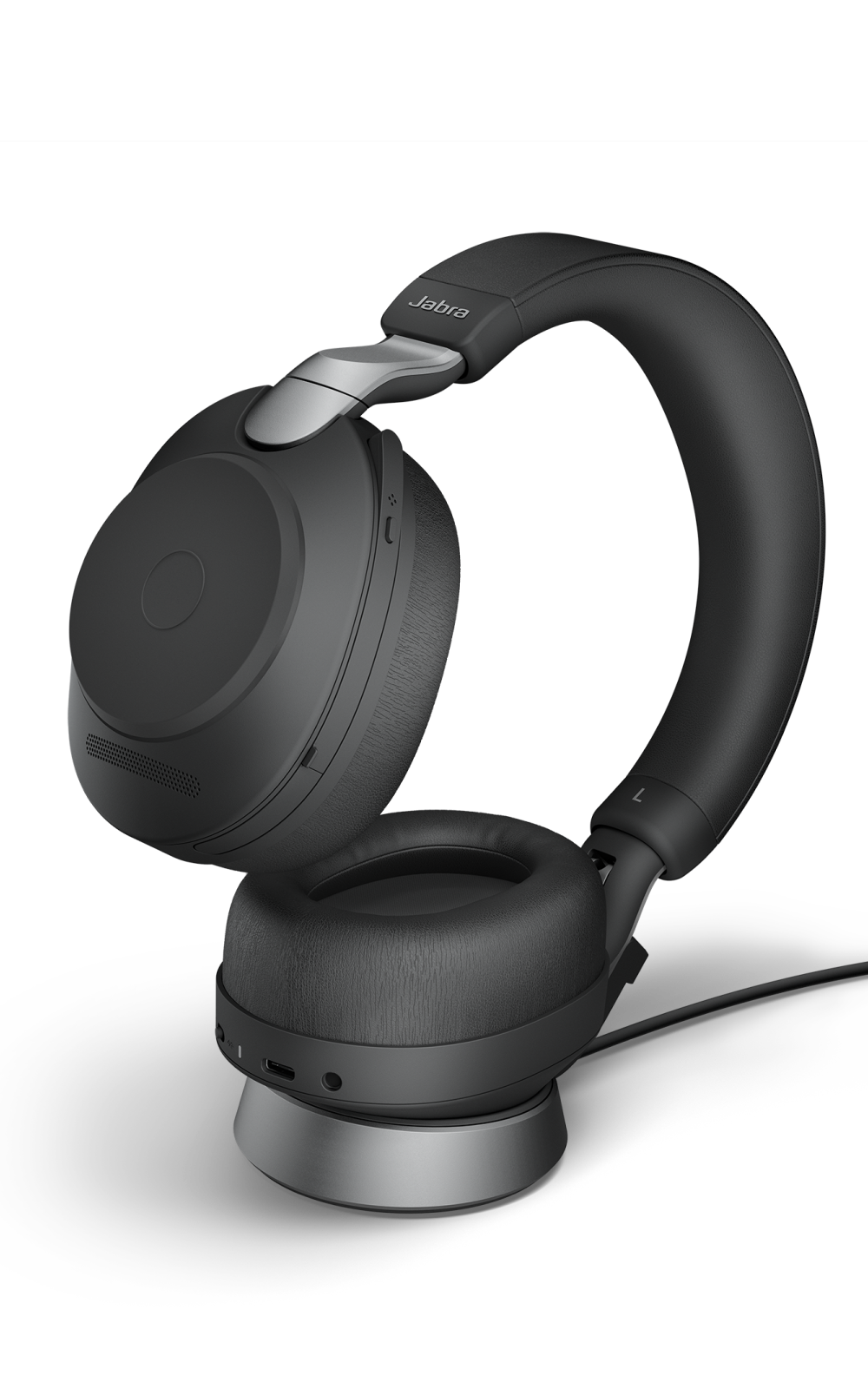
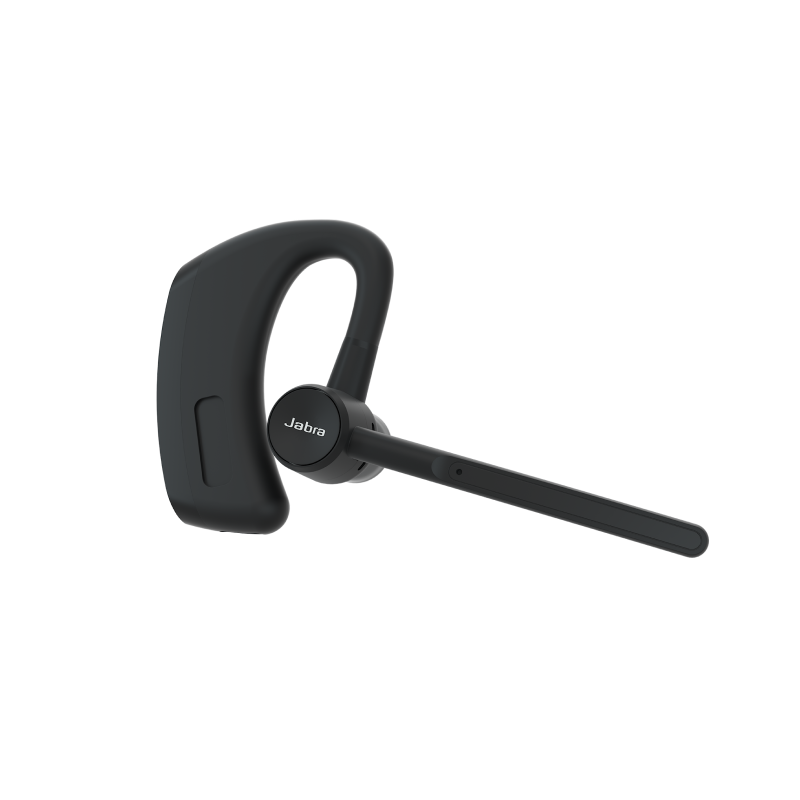
Stay in touch wherever you go Jabra GO™ 6400 is the first series of Bluetooth office headsets with user-friendly touch screen and touch sensors for easy call control.
One headset for all your phones Once you’ve experienced the liberty of a Bluetooth headset, it’s hard to go back to talking while holding your mobile. Why should it be any different with your desk or softphone? With a Jabra GO™ 6400 Series headset, you can always enjoy the freedom of having your hands free – regardless of which phone you use.
Ready, set, GO! Wear your Jabra GO™ 6400 headset when you’re out talking on your mobile phone. Back at the office you can also enjoy instant, seamless connectivity with your mobile, desk and softphone. No matter which line your contacts try to reach you on, you’ll always be able to answer just by tapping the headset button.
Unbeatable sound Featuring state-of-the-art audio technologies, the Jabra GO™ 6400 Series delivers such superb sound quality you’ll never want to answer a call without it! A dual microphone Noise Blackout™ system with advanced Digital Signal Processing practically eliminates all background noise, so your voice can be heard clearly even from a noisy location. Wideband quality ensures that the sound you hear is crystal clear, while SafeTone technology protects your hearing by cutting off sudden loud noises and securing safe average sound levels through the day.
User-friendly touch screen base With Bluetooth, USB and telephone support, the stylish Jabra GO™ 6400 touch screen base is the key to uniting all your phones. A SmartSetup wizard helps you connect phones and select preferences to get started. Once you’re up and running, the screen’s colorful icons and intuitive menu make call handling a breeze.
Boost your Jabra GO™ 6400 series
Jabra GO™ 6430 Set up guide
Make your softphone talk Jabra
The Jabra PC Suite drivers enable remote call control with Jabra wireless headsets and the latest generation of IP softphones.
Variants
Available Variants
- Jabra GO 6430 (6430-17-20-205)
- Optimized for field staff/road warriors
- 2 x connectivity: mobile and softphone
- Travel charger and USB Bluetooth adapter included
- Low energy consumption with Jabra IntelliPower
- Jabra GO 6470 (6470-15-207-505)
- Optimized for specialists, managers and executives
- 3 x connectivity: mobile, soft and deskphone
- Touch screen and SmartSetup wizard
- Low energy consumption with Jabra IntelliPower
FAQ's
Is it possible that I can take calls during the charging process?
The Jabra GO can be connected to mobile phones during charging and you can take the call while it still charges. However the charger is not designed for both talking and charging at the same time.
Where can I find the IOP list with mobile phones tested on Jabra GO 6400?
Several phones have been added to the list:
Apple Iphone Black Berry 9500 Black Berry 9530 Black Berry 8820 Black Berry 8100 Black Berry 8220 Black Berry 9000 Black Beryy 8900 Dopod T3238 HTC Touch Diamond HTC Touch HD HTC P3450 HTC Hero HTC Magic Nokia N97 Nokia E50 Nokia E51 Nokia E52 Nokia E90 Nokia 5800 Nokia 6120 classic Nokia 6555 Nokia N95 Nokia 6267 Nokia 7510A Nokia N78 Nokia E75 Nokia 6110 Nokia 6300 Nokia N86 Nokia E66 Nokia N 96 Nokia N73 Nokia N76 Nokia N82 Nokia 8800d Moto V3xx Moto V8 Moto V9 MotoV6 Maxx Moto Q9h Samsung I780 Samsung Instinct M800 Samsung I8910 Samsung I900 Samsung U900 Samsung GT‐i7500 Galaxy Samsung SGH‐i8910 SE X1 SE W958 SE W995 SE W880i
The Jabra GO6430 is logged on active to two devices. Incoming calls on both devices are also indicated in the headset. Outgoing calls can be executed by both devices through the headset. According to which priority is a number redial triggered via the headset (double press the main button), running on which machine?
The gateway in focus, mobile or softphone, will act upon a re-dial from the headset. The option is to switch to the other gateway first before a re-dial.
Jabra PRO 9400 & Jabra GO 6400 auto setup server. Number of available lines
The server has the following number of available lines: It can handle 30 simultaneous incoming calls globally. 10 from each country simultaneously.
Can the new Desk Charger for Jabra GO 6400 series replace the Jabra LINK 350 USB adapter?
No, the new desk charger is for charging only. You still have to use the Jabra LINK 350 USB adapter for audio streaming and possible call control on supported softphones.
Do you need the setup server phone number for your Jabra GO 6400 series and Jabra PRO 9400 series?
Jabra GO 6430-Will the PID number change after a firmware upgrade?
Is it possible to change the PID number of the devices to enable USB port access only for this device using the PID number?
The Jabra GO 6430 will use different PID# depending upon upgrade-, UC-and OC-modes: 1000, 1001, 1002, 1003 and 1004. It is better enabling all five.
Jabra GO™ 6470 + mobile
Under what circumstances the Jabra GO 6470 cannot connect to the mobile phone automatically...
The headset cannot continuously try to establish connection to the mobile phone due to: a) Battery lifetime b) Interference with other Bluetooth devices
For that reason a reconnection scheme is implemented in the headset with frequent reconnect attempts just after connection loss. After a period the timeout between reconnect attempts is increased, to preserve battery and to avoid generating excessive RF traffic. The user can at any point restore connection by: a) Pressing the grayed-out mobile phone icon on the display b) Tapping MFB on headset when mobile phone is in focus. c) Restore headset connection from mobile phone
Besides that some mobile phones will try to reestablish the headset connection whenever there is an outgoing or incoming call on the mobile phone.
Does both Jabra PRO 9400 and Jabra GO 6400 support fast charging?
No, only Jabra GO 6400 supports fast charging. Jabra GO 6400: 80% after 25 min 100% after 50 min Jabra PRO 9400: 100% after 120 min
What are the benefits of using this technology?
A Micro Dynamic Mylar speaker is just a conventional headset speaker Micro – because it is small Dynamic - because it moves – like most other speakers Mylar - is the trade name for the plastic material boPET (Biaxially-oriented polyethylene terephthalate) used for the membrane. It is used in small speakers where paper or metal membranes isn’t an option.
Please refer to the FAQ
The FAQ gives you the answer to the most common issues on Jabra GO 6400 series. Download the GO 6430 FAQ hereDownload the GO 6470 FAQ here
Jabra GO™ 6430 Set up guide
Firmware Release Note
Value Pack 3 for Jabra GO 6400 Series
Release Date: 09/11/2011 Software Release No.: 4.5.17
New features
• Jabra Call Manager. Enables a PC call manager on PC monitor for e.g. call control, call on hold and mute • Keyboard Shortcut Call Control. Enables e.g. call control and mute function via pre- or user defined PC keyboard keys For Jabra GO 6470: • Touch Screen Dial Pad. For mobile phones and Jabra supported softphones with dial pad integration
Enhancements
• Headset speaker volume synchronized with Microsoft Windows For Jabra GO 6470: • Support for Jabra IQ Call control - Increased desk phone support/interoperability (Currently supported by NEC DT7xx phones) • Dedicated support for Siemens optiPoint desk phones • New display menu structure for easier setup and navigation
Jabra PC Suite
To get the best user experience when updating Jabra GO 6400 Series use the latest version of Jabra PC Suite available at www.Jabra.com/pcsuite
Make your softphone talk Jabra
The Jabra PC Suite drivers enable remote call control with Jabra wireless headsets and the latest generation of IP softphones.
Support
Support options
Please select from the below available downloads for this product. If you have further questions, please do not hesitate to visit the support section or use the form above if you would like to be contacted
Make your softphone talk Jabra
The Jabra PC Suite drivers enable remote call control with Jabra wireless headsets and the latest generation of IP softphones.
| Authorized Distributor United States |
Authorized Distributor Canada |
|
Direct Access Systems, Inc. 1309 S Myrtle Ave Monrovia, CA 91016-4150 877-526-2125 http://directaccessinc.com |
Fontel, Inc. 804 E St Aurora, NE 68818 402-694-4204 http://www.fontel.com |
Ingram Micro 1759 Wehrle Dr Williamsville, NY 14221 800-456-8000 x65083 http://www.ingrammicro.com |
Graybar Canada #105, 2765 48th Ave NE Calgary, AB T3J5M9 403-250-5554 http://www.graybarcanada.com |
Jenne, Inc. 33665 Chester Road Avon, OH 44011 800-422-6191 http://www.jenne.com |
NETXUSA, Inc. 231 Beverly Road Greenville, SC 29609 864-271-9868 http://www.netxusa.com |
Westcon 520 White Plains Road Tarrytown, NY 10591 630-388-0440 http://www.westcongroup.com |
Ingram Micro Canada 55 Standish Court Mississauga, ON L5R 4A1 905-755-5000 http://www.ingrammicro.ca |
| |
|
|
Sensus Communication Solutions Vancouver (West Headquarters) 3657 Wayburne Drive, Unit 5 Burnaby, BC V5G 3L1 604-263-9399 / 1-800-655-5726 http://www.sensusinc.com |
| |
|
|
Sensus Communication Solutions Oakville (East Headquarters) 2333 Wyecroft Road Oakville, ON L6L 6L4 905-827-7200 / 1-888-827-7200 http://www.sensusinc.com |
| |
|
|
Williams Telecommunications 5610 Kennedy Rd Mississauga, ON L4Z 2A9 905-712-4242 http://www.williamsglobal.com |
| Authorized Resellers United States |
Authorized Resellers Canada |
Anixter (HQ) 1471 Business Center Drive Mt. Prospect, IL 60056 800-792-1207 http://www.anixter.com |
Avcomm Solutions Inc. 324 8th St. Aurora, NE 68818 866-998-9991 http://www.avcommsolutions.com |
C & S Products 1411 N Batavia St. Orange, CA 92867-3526 714-288-2660 http://www.csproducts.com |
Call Center Products 144 Steelcase Rd. West Markham, ON, L3R 3J9 800-583-5500 http://www.headset.com |
Call One, Inc. 400 Imperial Ave. Cape Canaveral, FL 32920 321-783-2400 http://www.calloneonline.com |
CDW (HQ) 200 N Milwaukee Ave Vernon Hills, IL 60061 847-465-6000 http://www.cdw.com |
Cross Telecom 10900 Nesbitt Ave. So. Bloomington, MN 55437 866-983-3500 http://www.crosstelecom.com |
CDW Canada (HQ) 20 Carlson Court, Suite 300 Etobicoke, ON 800-972-3922 http://www.cdw.com |
Dell One Dell Way Round Rock, TX 800-BUY-DELL http://www.dell.com |
Dimension Data (HQ) 333 North Point Center East Suite 150 Alpharetta, GA 30022 770-360-1063 http://www.dimensiondata.com |
GBH Communications (HQ) 3333 North San Fernando Blvd. Burbank, CA 91504 800-222-5424 http://www.gbh.com |
Dimension Data Canada Inc 161 Bay Street, Suite 2700 Toronto, ON M5J 2S1 647-724-2770 http://www.dimensiondata.com |
Graybar 34 Meramac Saint Louis, MO 673-852-6000 http://www.graybar.com |
Insight (HQ) 6280 South Harl Avenue Tempe, AZ 85283 800-467-4448 http://www.insight.com |
Midwest Teletron 27200 West 62nd Street Shorewood, MN 55331 952-470-5100 http://www.mwteletron.com |
Grand & Toy 33 Green Belt Drive Don Mills, ON M3C 1M1 416-445-7255 http://www.grandandtoy.com |
PC Connection (HQ) 730 Milford Road Merrimack, NH 03054 888-213-0607 http://www.pcconnection.com |
PC Mall (HQ) 2555 W. 190th St. Torrance, CA 90504 310-354-5600 http://pcmall.com |
Software Hardware Integration 33 Knightsbridge Road Piscataway, NJ 08854 888-764-8888 http://www.shi.com |
Long View Systems 550 Burrard St, Suite 728-Bentall 5 Vancouver, BC V6C2B5 604-676-5239 www.longviewsystems.com |
SPS 3 Wing Dr., Suite 100 Cedar Knolls, NJ 07927 973-540-0600 http://www.spscom.com |
Staples, Inc. (HQ) 500 Staples Drive Framingham, MA 01702 508-253-5000 http://www.staples.com |
VoIP Supply 454 Sonwil Dr Buffalo, NY 716-684-2746 http://www.voipsupply.com |
Sensus Communication Solutions Vancouver (West Headquarters) 3657 Wayburne Drive, Unit 5 Burnaby, BC V5G 3L1 604-263-9399 / 1-800-655-5726 http://www.sensusinc.com |
Zones, Inc. (HQ) 1102 15th St. SW, Suite 102 Auburn, WA 98001 800-408-9663 http://www.zones.com |
|
|
Sensus Communication Solutions Oakville (East Headquarters) 2333 Wyecroft Road Oakville, ON L6L 6L4 905-827-7200 / 1-888-827-7200 http://www.sensusinc.com |
| |
|
|
Williams Telecommunications 5610 Kennedy Rd Mississauga, ON L4Z 2A9 905-712-4242 http://www.williamsglobal.com |
| |
|
|
|
|