How do I manually turn off/on voice guidance on my Jabra Move?
Voice guidance is turned on by default on your Jabra Move.
To manually turn off/on voice guidance, follow these steps.
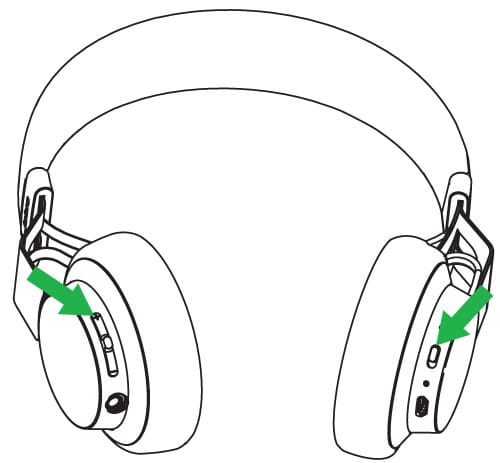
Turn off voice guidance
Turn off your headset by setting the On/off/pairing switch to the “off” position. Simultaneously press and hold the Volume down button, and turn on the headset by setting the On/off/pairing switch to the “on” position. The announcement “voice prompts off” will confirm the change.
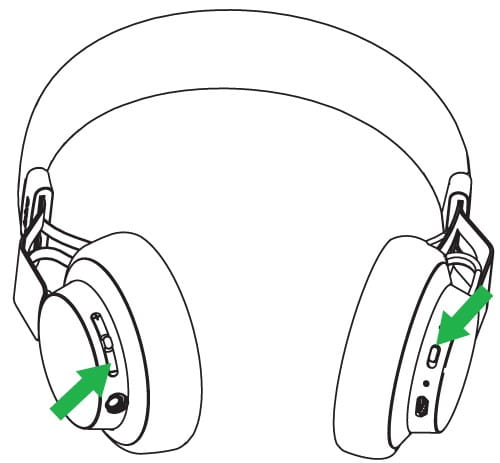
Turn on voice guidance
Turn off your headset by setting the On/off/pairing switch to the “off” position. Simultaneously press and hold the Volume up button, and turn on the headset by setting the On/off/pairing switch to the “on” position. The announcement “voice prompts on” will confirm the change.