
FAQ
My Jabra headset does not have call controls. How do I ensure an audio connection from my desk phone when using my headset with the Jabra Link 950?
My Jabra headset does not have call controls. How do I ensure an audio connection from my desk phone when using my headset with the Jabra Link 950?
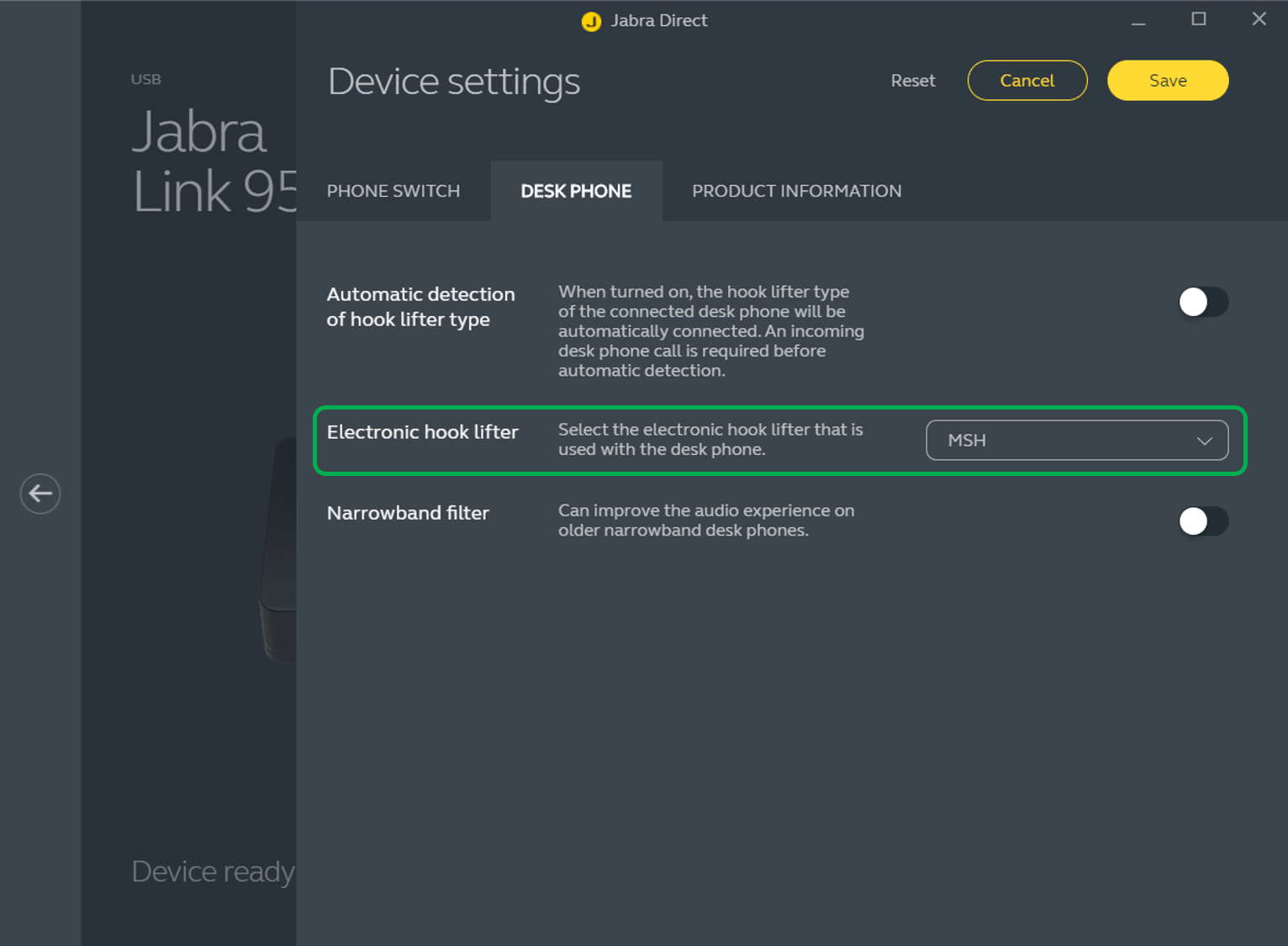
If you are connecting your Jabra headset to a desk phone using the Jabra Link 950, you may need to adjust the Jabra Link 950 settings using Jabra Direct. To adjust the settings, follow these steps.
- Go to Jabra Direct > Device > Jabra Link 950 > Settings > Desk phone.
- In Automatic detection of hook lifter type, click the slider to turn it off.
- In Electronic hook lifter, select MSH.
This will enable the Jabra Link 950 to detect the audio stream from the desk phone and pass it to the headset.
- Depending on your phone settings, you may also need to press the Headset button on your desk phone.
Note
- If your Jabra headset does have call controls, refer to the Jabra Compatibility Guide for relevant information.
- Images and text are for guidance purposes only. Actual images and text may vary depending on the connected device and updates to the software.
