FAQ
How do I configure my ShoreTel Communicator softphone to support remote call control from my Jabra device?
How do I configure my ShoreTel Communicator softphone to support remote call control from my Jabra device?
Prerequisites
- ShoreTel Telephony Interface software
If you are using a ShoreTel Communicator with Jabra Direct, you must perform the following additional steps after you install the softphone:
- Install the ShoreTel Telephony Interface software provided by ShoreTel. Refer to this guide: Post-Installation Steps for ShoreTel Connect, ShoreTel Communicator.
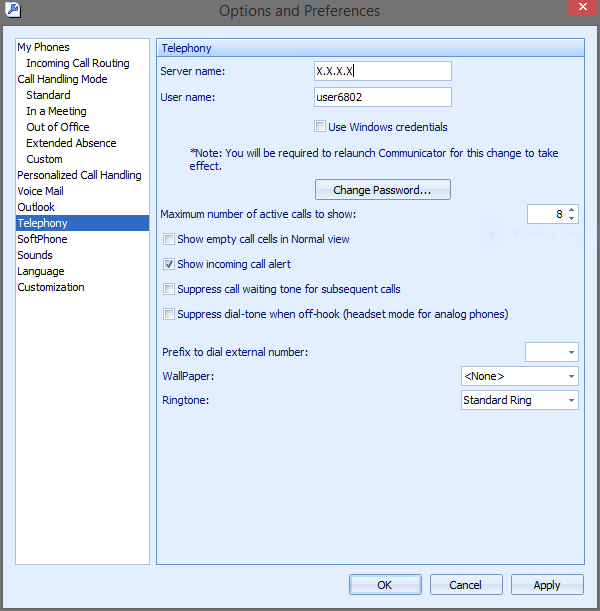
- Enter the server IP address in which your ShoreTel Communicator is configured. . Follow these steps to obtain your configured server IP address:
- Open ShoreTel Communicator and log in.
- Go to Tools, and then select Options.
- In the Telephony section, copy the server address in the Server name field (X.X.X.X).
- Click the link to install the ShoreTel telephony interface (download and install the interface on the client computer), and then reboot your computer.
- The Jabra Direct home screen then shows the ShoreTel integration as ready, and remote call control is enabled.