
How to connect my Jabra PRO 9400 / GO 6470 with Siemens OptiPoint 410, 420, 500, 600
How to connect my Jabra PRO 9400 / GO 6470 with Siemens OptiPoint 410, 420, 500, 600
Prerequisite:
Jabra PRO 9460 / Jabra PRO 9470 + Jabra LINK 14201-10 + Acoustic Adapter
In combination with one of the following phones:
- OptiPoint 410 standard / advance
- OptiPoint 420 standard / advance
- OptiPoint 500 basic / standard / advance
- OptiPoint 600
+ OptiPoint Acoustic Adapter:
- min. Version number for: S30817-K7110-B508 -10
- min. Version number for: S30817-K7110-N508 -1
+ HiPath phone system:
- HiPath 500 from V.5
- HiPath 1220 from V2.1 Build 032
- HiPath 2000 from V1.0
- HiPath 3000 from V3 SMR 14
- HiPath 3000 from V4 SMR 7
- HiPath 4000 from V1
Important: If any of the components are missing the Remote Call Control will not work.
Connection:
- Plug the 1-sided end of the DHSG cable marked in blue into the socket of the OptiPoint Acoustic Adapter marked with the "headset" symbol.
- Connect the split end of the DHSG cable with the Jabra PRO 9400 base as follows. Insert the RJ9 plug into the socket marked with a "phone" symbol and the RJ45 plug into the base socket marked with "AUX".
Then follow the instructions of the Jabra PRO 9400 base SmartSetup Wizard.
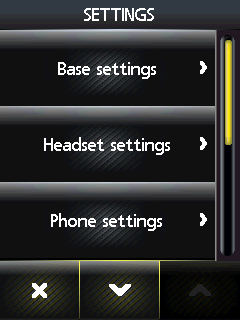

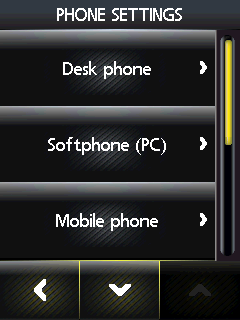
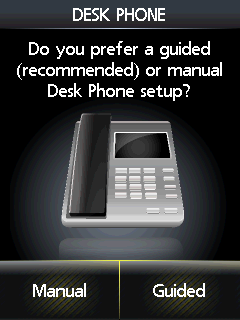
Select phone settings, "Desk phone", then "Connect to a desk phone?", "Manual".
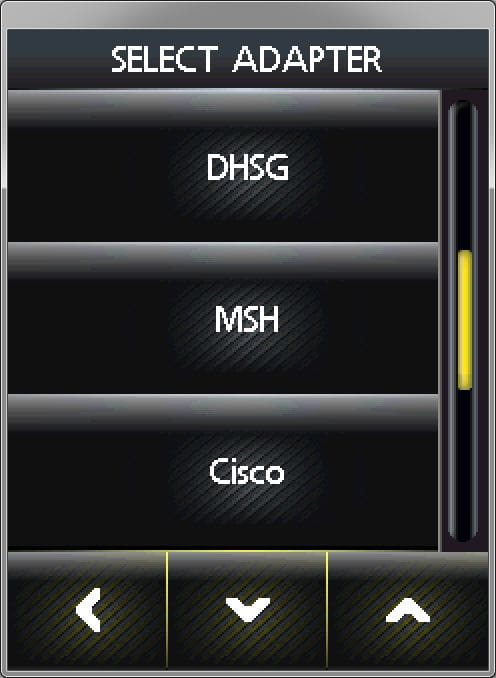
Select adapter type "Siemens OptiPoint"
Base setup:
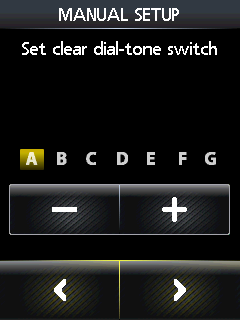
Set the phone setup switch to position "A".
Microphone volume setting:
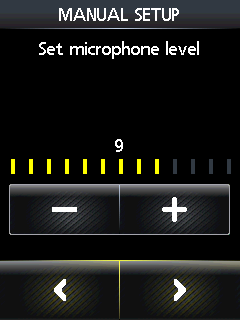
We recommend setting the microphone volume to 6 out of 13.
Guided set-up:
As part of the installation you can dial into the local Jabra Setup Server that takes care of configuring the audio path. Please follow the instructions shown on the display. If your Jabra Setup Server is unavailable, please contact your local Jabra support team.
Phone setup:
Important: As soon as the headset is connected and set up, a reset must be performed on the OptiPoint, for the EHS function to activate.
An optional headset button can be installed in the phone menu (combination: *91>select button > change button > headset > OK).
