
QUESTIONS FRÉQUEMMENT POSÉES
How do I control Active Noise Cancellation and HearThrough?
How do I control Active Noise Cancellation and HearThrough?
When you are not on a call, you can cycle between ANC/HearThrough/Off by pressing the Left button.
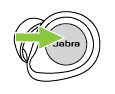
When you are on a call, HearThrough and ANC will turn off during a call, and then resume when the call is finished.
You can change the ANC and HearThrough settings in the Jabra Sound+ app.- To choose the modes you want to cycle between when you press the Left button on your headset, go to the Settings icon > Headset settings > Headset configuration > Surrounding sounds:
- HearThrough & Off
- HearThrough & ANC (default)
- HearThrough, ANC & Off
- To personalize ANC, go to the Settings icon > Personalize your headset > Active Noise Cancellation.
- Adjust the sound levels of HearThrough under Sound Modes.
- To change the audio experience when HearThrough is turned on, go to Settings icon > Headset settings > Audio experience.
Download Jabra Sound+ from Google Play to your Android device or from the App Store to your iOS device.
