
How do I remove the Feedback option for end users in Jabra Direct?
To remove the Feedback option that is displayed in Jabra Direct, change these settings in Jabra Xpress. Follow these steps:
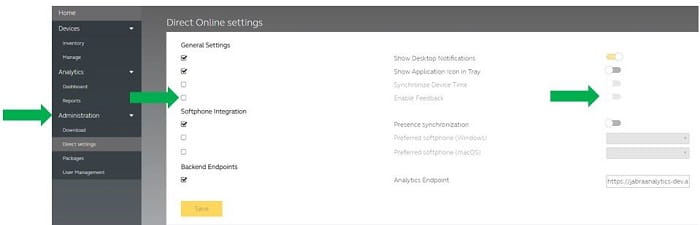
- Go to Administration, Direct settings.
- In General Settings, place a tick to the left of the Enable Feedback setting.
- Click the slider to turn it on/off to determine whether the Feedback menu is displayed in Jabra Direct.
Note:
Images and text are for guidance purposes only. Actual images and text may vary depending on the device connected and updates to the software.

Did you know?
0