Get In Touch
Fill out the form below if you would like more information about this product
     
First Name *
Last Name *
Company *
E-mail *
Country *
Submit


Product features
  • Speakerphone ideal for one-to-one and small-group conference calls
  • True wideband sound for crystal-clear conversation
  • Easy to transport - Compact design, integrated cable management and travel case
  • One variant optimized for Microsoft® Lync™
  • One variant compatible with leading Unified Communications solutions and VoIP clients
  • Easy to use with intuitive on-device call controls and external ringer
  • Headset port for private calls
Product details

Your Portable UC Conference Room

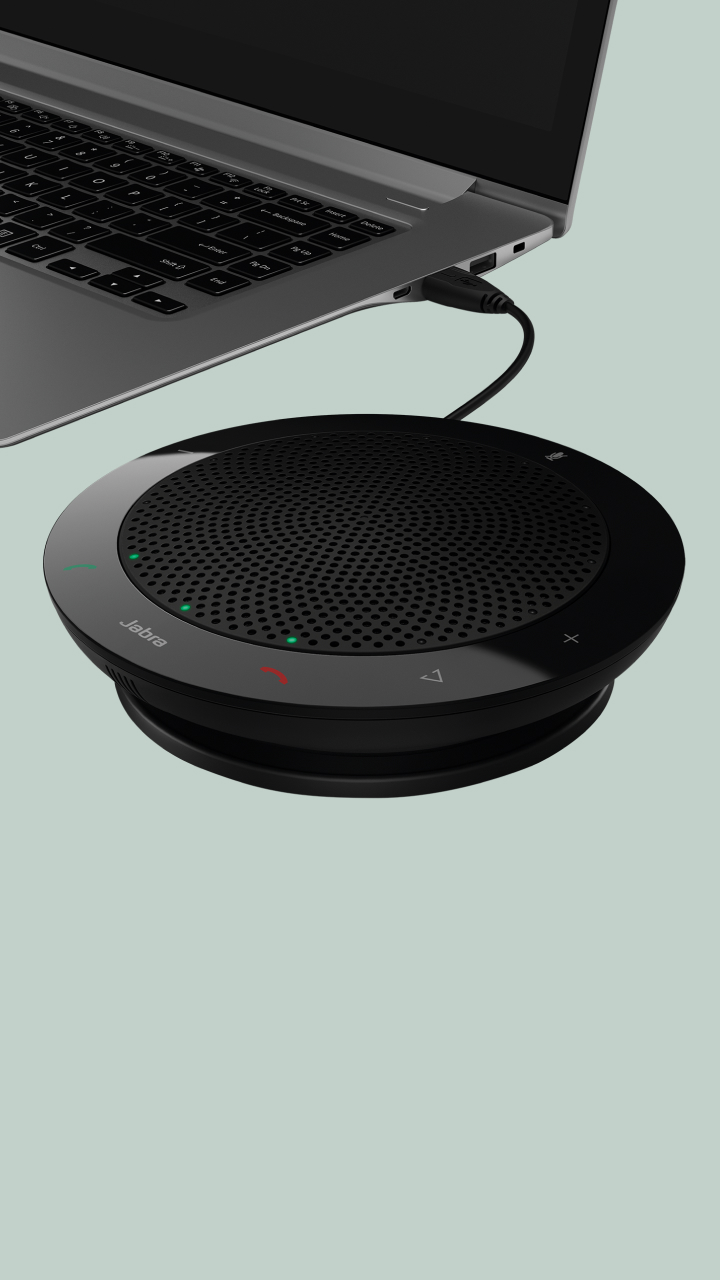
Jabra SPEAK™ 410 is a speakerphone designed for office professionals with everyday need for audio conferencing. Its compact design and travel case make it easy to carry around, and the integrated cable management ensures quick set-up. It’s the perfect solution for spontaneous conferencing and collaboration.

Easy set up and handling
The speakerphone is available in two versions. Jabra SPEAK 410 MS is optimized for seamless integration with Microsoft® Lync™. Simply connect Jabra SPEAK 410 MS to your computer and you are ready to make your first call. Jabra SPEAK 410 is compatible with all leading brands of Unified Communications solutions and VoIP clients – Download free drivers from www.jabra.com/PCsuite.

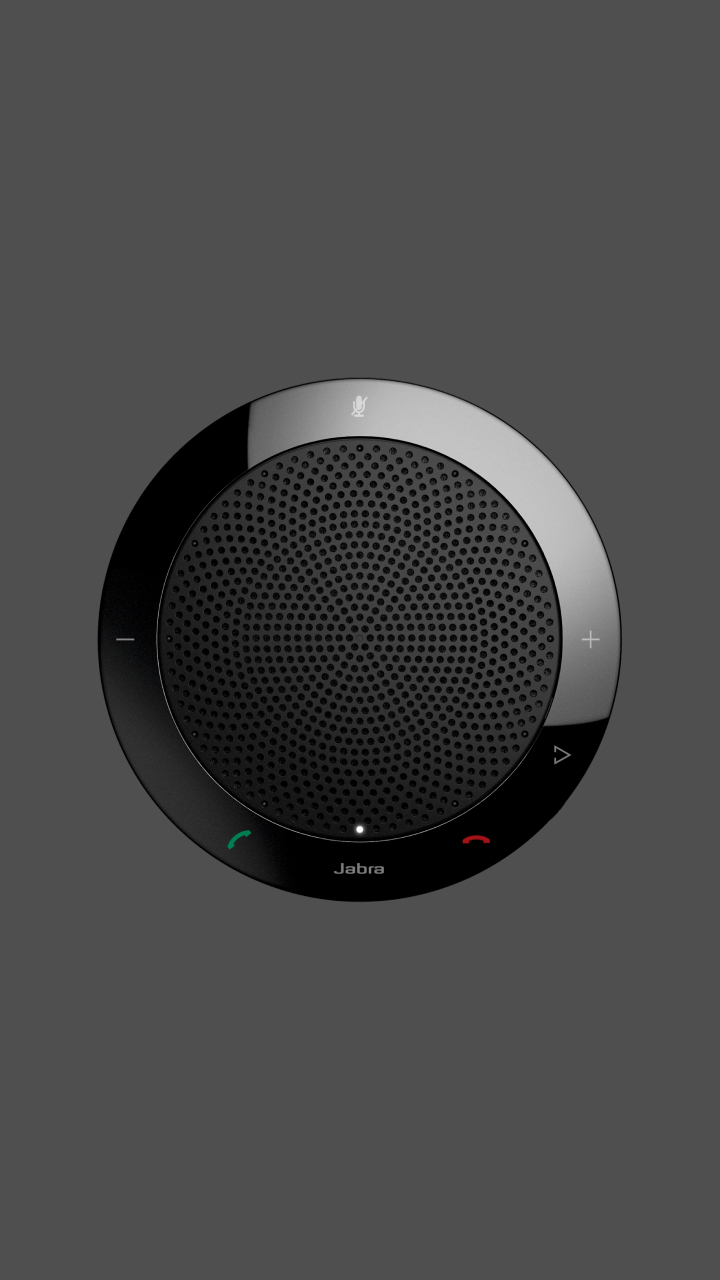
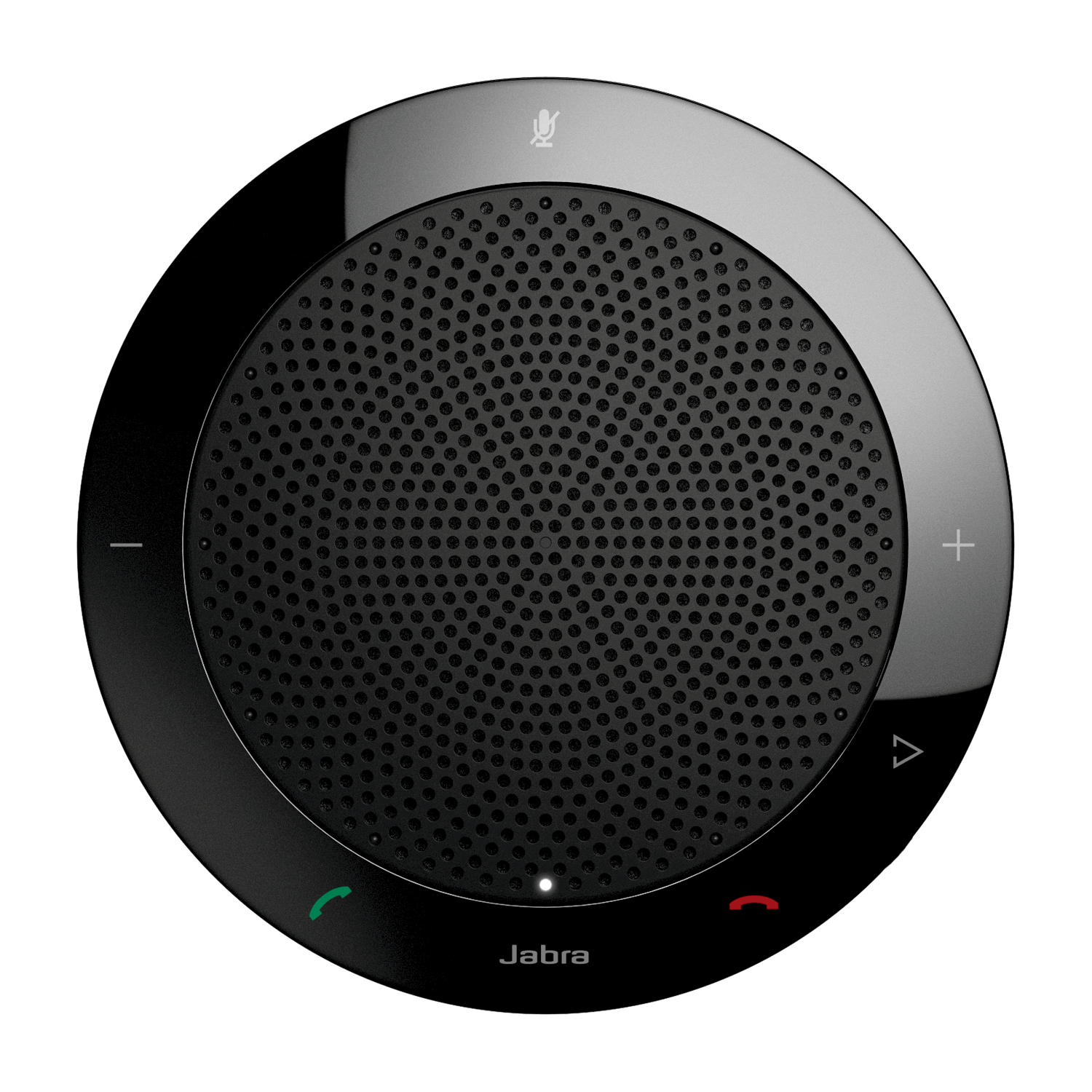
The unique and intuitive on-device call controls allow you to adjust the volume, mute and even answer or end a call. The external ringer ensures that you never miss a call.

Professional sound quality
Thanks to advanced Digital Signal Processing, Jabra SPEAK 410 provides crystal-clear audio with true wideband sound quality. The powerful speaker and built-in omni-directional microphone offer a 360-degree coverage allowing conference participants to hear and be heard.

Advantages for individual use
Thanks to a 3.5 mm headset port and full-duplex audio, Jabra SPEAK 410 is ideal for one-to-one conversations and other functions such as e-learning and listening to media playback from the computer. You can switch easily to private-call mode to not disturb your colleagues in open office environments.

Make your softphone talk Jabra

Jabra PC Suite

The Jabra PC Suite drivers enable remote call control with Jabra wireless headsets and the latest generation of IP softphones.

Variants
Available Variants
  • Jabra SPEAK 410(7410-209)
  • Compatible with leading Unified Communications solutions and VoIP clients
  • Intuitive on-device call controls
  • Integrated cable management and travel case
  • Headset port for private calls
  • Jabra SPEAK 410 MS(7410-109)
  • Optimized for Microsoft® Lync™
  • Intuitive on-device call controls
  • Integrated cable management and travel case
  • Headset port for private calls

Make your softphone talk Jabra

Jabra PC Suite

The Jabra PC Suite drivers enable remote call control with Jabra wireless headsets and the latest generation of IP softphones.

FAQ's

Is Jabra SPEAK™ 410 compatible with MAC?

Yes, Jabra SPEAK 410 works as an audio device on MAC.

Can I plug my existing headset into Jabra SPEAK™ 410 for private calls?

Yes, indeed. For a QD-terminated headset, with the aid of a connecting cable (Item number: 8800-00-99), one may unite the headset and the speakerphone. This combination makes it possible to handle private calls.

Is Jabra SPEAK™ 410 upgradeable and how often will there be firmware updates?

Yes, it is upgradeable. New firmware updates will be made available when required.

What is the warranty period for Jabra SPEAK™ 410?

The warranty covers a period of 2 years and is valid globally.

How does Jabra SPEAK™ 410 connect to a computer?

Jabra SPEAK 410 is a simple plug-and-play solution. The user must only plug it into the USB port of the computer.

How do I see the firmware version of Jabra SPEAK™ 410?

Make sure you have the latest Jabra PC Suite – it is available at www.jabra.com/PCsuite. Then go to Start and open Jabra PC Suite Control Center or right click on the Jabra PC Suite icon on the right side of the quick-start menu. Go to the Help function and press on the About Jabra SPEAK 410. The firmware version appears.

Which operating systems does Jabra SPEAK™ 410 support?

Windows XP
Windows Vista (32-bit, 64-bit)
Windows 7 (32-bit, 64-bit)

Why use Jabra SPEAK™ 410 instead of ordinary computer microphones and speakers for voice?

Jabra SPEAK 410 offers superior audio quality compared to standard computer microphones or speakers. The omni-directional microphone and form-factor make it ideal both for personal use and for all those small groups conference calls, and the on-device call controls; hook on/off, mute, volume +/- will optimize the user experience instantly.

Does Jabra SPEAK™ 410 work with voice applications other than the officially supported ones?

Yes, it works as an audio device.

Must I position Jabra SPEAK™ 410 in a specific way to obtain the best acoustic performance?

No, there are no special adjustments necessary. The design of Jabra SPEAK 410 is omni-directional and assures 360⁰/ 1-to- 2- meter audio pickup range.

Why use Jabra SPEAK™ 410 instead of a headset?

This speakerphone provides flexibility and freedom of movement. One may enjoy crystal clear collaboration, full duplex and wideband sound.

What are the voice applications that Jabra SPEAK™ 410 supports?

Jabra SPEAK 410 is compatible with all leading brands of Unified Communications systems and VoIP clients, e.g. Microsoft® Lync™, MS Office Communicator, Cisco, Avaya, etc.

How does Jabra SPEAK™ 410 compare with other competitive products?

Jabra Speak 410 is a superior product. It is an intuitive and easy-to-use product. Additionally, one may download free drivers from www.jabra.com/PCsuite, and simply connect Jabra SPEAK 410 to one’s personal computer. The on-device call controls allow the user to adjust the volume, mute and even answer or end a call. The external ringer makes sure that one never misses a call. Thus, it increases productivity.

What is Jabra SPEAK™ 410?

Jabra SPEAK 410 is a speakerphone designed for office professionals with everyday need for audio conferencing. Its compact design and travel case makes it easy to carry around, and the integrated cable management ensures quick set-up. It is the perfect solution for spontaneous conferencing and collaboration.

How does Jabra SPEAK™ 410 maximize my calling experience?

Thanks to a 3.5 mm headset port and full-duplex audio, Jabra SPEAK 410 is ideal for one-to-one conversations and other functions such as e-learning and listening to media playback from the computer. You can switch easily to private call mode to not disturb your colleagues in open office environments.

What is the microphone pickup range of Jabra SPEAK™ 410?

Thanks to advanced Digital Signal Processing, Jabra SPEAK 410 provides crystal-clear audio with true wideband sound quality. The powerful speaker and built-in omni-directional microphone offer a 360-degree, 1- to-2-meter- coverage allowing conference participants to hear and be heard.

Make your softphone talk Jabra

Jabra PC Suite

The Jabra PC Suite drivers enable remote call control with Jabra wireless headsets and the latest generation of IP softphones.

Support
Support options
Please select from the below available downloads for this product. If you have further questions, please do not hesitate to visit the support section or use the form above if you would like to be contacted

Make your softphone talk Jabra

Jabra PC Suite

The Jabra PC Suite drivers enable remote call control with Jabra wireless headsets and the latest generation of IP softphones.

Register this product
Please fill out the form below to register your product and receive product information and news from Jabra in the future.
     
First Name *
Last Name *
Company *
Email Address *
State
City *
Country *
Sign up to Jabra newsletter and receive exciting news about Jabra.
Submit


Authorized Distributor United States Authorized Distributor Canada

Direct Access Systems, Inc.
1309 S Myrtle Ave
Monrovia, CA 91016-4150
877-526-2125
http://directaccessinc.com

Fontel, Inc.
804 E St
Aurora, NE 68818
402-694-4204
http://www.fontel.com
Ingram Micro
1759 Wehrle Dr
Williamsville, NY 14221
800-456-8000 x65083
http://www.ingrammicro.com
Graybar Canada
#105, 2765 48th Ave NE
Calgary, AB T3J5M9
403-250-5554
http://www.graybarcanada.com
Jenne, Inc.
33665 Chester Road
Avon, OH 44011
800-422-6191
http://www.jenne.com
NETXUSA, Inc.
231 Beverly Road
Greenville, SC 29609
864-271-9868
http://www.netxusa.com
Westcon
520 White Plains Road
Tarrytown, NY 10591
630-388-0440
http://www.westcongroup.com

Ingram Micro Canada
55 Standish Court
Mississauga, ON L5R 4A1
905-755-5000
http://www.ingrammicro.ca


  Sensus Communication Solutions
Vancouver (West Headquarters)
3657 Wayburne Drive, Unit 5
Burnaby, BC V5G 3L1
604-263-9399 / 1-800-655-5726
http://www.sensusinc.com
      Sensus Communication Solutions
Oakville (East Headquarters)
2333 Wyecroft Road
Oakville, ON L6L 6L4
905-827-7200 / 1-888-827-7200
http://www.sensusinc.com
      Williams Telecommunications
5610 Kennedy Rd
Mississauga, ON L4Z 2A9
905-712-4242
http://www.williamsglobal.com
 Authorized Resellers United States  Authorized Resellers Canada
Anixter (HQ)
1471 Business Center Drive
Mt. Prospect, IL 60056
800-792-1207
http://www.anixter.com
Avcomm Solutions Inc.
324 8th St.
Aurora, NE 68818
866-998-9991
http://www.avcommsolutions.com
C & S Products
1411 N Batavia St.
Orange, CA 92867-3526
714-288-2660
http://www.csproducts.com
Call Center Products
144 Steelcase Rd. West
Markham, ON, L3R 3J9 
800-583-5500
http://www.headset.com
Call One, Inc.
400 Imperial Ave.
Cape Canaveral, FL 32920
321-783-2400
http://www.calloneonline.com
CDW (HQ)
200 N Milwaukee Ave
Vernon Hills, IL 60061
847-465-6000
http://www.cdw.com
Cross Telecom
10900 Nesbitt Ave. So.
Bloomington, MN 55437
866-983-3500
http://www.crosstelecom.com
CDW Canada (HQ)
20 Carlson Court, Suite 300
Etobicoke, ON
800-972-3922
http://www.cdw.com
Dell
One Dell Way
Round Rock, TX
800-BUY-DELL
http://www.dell.com
Dimension Data (HQ)
333 North Point
Center East Suite 150
Alpharetta, GA 30022
770-360-1063
http://www.dimensiondata.com
GBH Communications (HQ)
3333 North San Fernando Blvd.
Burbank, CA 91504
800-222-5424
http://www.gbh.com
Dimension Data Canada Inc
161 Bay Street, Suite 2700
Toronto, ON M5J 2S1
647-724-2770
http://www.dimensiondata.com
Graybar
34 Meramac
Saint Louis, MO
673-852-6000
http://www.graybar.com
Insight (HQ)
6280 South Harl Avenue
Tempe, AZ 85283
800-467-4448
http://www.insight.com
Midwest Teletron
27200 West 62nd Street
Shorewood, MN 55331
952-470-5100
http://www.mwteletron.com
Grand & Toy
33 Green Belt Drive
Don Mills, ON M3C 1M1
416-445-7255
http://www.grandandtoy.com
PC Connection (HQ)
730 Milford Road
Merrimack, NH 03054
888-213-0607
http://www.pcconnection.com
PC Mall (HQ)
2555 W. 190th St.
Torrance, CA 90504
310-354-5600
http://pcmall.com
Software Hardware Integration
33 Knightsbridge Road
Piscataway, NJ 08854
888-764-8888
http://www.shi.com
Long View Systems
550 Burrard St, Suite 728-Bentall 5
Vancouver, BC V6C2B5
604-676-5239
www.longviewsystems.com
SPS
3 Wing Dr., Suite 100
Cedar Knolls, NJ 07927
973-540-0600
http://www.spscom.com
Staples, Inc. (HQ)
500 Staples Drive
Framingham, MA 01702
508-253-5000
http://www.staples.com
VoIP Supply
454 Sonwil Dr
Buffalo, NY
716-684-2746
http://www.voipsupply.com
Sensus Communication Solutions
Vancouver (West Headquarters)
3657 Wayburne Drive, Unit 5
Burnaby, BC V5G 3L1
604-263-9399 / 1-800-655-5726
http://www.sensusinc.com
Zones, Inc. (HQ)
1102 15th St. SW, Suite 102
Auburn, WA 98001
800-408-9663
http://www.zones.com
    Sensus Communication Solutions
Oakville (East Headquarters)
2333 Wyecroft Road
Oakville, ON L6L 6L4
905-827-7200 / 1-888-827-7200
http://www.sensusinc.com
      Williams Telecommunications
5610 Kennedy Rd
Mississauga, ON L4Z 2A9
905-712-4242
http://www.williamsglobal.com
       
Copyright © GN NetcomLegal Disclaimer