Prerequisite
- Avaya Agent for Desktop version 2.0.6.2.3001 or later
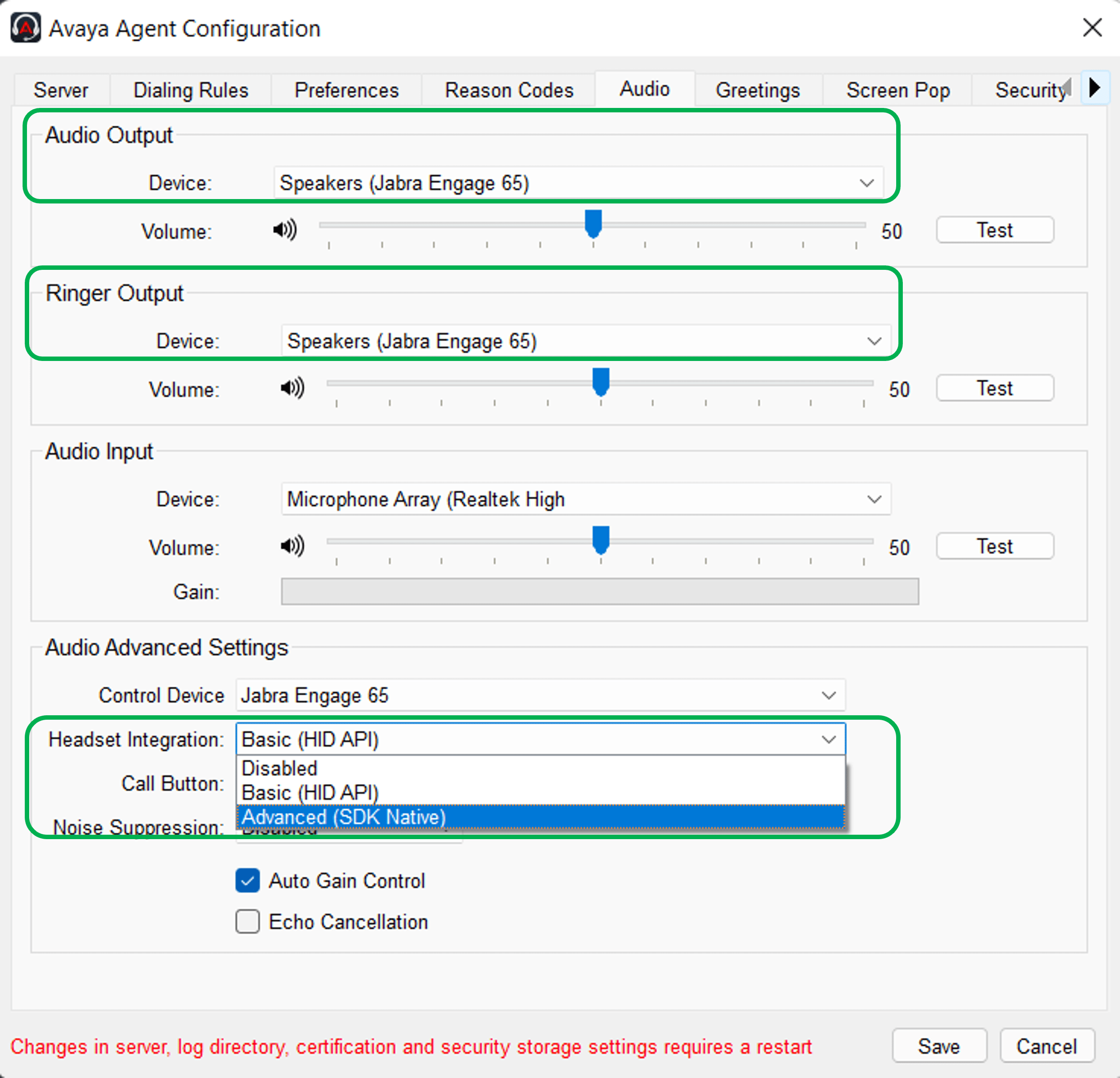
To select your Jabra device for use with Avaya Agent for Desktop, follow these steps.
- Go to Avaya Agent Configuration > Audio.
- In Audio Output / Ringer Output, select your Jabra device from the dropdown.
- In Audio Advanced Settings > Headset Integration, select Advanced (SDK Native).