
FAQ
When I speak into the microphone I cannot hear my voice or I hear too much of my voice. How do I adjust the sidetone level using Jabra Direct?
When I speak into the microphone I cannot hear my voice or I hear too much of my voice. How do I adjust the sidetone level using Jabra Direct?
To hear your own voice, or reduce the volume at which you hear your own your voice, adjust the sidetone level by following these steps.
- In Jabra Direct, select your device.
- Click Device.
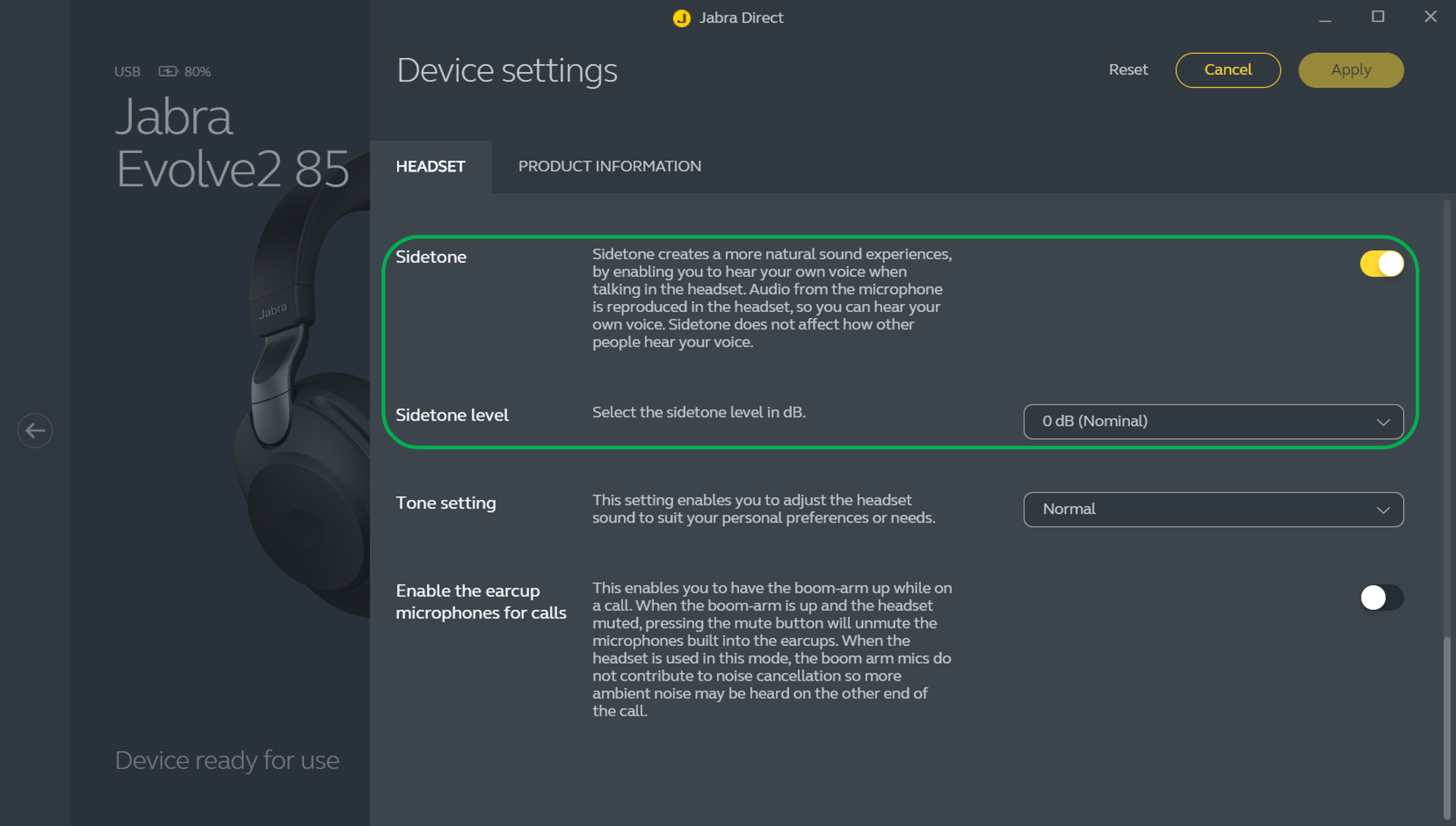
- In Device settings > Headset, ensure the Sidetone setting is turned on.
- In Sidetone level, select your preferred setting. The default setting is 0 dB (Nominal). Select +3 dB or +6 dB to hear your voice more. Select the negative options to hear your voice less.
- Click Apply.
- Make a test call to check that the sidetone level you selected is satisfactory. If not, repeat the preceding steps to adjust it.
Note
Images and text are for guidance purposes only. Actual images and text may vary depending on the connected device and updates to the software.
