
Jabra Logo
Jabra Logo

Office worker using Jabra Direct
Asistencia

How to manually recover or firmware update a Jabra device

Office worker using Jabra Direct

To manually update your Jabra device from a file, follow these steps

  1. On the Jabra Support website, navigate to the product support page for your Jabra device. Ensure you select the correct product variant.
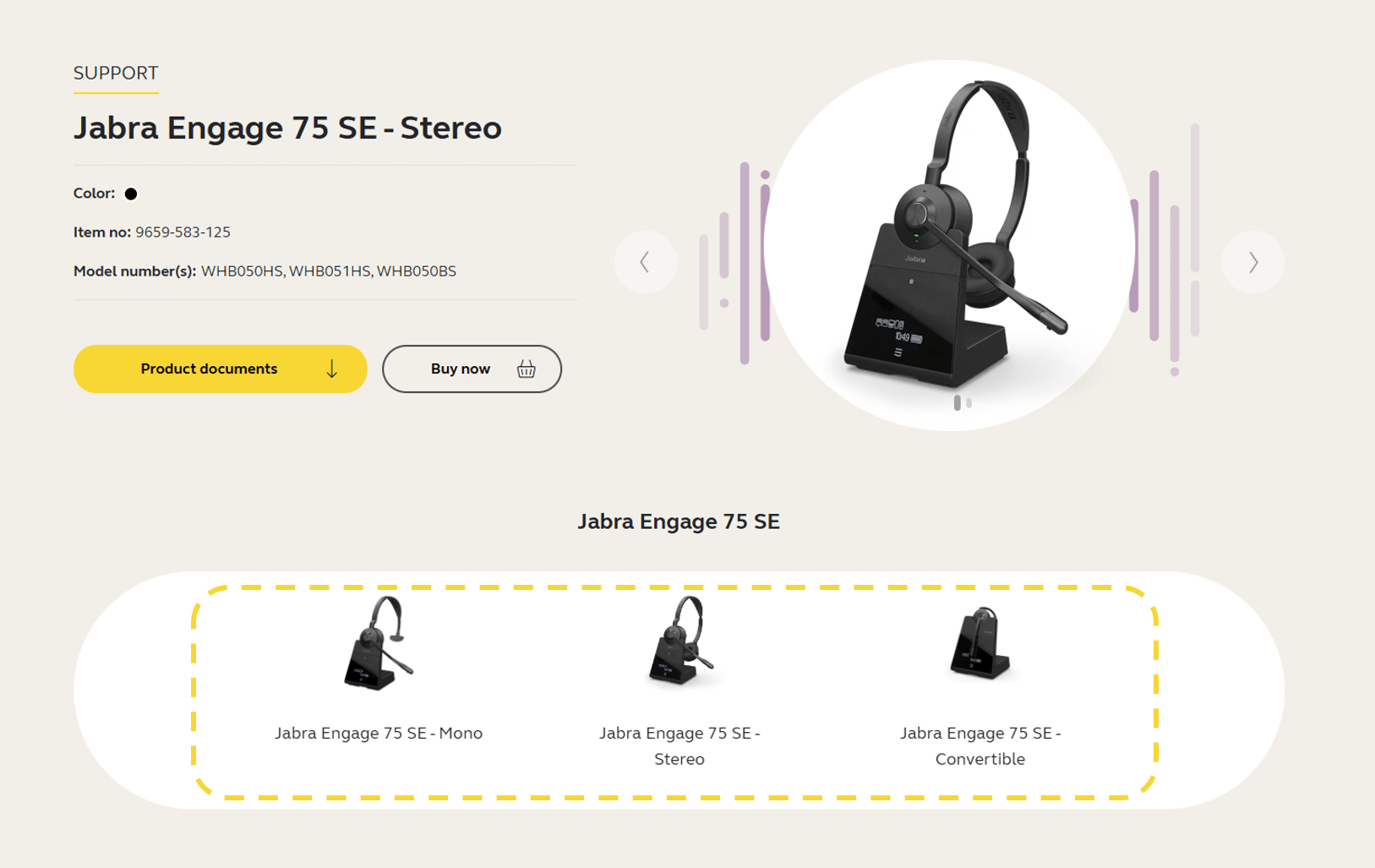
    Jabra Engage 75 SE


  2. Click the section Firmware and software and download the latest firmware version for your device. Save the file on your computer in a location you will be able to find later. Note that the firmware is the same for Windows and macOS.



  3. Open Jabra Direct, click Updates.

  4. If the Recover button is available for your device, click Recover and follow the instructions to complete the recover process. Otherwise, press Ctrl+Shift+U on your keyboard.

  5. Click the Update from File button that appears next to your device. 
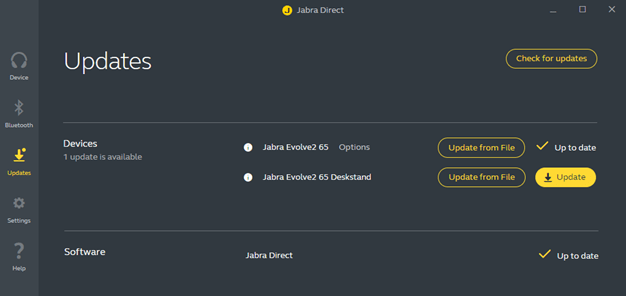


  6. In the dialog that opens, navigate to the relevant file on your computer and click Open.

  7. Select the preferred voice prompt language (if applicable) and then click Update from File.

    Important: Do not disconnect your device at any point during the update.

  8. When the firmware has been updated successfully, follow any instructions to complete the update.


If the firmware update is not successful, please contact Jabra Support. Find the relevant contact information on the product support page for your product.

Note
Images are for guidance purposes only. The displayed images may differ slightly from your device, however the content is still relevant and accurate.
  1. Firmware update recovery

Sobre nosotros

  • Nuestra historia
  • Carreras profesionales
  • Sostenibilidad
  • Noticias y notas de prensa
  • blog de Jabra
  • Estudios de caso
  • Nuestra historia
  • Carreras profesionales
  • Sostenibilidad
  • Noticias y notas de prensa
  • blog de Jabra
  • Estudios de caso

Recursos de apoyo

  • Soporte para productos
  • Manuales de usuario
  • Guía de emparejamiento Bluetooth
  • Guía de compatibilidad
  • Vídeos prácticos
  • Accesorios
  • Identifica tu producto
  • Soporte para productos
  • Manuales de usuario
  • Guía de emparejamiento Bluetooth
  • Guía de compatibilidad
  • Vídeos prácticos
  • Accesorios
  • Identifica tu producto

Preguntas más frecuentes

  • ¿Qué auriculares son buenos para Skype?
  • ¿Qué auriculares son buenos para iPhone?
  • ¿Son seguros los auriculares Bluetooth?
  • ¿Qué auriculares son buenos para Skype?
  • ¿Qué auriculares son buenos para iPhone?
  • ¿Son seguros los auriculares Bluetooth?

Póngase en contacto

  • Contactar con Ventas de Jabra
  • Pedidos en línea
  • Registra tu producto
  • Conviértete en distribuidor
  • Política de fin de uso de la empresa
  • Programa de desarrolladores
  • Contactar con Ventas de Jabra
  • Pedidos en línea
  • Registra tu producto
  • Conviértete en distribuidor
  • Política de fin de uso de la empresa
  • Programa de desarrolladores
GN logo
  • Marcas
  • Seguridad y advertencias
  • Política de cookies
  • Cambiar el consentimiento de cookies
  • Declaraciones de conformidad
  • Renuncias comerciales
  • Política de privacidad
  • Centro de seguridad
  • Licencias de código abierto