
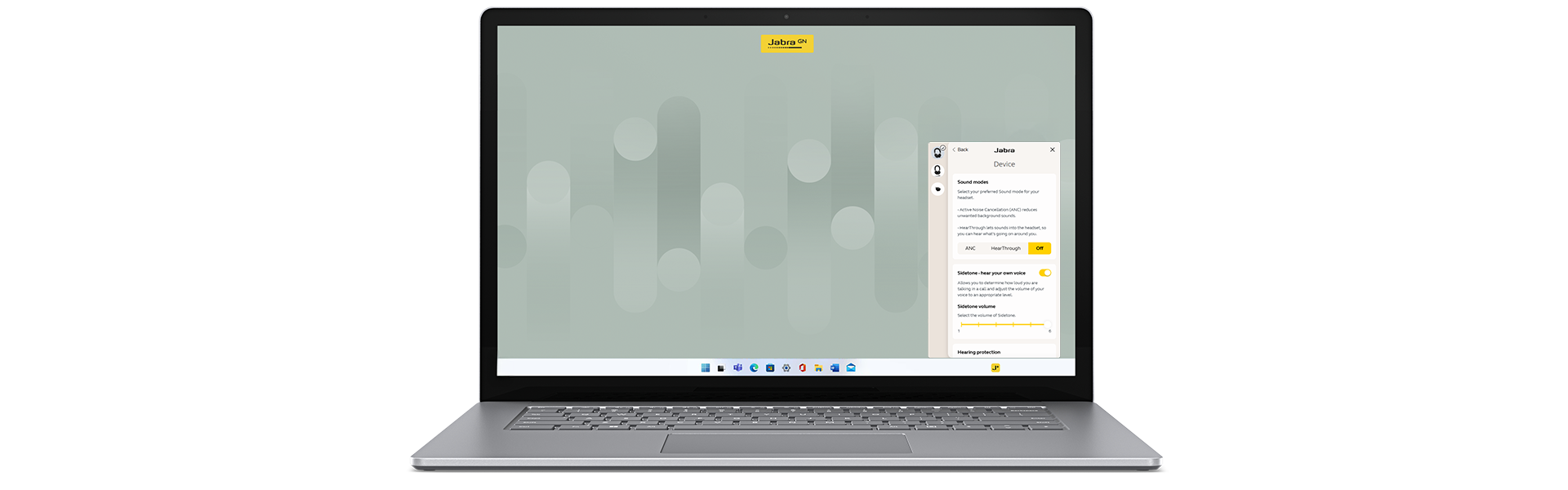
Make your Jabra device work your way, wherever you are, with the Jabra Plus Desktop App for Windows. Enjoy smarter, smoother performance over time with secure updates and fresh features. Personalize sound to suit your workspace, mood or music from your laptop. Welcome to your devices, your way.
Keep your device up to date
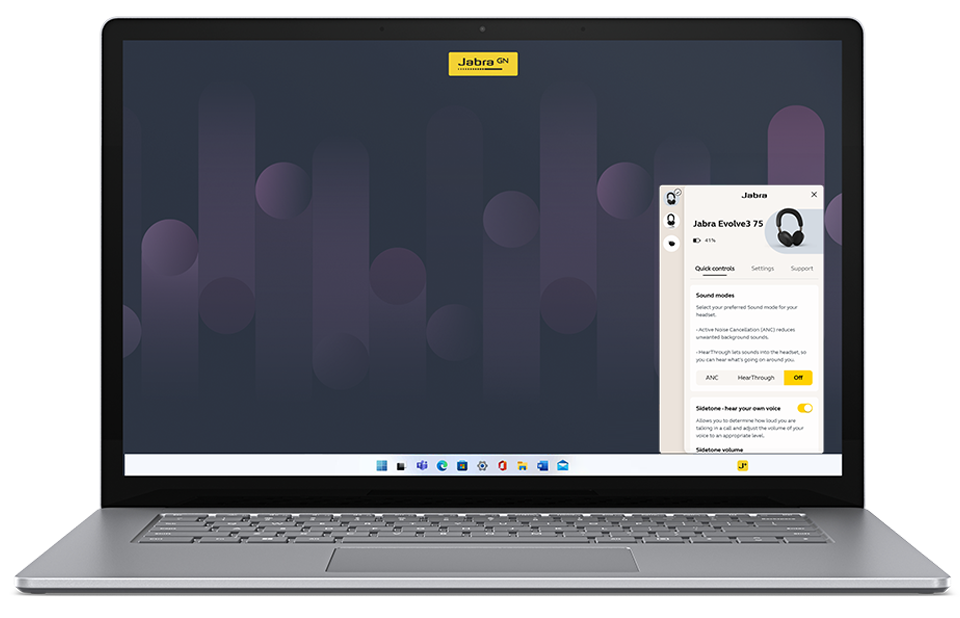
Personalize your sound settings

Sound modes
Turn your ANC on if you need to be productive on the train, use HearThrough when you want to hear the office buzz, and adjust the wind noise reduction of your Jabra headset when you’re out and about.*
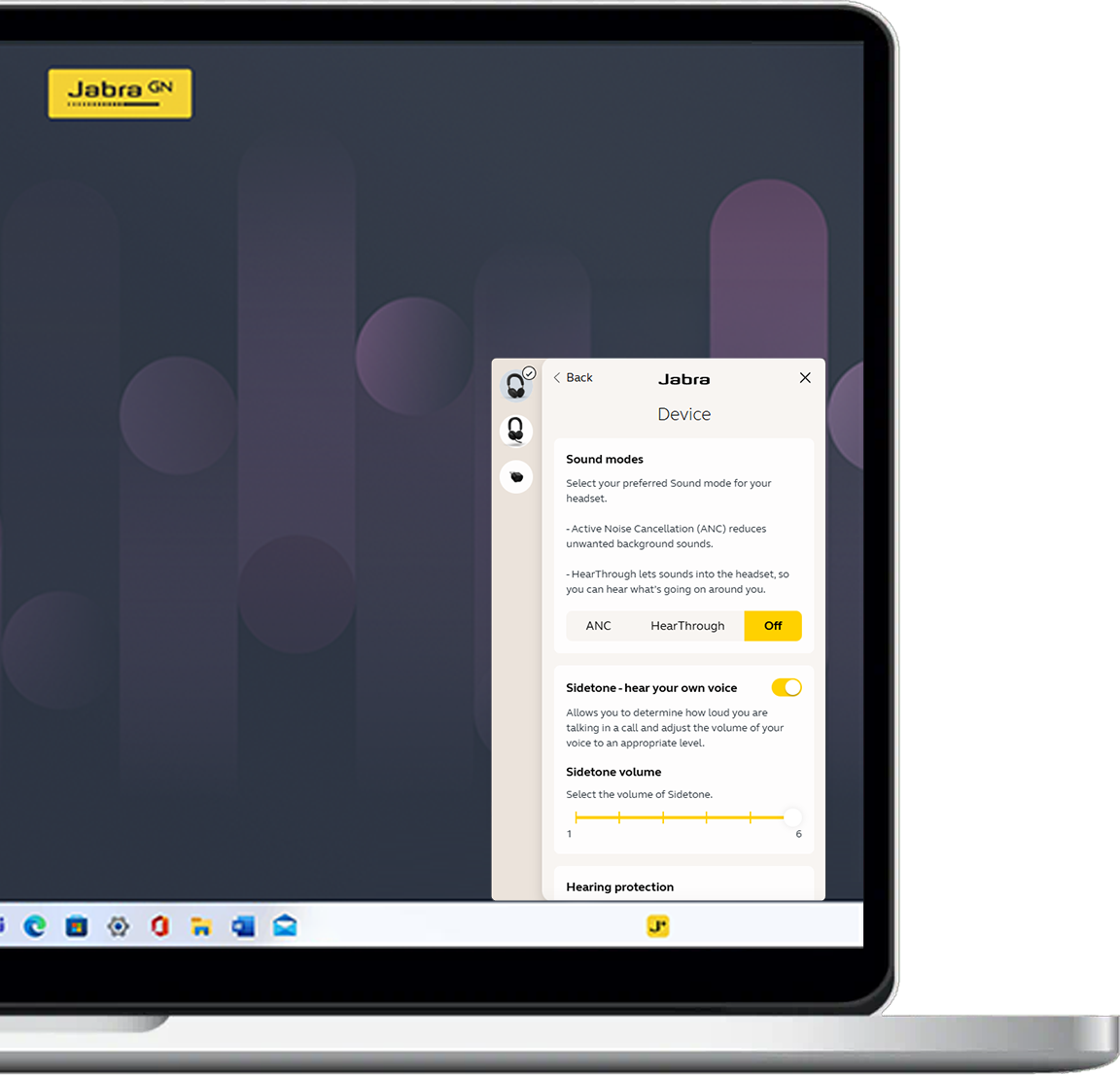
Sidetone
Adjust sidetone levels to hear just the right amount of your own voice, reducing the urge to shout and making calls feel more natural and comfortable in any environment.
Call management
Choose how you want to hear others, without changing the experience for them with the call equalizer. Turn on Auto-reject to reject incoming calls if you are busy on another call, and set up a mute reminder so you don’t keep forgetting you’re on mute.Secure end-to-end solution
The Jabra Plus Desktop App lives up to the highest security standards in its class. Rest assured your experience is secure thanks to compliance with the CRA and NIS2 directive for cybersecurity.
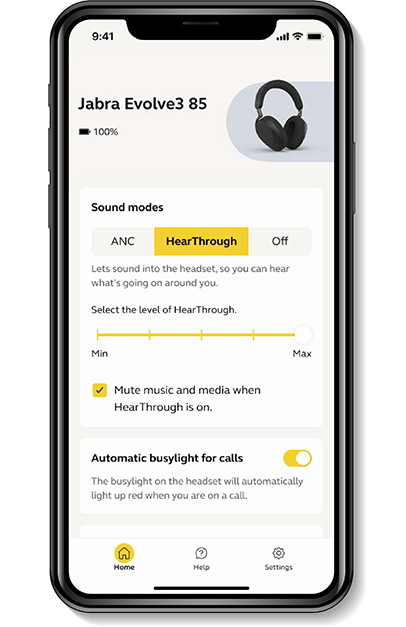
Jabra Plus in your pocket
The Jabra Plus Mobile App lives up to the highest security standards in its class. You can be confident your experience is secure thanks to compliance with the CRA and NIS2 directive for cybersecurity. That’s one less thing to worry about.
Device compatibility
- Jabra Biz 1100 Mono
Firmware Update: Yes
Device Settings: No
- Jabra Biz 1100 Stereo
Firmware Update: Yes
Device Settings: No
- Jabra Biz 1500 USB Duo
Firmware Update: Yes
Device Settings: No
- Jabra Biz 1500 USB Mono
Firmware Update: Yes
Device Settings: No
- Jabra Biz 2300 USB Duo
Firmware Update: Yes
Device Settings: No
- Jabra Biz 2300 USB Mono
Firmware Update: Yes
Device Settings: No
- Jabra Biz 2400 II CC USB Mono MS
Firmware Update: Yes
Device Settings: No
- Jabra Biz 2400 II CC USB Mono UC
Firmware Update: Yes
Device Settings: No
- Jabra Biz 2400 II CC USB Stereo
Firmware Update: Yes
Device Settings: No
- Jabra Connect 4h
Firmware Update: Yes
Device Settings: Yes
- Jabra Engage 40 Mono
Firmware Update: Yes
Device Settings: Yes
- Jabra Engage 40 Stereo
Firmware Update: Yes
Device Settings: Yes
- Jabra Engage 45 SE Convertible
Firmware Update: Yes
Device Settings: Yes
- Jabra Engage 45 SE Mono
Firmware Update: Yes
Device Settings: Yes
- Jabra Engage 45 SE Stereo
Firmware Update: Yes
Device Settings: Yes
- Jabra Engage 50 II Mono
Firmware Update: Yes
Device Settings: Yes
- Jabra Engage 50 II Stereo
Firmware Update: Yes
Device Settings: Yes
- Jabra Engage 50 Mono
Firmware Update: Yes
Device Settings: Yes
- Jabra Engage 50 Stereo
Firmware Update: Yes
Device Settings: Yes
- Jabra Engage 55 Convertible
Firmware Update: Yes
Device Settings: Yes
- Jabra Engage 55 Mono
Firmware Update: Yes
Device Settings: Yes
- Jabra Engage 55 SE Convertible
Firmware Update: Yes
Device Settings: Yes
- Jabra Engage 55 SE Mono
Firmware Update: Yes
Device Settings: Yes
- Jabra Engage 55 SE Stereo
Firmware Update: Yes
Device Settings: Yes
- Jabra Engage 55 Stereo
Firmware Update: Yes
Device Settings: Yes
- Jabra Engage 65 Convertible
Firmware Update: Yes
Device Settings: Yes
- Jabra Engage 65 Mono
Firmware Update: Yes
Device Settings: Yes
- Jabra Engage 65 SE Convertible
Firmware Update: Yes
Device Settings: Yes
- Jabra Engage 65 SE Mono
Firmware Update: Yes
Device Settings: Yes
- Jabra Engage 65 SE Stereo
Firmware Update: Yes
Device Settings: Yes
- Jabra Engage 65 Stereo
Firmware Update: Yes
Device Settings: Yes
- Jabra Engage 75 Convertible
Firmware Update: Yes
Device Settings: Yes
- Jabra Engage 75 Mono
Firmware Update: Yes
Device Settings: Yes
- Jabra Engage 75 SE Convertible
Firmware Update: Yes
Device Settings: Yes
- Jabra Engage 75 SE Mono
Firmware Update: Yes
Device Settings: Yes
- Jabra Engage 75 SE Stereo
Firmware Update: Yes
Device Settings: Yes
- Jabra Engage 75 Stereo
Firmware Update: Yes
Device Settings: Yes
- Jabra Evolve 20 Mono
Firmware Update: Yes
Device Settings: Yes
- Jabra Evolve 20 Stereo
Firmware Update: Yes
Device Settings: Yes
- Jabra Evolve 20SE Mono
Firmware Update: Yes
Device Settings: Yes
- Jabra Evolve 20SE Stereo
Firmware Update: Yes
Device Settings: Yes
- Jabra Evolve 30 II Mono
Firmware Update: Yes
Device Settings: Yes
- Jabra Evolve 30 II Stereo
Firmware Update: Yes
Device Settings: Yes
- Jabra Evolve 30 Mono
Firmware Update: Yes
Device Settings: Yes
- Jabra Evolve 30 Stereo
Firmware Update: Yes
Device Settings: Yes
- Jabra Evolve 65 Mono
Firmware Update: No
Device Settings: Yes
- Jabra Evolve 65 SE Mono
Firmware Update: Yes
Device Settings: Yes
- Jabra Evolve 65 SE Stereo
Firmware Update: Yes
Device Settings: Yes
- Jabra Evolve 65 Stereo
Firmware Update: No
Device Settings: Yes
- Jabra Evolve 65 TE MS Mono
Firmware Update: Yes
Device Settings: Yes
- Jabra Evolve 65 TE MS Stereo
Firmware Update: Yes
Device Settings: Yes
- Jabra Evolve 65 TE UC Mono
Firmware Update: Yes
Device Settings: Yes
- Jabra Evolve 65 TE UC Stereo
Firmware Update: Yes
Device Settings: Yes
- Jabra Evolve 75
Firmware Update: No
Device Settings: Yes
- Jabra Evolve 75 SE
Firmware Update: Yes
Device Settings: Yes
- Jabra Evolve2 30 Mono MS
Firmware Update: Yes
Device Settings: Yes
- Jabra Evolve2 30 Mono UC
Firmware Update: Yes
Device Settings: Yes
- Jabra Evolve2 30 SE Mono MS
Firmware Update: Yes
Device Settings: Yes
- Jabra Evolve2 30 SE Mono UC
Firmware Update: Yes
Device Settings: Yes
- Jabra Evolve2 30 SE Stereo MS
Firmware Update: Yes
Device Settings: Yes
- Jabra Evolve2 30 SE Stereo UC
Firmware Update: Yes
Device Settings: Yes
- Jabra Evolve2 30 Stereo MS
Firmware Update: Yes
Device Settings: Yes
- Jabra Evolve2 30 Stereo UC
Firmware Update: Yes
Device Settings: Yes
- Jabra Evolve2 40 Mono MS
Firmware Update: Yes
Device Settings: Yes
- Jabra Evolve2 40 Mono UC
Firmware Update: Yes
Device Settings: Yes
- Jabra Evolve2 40 SE Mono MS
Firmware Update: Yes
Device Settings: Yes
- Jabra Evolve2 40 SE Mono UC
Firmware Update: Yes
Device Settings: Yes
- Jabra Evolve2 40 SE Stereo MS
Firmware Update: Yes
Device Settings: Yes
- Jabra Evolve2 40 SE Stereo UC
Firmware Update: Yes
Device Settings: Yes
- Jabra Evolve2 40 Stereo MS
Firmware Update: Yes
Device Settings: Yes
- Jabra Evolve2 40 Stereo UC
Firmware Update: Yes
Device Settings: Yes
- Jabra Evolve2 50 Mono MS
Firmware Update: Yes
Device Settings: Yes
- Jabra Evolve2 50 Mono UC
Firmware Update: Yes
Device Settings: Yes
- Jabra Evolve2 50 Stereo MS
Firmware Update: Yes
Device Settings: Yes
- Jabra Evolve2 50 Stereo UC
Firmware Update: Yes
Device Settings: Yes
- Jabra Evolve2 55 Mono MS
Firmware Update: Yes
Device Settings: Yes
- Jabra Evolve2 55 Mono UC
Firmware Update: Yes
Device Settings: Yes
- Jabra Evolve2 55 Stereo MS
Firmware Update: Yes
Device Settings: Yes
- Jabra Evolve2 55 Stereo UC
Firmware Update: Yes
Device Settings: Yes
- Jabra Evolve2 65 Deskstand
Firmware Update: Yes
Device Settings: Yes
- Jabra Evolve2 65 Flex MS
Firmware Update: Yes
Device Settings: Yes
- Jabra Evolve2 65 Flex UC
Firmware Update: Yes
Device Settings: Yes
- Jabra Evolve2 65 Mono MS
Firmware Update: Yes
Device Settings: Yes
- Jabra Evolve2 65 Mono UC
Firmware Update: Yes
Device Settings: Yes
- Jabra Evolve2 65 Stereo MS
Firmware Update: Yes
Device Settings: Yes
- Jabra Evolve2 65 Stereo UC
Firmware Update: Yes
Device Settings: Yes
- Jabra Evolve2 75 Deskstand
Firmware Update: Yes
Device Settings: Yes
- Jabra Evolve2 75 MS
Firmware Update: Yes
Device Settings: Yes
- Jabra Evolve2 75 UC
Firmware Update: Yes
Device Settings: Yes
- Jabra Evolve2 85 Deskstand
Firmware Update: Yes
Device Settings: Yes
- Jabra Evolve2 85 MS
Firmware Update: Yes
Device Settings: Yes
- Jabra Evolve2 85 UC
Firmware Update: Yes
Device Settings: Yes
- Jabra Link 230
Firmware Update: Yes
Device Settings: No
- Jabra Link 260
Firmware Update: Yes
Device Settings: No
- Jabra Link 265
Firmware Update: Yes
Device Settings: No
- Jabra Link 370
Firmware Update: No
Device Settings: Yes
- Jabra Link 370 Teams
Firmware Update: No
Device Settings: Yes
- Jabra Link 380a
Firmware Update: Yes
Device Settings: Yes
- Jabra Link 380a MS
Firmware Update: Yes
Device Settings: Yes
- Jabra Link 380c
Firmware Update: Yes
Device Settings: Yes
- Jabra Link 380c MS
Firmware Update: Yes
Device Settings: Yes
- Jabra Link 390 USB-A MS
Firmware Update: Yes
Device Settings: Yes
- Jabra Link 390 USB-A UC
Firmware Update: Yes
Device Settings: Yes
- Jabra Link 390 USB-C MS
Firmware Update: Yes
Device Settings: Yes
- Jabra Link 390 USB-C UC
Firmware Update: Yes
Device Settings: Yes
- Jabra Link 400 Convertible MS
Firmware Update: Yes
Device Settings: Yes
- Jabra Link 400 Convertible UC
Firmware Update: Yes
Device Settings: Yes
- Jabra Link 400 Mono MS
Firmware Update: Yes
Device Settings: Yes
- Jabra Link 400 Mono UC
Firmware Update: Yes
Device Settings: Yes
- Jabra Link 400 Stereo MS
Firmware Update: Yes
Device Settings: Yes
- Jabra Link 400 Stereo UC
Firmware Update: Yes
Device Settings: Yes
- Jabra Link 43
Firmware Update: No
Device Settings: Yes
- Jabra Link 860
Firmware Update: No
Device Settings: Yes
- Jabra Link 950
Firmware Update: No
Device Settings: Yes
- Jabra PanaCast 20
Firmware Update: Yes
Device Settings: Yes
- Jabra Perform 45
Firmware Update: Yes
Device Settings: No
- Jabra Perform 75
Firmware Update: Yes
Device Settings: No
- Jabra Pro 920
Firmware Update: Yes
Device Settings: No
- Jabra Pro 925 Dual Connectivity
Firmware Update: Yes
Device Settings: No
- Jabra Pro 925 Single Connectivity
Firmware Update: Yes
Device Settings: No
- Jabra Pro 930
Firmware Update: Yes
Device Settings: No
- Jabra Pro 935
Firmware Update: Yes
Device Settings: No
- Jabra Pro 935 Single Connectivity
Firmware Update: Yes
Device Settings: No
- Jabra Pro 9450
Firmware Update: Yes
Device Settings: No
- Jabra Pro 9460
Firmware Update: Yes
Device Settings: No
- Jabra Speak 510
Firmware Update: No
Device Settings: Yes
- Jabra Speak2 40 MS
Firmware Update: Yes
Device Settings: Yes
- Jabra Speak2 40 UC
Firmware Update: Yes
Device Settings: Yes
- Jabra Speak2 55 CN
Firmware Update: Yes
Device Settings: Yes
- Jabra Speak2 55 MS
Firmware Update: Yes
Device Settings: Yes
- Jabra Speak2 55 UC
Firmware Update: Yes
Device Settings: Yes
- Jabra Speak2 75 MS
Firmware Update: Yes
Device Settings: Yes
- Jabra Speak2 75 UC
Firmware Update: Yes
Device Settings: Yes
- Jabra UC Voice 150a Duo
Firmware Update: Yes
Device Settings: No
- Jabra UC Voice 150a Duo MS
Firmware Update: Yes
Device Settings: No
- Jabra UC Voice 150a Mono
Firmware Update: Yes
Device Settings: No
- Jabra UC Voice 150a Mono MS
Firmware Update: Yes
Device Settings: No
- Jabra UC Voice 250a
Firmware Update: Yes
Device Settings: No
- Jabra UC Voice 250a MS
Firmware Update: Yes
Device Settings: No
- Jabra UC Voice 550a Duo
Firmware Update: Yes
Device Settings: No
- Jabra UC Voice 550a Duo MS
Firmware Update: Yes
Device Settings: No
- Jabra UC Voice 550a Mono
Firmware Update: Yes
Device Settings: No
- Jabra UC Voice 550a Mono MS
Firmware Update: Yes
Device Settings: No
- Jabra UC Voice 750a Duo
Firmware Update: Yes
Device Settings: No
- Jabra UC Voice 750a Duo MS
Firmware Update: Yes
Device Settings: No
- Jabra UC Voice 750a Mono
Firmware Update: Yes
Device Settings: No
- Jabra UC Voice 750a Mono MS
Firmware Update: Yes
Device Settings: No
Download
Jabra Plus Desktop App supported OS versions.
Windows 10 (64-bit and ARM)**
Windows 11 (64-bit and ARM)**
** For Windows devices Microsoft.NET 4.7.2 Client Profile or .NET 4.7.2 Framework Full are required in addition.