
Has the power save function on my Jabra Go 6470 changed?
Prerequisites
- Jabra Direct version 3.x or earlier
- Firmware version 4.6.5 or later
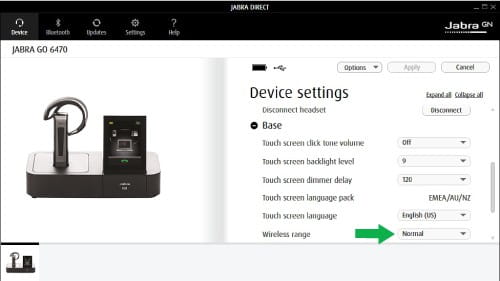
When updating to firmware 4.6.5, the power save function is replaced by the Wireless range setting, which gives you more adjustment options.
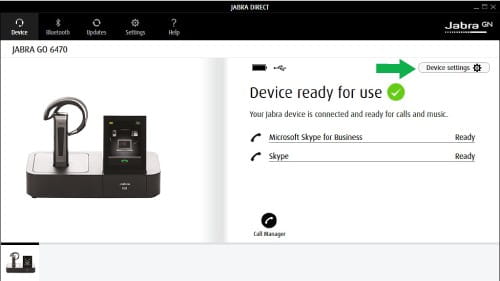
To adjust the settings using Jabra Direct, follow these steps.
- In Jabra Direct, click Device settings.
- Scroll down and expand Base.
- In Wireless range, select from the following options:
- Click Apply.
| Mode | Range |
| Normal | Up to 100m/300 feet |
| Low | Up to 30m/90 feet |
| Very low | Up to 10m/30 feet |
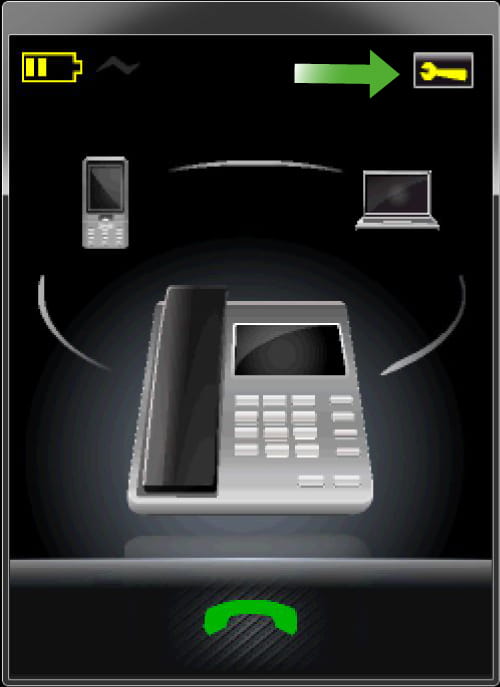
To adjust the settings using the touch screen on the base, follow these steps.
- Tap the Tool icon in the top right corner.
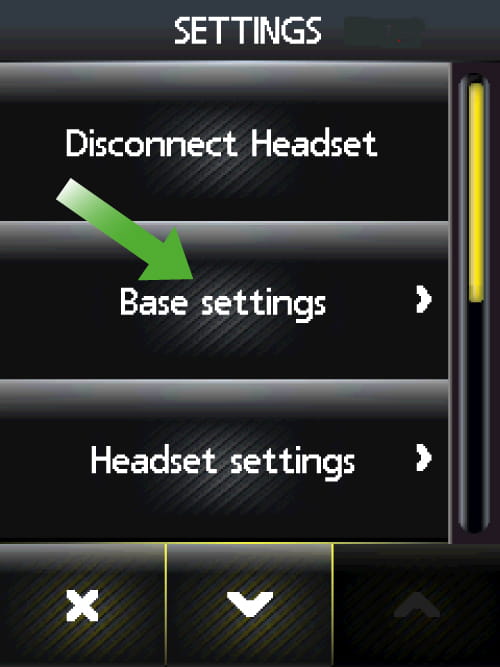
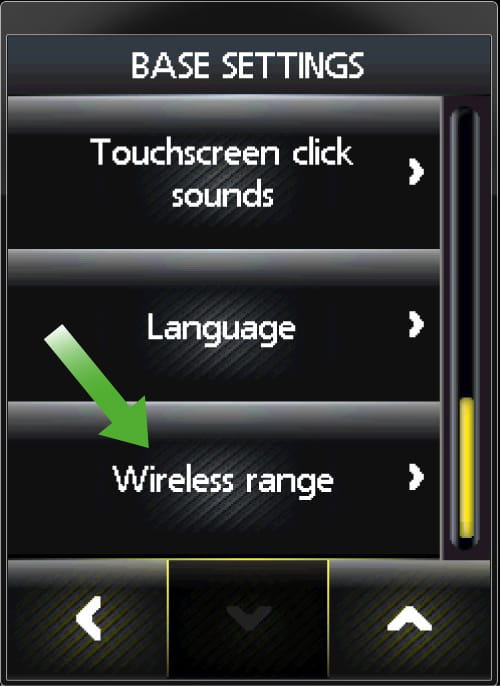
- Tap Base settings.
- Use the arrow down icon to scroll, and then select Wireless range.
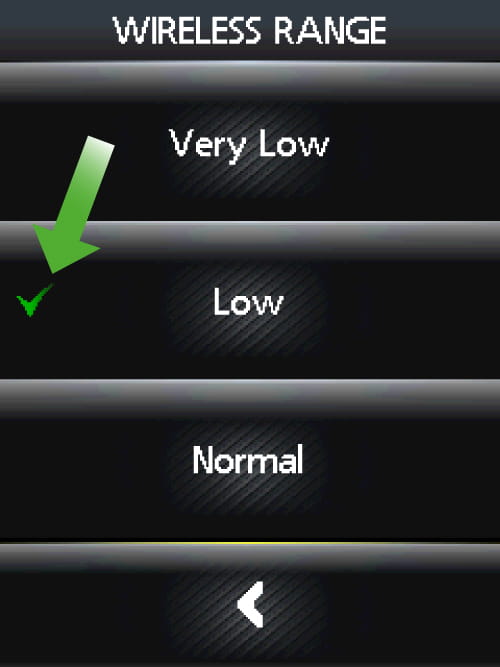
- The green checkmark indicates the current setting. Select the appropriate setting.
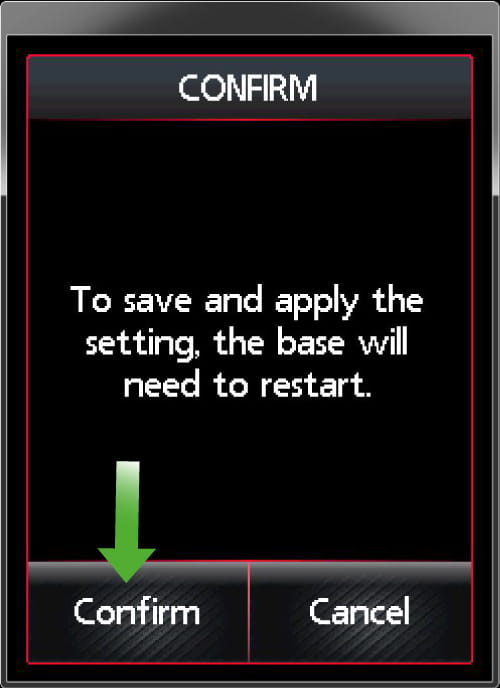
- Tap Confirm to accept the change, and the base will restart and be ready to use.
Note
Images and text are for guidance purposes only. Actual images and text may vary depending on the connected device and updates to the software.
