
How do I pair my Jabra Stone with my mobile device?
To pair your Jabra Stone with your smartphone, tablet, or other mobile device, follow these steps.
- Turn on the Bluetooth setting on your mobile device.
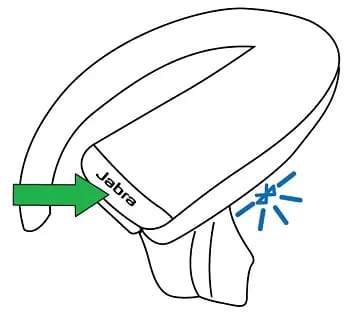
- Turn off your Jabra Stone by removing it from the charging case and pressing and holding (5 seconds) the Answer/end button.
- To enter pairing mode, press and hold the Answer/end button until the light flashes blue.
- To pair, go to the Bluetooth menu on your mobile device and select the Jabra Stone from the list of available devices.
Enter “0000” (four zeros) if you are asked for a pin code.
Note
If pairing is not successful, try the pairing steps again, or try pairing with a different Bluetooth device. For troubleshooting tips, see here.
Optionally, try using the Bluetooth Pairing Guide which provides detailed steps for pairing with a mobile device.
