
The Only Remote Work Equipment List You’ll Need (By Role)
Congratulations! You got that remote job. But before you resume, there’s one big question: What equipment do you actually need to work efficiently from home?
You don’t want to overspend on technology you won’t use. Likewise, you don’t want to get to the end of a busy workday to find that your headset gives you headaches or your chair causes back pain.
And, if your company sponsors the equipment, that just adds another layer of responsibility. You want your selection to give off the vibe that you know exactly what you’re doing.
As you choose your remote work equipment, prioritize role-specific functionality and comfort over most things — if your setup isn’t boosting your productivity or providing the support you need, it’s not there yet.
Here’s our list of must-haves for everyone, plus role-specific equipment you’ll need to work from home.
Must-Have Remote Work Equipment for Every Role
These are standard pieces of equipment that every home office should have for basic internet access, comfort, and distraction-free collaboration.
Reliable laptop
Chances are your business’s remote work equipment policy dictates your laptop.
However, if you’re a freelancer or self-employed, your laptop is one of your biggest investments—choosing the right one can directly impact your productivity.
A sluggish, underpowered machine can slow you down, cause unnecessary frustration, and even cost you money in lost work time.
Here’s what to look for:
- Processor (CPU): Intel Core i5/i7 or AMD Ryzen 5/7 (or better). M-series chips (Apple) are also excellent for performance and battery life.
- RAM (Computer Memory): 16GB is ideal for smooth multitasking and handling multiple applications at once. If your tasks are light (writing, web browsing), 8GB may be sufficient, but anything less can cause lag.
- Storage: SSD (Solid State Drive) of at least 256GB ensures fast performance. If you work with large files (e.g., video editing), aim for 500GB - 1TB. If your work is mostly on the cloud, 256GB should be sufficient.
- Battery Life: 8+ hours is best for flexibility, especially if you work from cafes or travel often.
- Display: Full HD (1920x1080) minimum. If you do design work, consider OLED or Retina displays for color accuracy.
- Portability & Build: Thin, lightweight options (~3 lbs or less) are better for travel, while sturdy builds (e.g., aluminum chassis, MIL-STD-rated models like ThinkPads) offer durability.
- Connectivity: Wi-Fi 6 for better internet speeds and USB-C/Thunderbolt ports for compatibility with accessories.
It’s a good idea to compare specifications directly on manufacturer websites like Apple, Dell, Lenovo, HP, and Asus before you buy. Online retailers such as Amazon, Best Buy, and Newegg often have detailed product descriptions, user reviews, and Q&A sections that highlight real-world experiences with specific models, too.
Expert tech review sites like NotebookCheck, Tom’s Hardware, and Laptop Mag provide hands-on performance tests and comparisons for deeper insights. If you prefer honest user feedback, browsing discussions on Reddit (r/laptops, r/workfromhome, r/freelance) can help you find recommendations based on specific work needs.
Ergonomic chair
Ergonomic chairs are adjustable in many different areas to alleviate stress on the neck, back, lumbar area, and more.
Overlooking your ergonomic comfort in an office chair can have several negative effects on the body including:
- Chronic back pain
- Carpal tunnel syndrome
- Reduced blood circulation
- Increased risk of musculoskeletal disorders
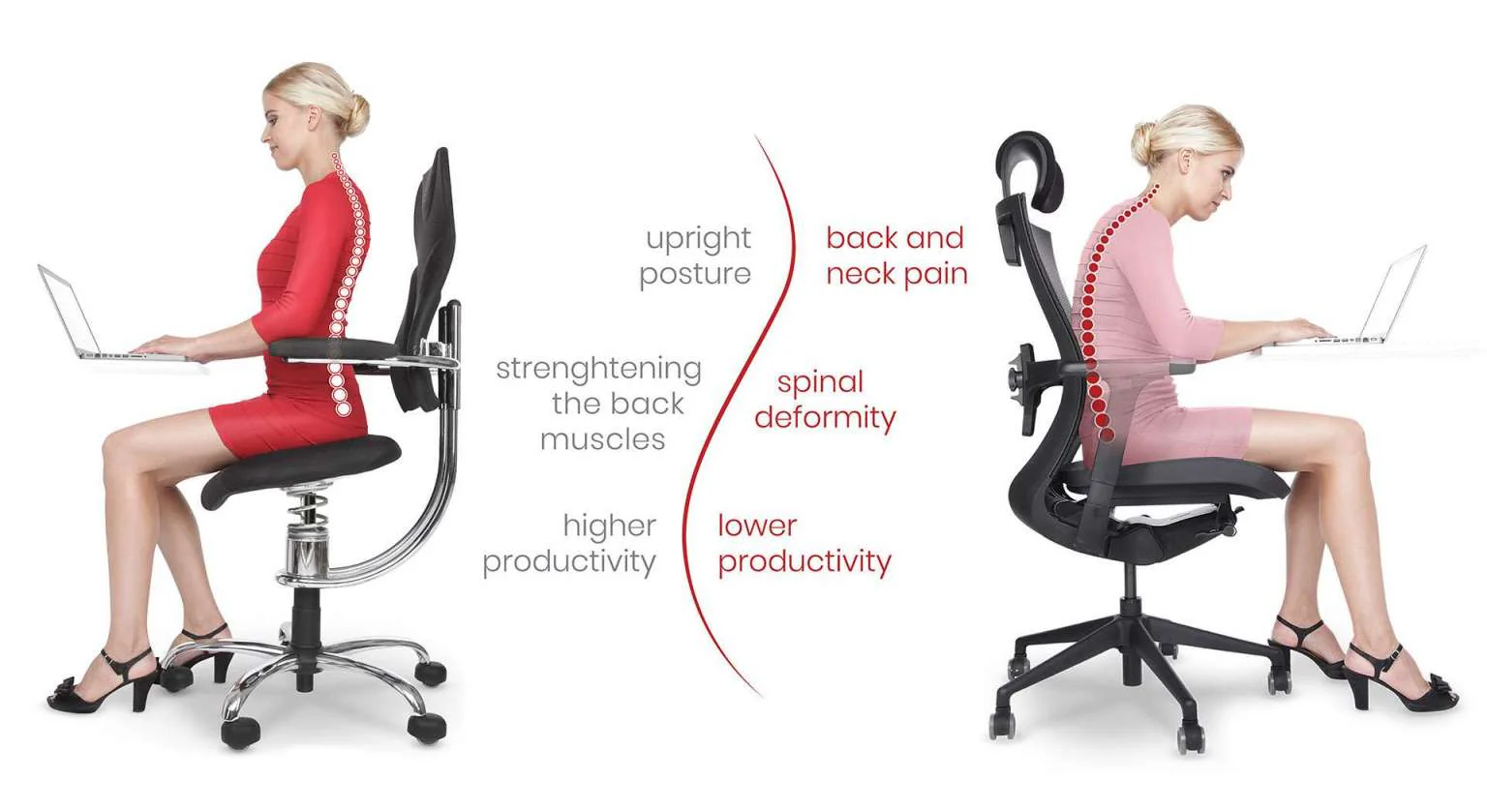
But with so many options, picking the perfect ergonomic chair for you can seem like a needle in a haystack job. Simplify your search by choosing from options that offer:
- Adjustable armrests: To allow your arms to rest comfortably with relaxed shoulders.
- Swivel: Giving you the freedom to reach different areas of your desk without straining.
- Adjustable seat height: Your feet should rest flat on the floor with thighs in a horizontal position and arms even with the desk.
- Appropriate seat width and depth: You should be able to sit with your back against the backrest with some space between the back of the knees and your seat.
- Adjustable lumbar support: Very important for supporting the inward curve of the lower back to prevent slouching.
- Adjustable backrest: Everyone is built differently, so your support should adjust to the natural curve of your spine, especially the lumbar region.
- Comfortable seat material: Should have enough padding and be breathable.
Noise-cancelling headphones
If the family is home or it’s rush hour on the busy road outside, those cellphone headphones will pick up everything.
Unfortunately, it’s not professional to have intrusive sounds like this drowning you out of a client meeting or team catch-up.
Upgrading from those cell headphones to a professional headset like Jabra Evolve2 85 blocks distractions with Active Noise Cancellation (ANC).

Note: You could pick up some awesome rich-sound ANC headphones for around $100. But those, and even some expensive ones, typically only offer one-way cancellation. This means that while you can hear your colleagues perfectly because the headphones filter noise for you, your mic will still pick up the noise around you.
That’s why you need a headset that has noise suppression for the microphone as well!
Our studies showed that more than 80% of users found the Evolve2 headset to be the most effective when collaborating from home.

So you’ll still be coming through loud and clear - even if there’s a pesky plane passing over.
External monitor
Imagine working on a new piece of content or adding data to a spreadsheet while flicking between tabs on a single display.
According to a report examining dual vs. single monitor usage, around 98% of people surveyed preferred using multiple monitors at work. The study also found:
“A common office setup comprises a single workstation with two monitors. This setup increases user performance and satisfaction compared to single monitor setups”
Multiple screens enhance productivity by allowing you to work on your primary display while leveraging the others for:
- Note-taking
- Attending webinars or meetings
- Reading a support document
- Watching a tutorial
- Reading a product spec
HD webcam
If your video constantly freezes, lags, or pixelates in virtual meetings, you and your team will notice increased meeting fatigue. This disruption of conversation also makes you look unprofessional.
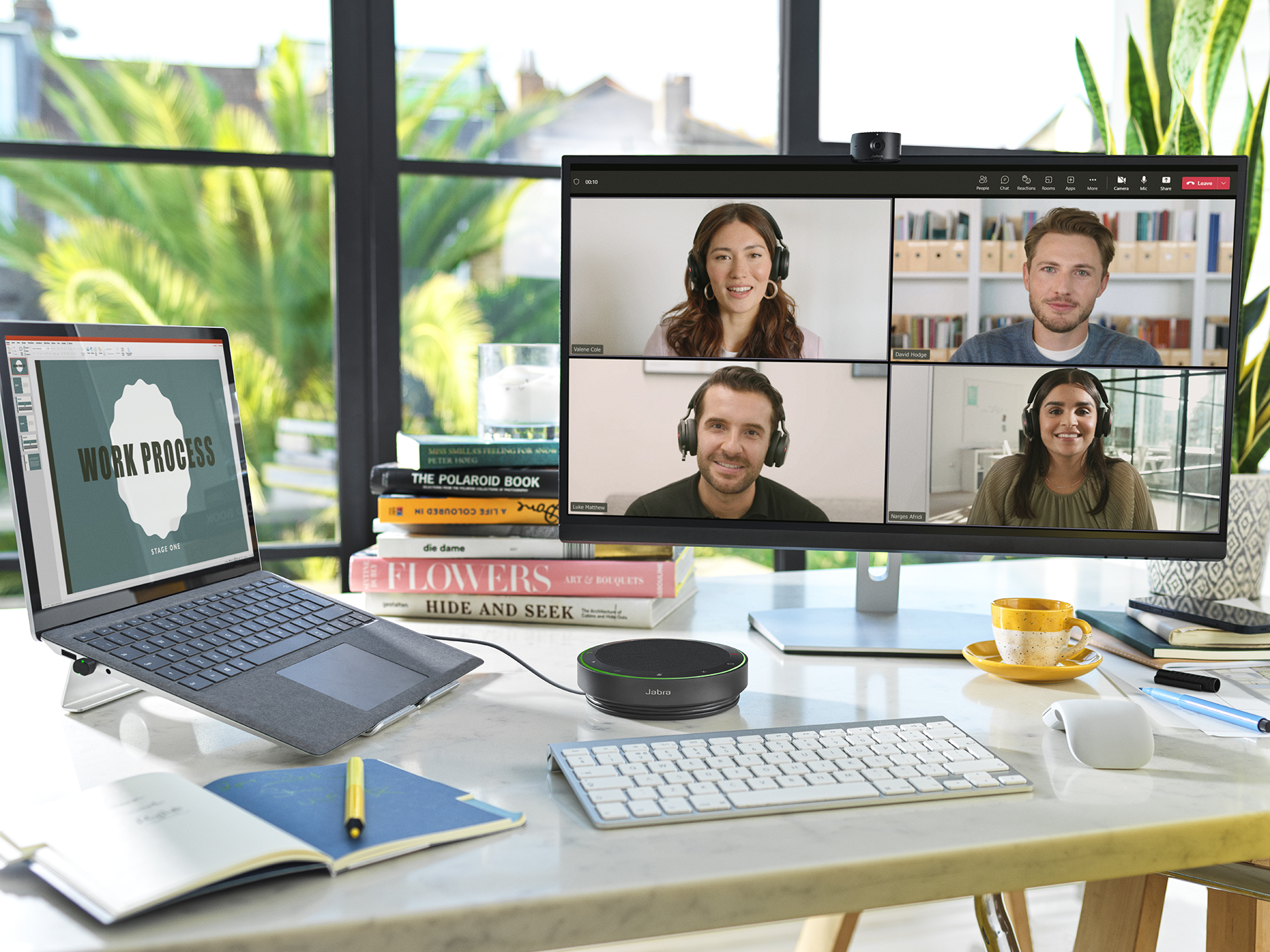
Upgrading from your laptop’s webcam to a personal camera that clips to the top of your monitor is a better option for super-clear meetings.
We recommend Jabra PanaCast 20, here’s why:
- 4K Ultra-HD resolution: A 13-megapixel camera with 4K Ultra-HD resolution ensures exceptionally sharp, detailed visuals with minimal lag. This means your video feed appears crisp, lifelike, and professional, making a strong impression in virtual meetings. Without 4K Ultra-HD resolution, video quality may suffer from blurriness, pixelation, or reduced clarity, especially when using larger screens or low-light environments. Here’s what it looks like without 4K Ultra HD resolution:


- Intelligent Zoom: Powerful AI automatically scans the room to keep you in the center of the screen — so you don’t have to keep adjusting your position. Whether you shift in your seat or move around, the camera smoothly follows, making virtual meetings feel more natural and engaging—without the awkward re-framing.
- Intelligent light optimization: The AI processors also scan your room and adjust your feed to ensure you’re always looking lit. Here’s an example:


- Background effects: Got family or pets in the background of your shot? These smart effects blur your background or replace it with a solid color to keep your nearest and dearest (or any sensitive information) out of your frame.
Let’s check out what it looks like before and after background blur is applied:


- Whiteboard-sharing: Turn any physical whiteboard into a shared digital view. AI-enhanced video sharpens text and drawings, so everyone can see every detail just like they’re in the room.
But we are not the only ones highlighting the importance of video quality in virtual meeting equity. According to our research, 70% of employees say standardized professional video cameras would help everyone participate equally in hybrid meetings.
Remote Work Equipment for Content Writers and Marketers
Content writers and marketers spend long hours writing, researching, strategizing, and analyzing data—often juggling multiple tools and tabs at once. Unlike developers or designers who need power-hungry systems, the main priorities are speed, comfort, and efficiency.
Notepads
Sparks of inspiration for campaigns, design briefs, or articles can hit any time or place.
Note-taking apps like Evernote, Joplin, or Notion are excellent digital options. But having organized notepads on your desk is also a great way to stay up-to-speed when taking multiple client meetings in a day.
Additionally, note-taking in virtual meetings in your notepad is more straightforward and less noisy than typing them out.
Ergonomic Keyboard
Peter Johnson, a professor in the Department of Environmental and Occupational Health Sciences at Washington University highlights that ergonomic keyboards put less strain on our muscles:
“Health professionals often prefer ergonomic keyboards since they better match the complex geometry of our bodies and put less strain on our muscles, compared to conventional, rectangular keyboards.”
An ergonomic keyboard helps keep your hands and wrists in a natural position, reducing strain and lowering the risk of carpal tunnel syndrome. By minimizing wrist bending and pressure on the nerves, it prevents pain, numbness, and fatigue from long hours of typing.
But they can make you faster, too. A study by Kensington found that those who used ergonomic keyboards saw an 11% improvement in type speed.
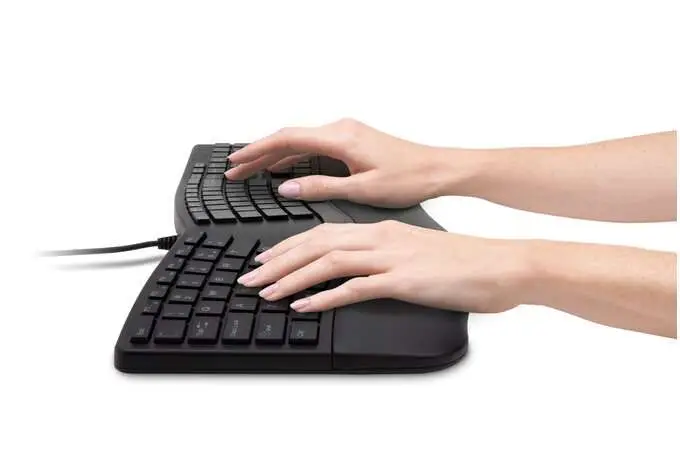
Experts also suggest bringing your keyboard closer to the edge of the desk to ensure your elbows are alongside your body.
Calendar
Content writers and marketers need to keep track of numerous deadlines. Whether that’s submission dates, invoices, website launches, social strategies, or all the smaller deadlines included in those larger tasks - keeping up can be a struggle.
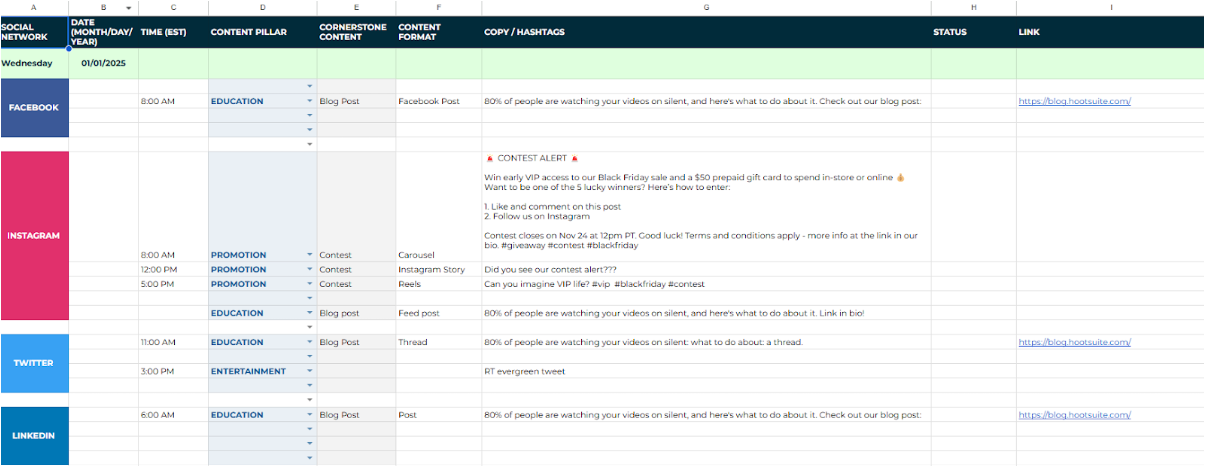
While online collaboration tools like Hootsuite, Calendly, Trello, or ClickUp can help, they can also feel more team-focused. You may not want another app taking up RAM and screen space.
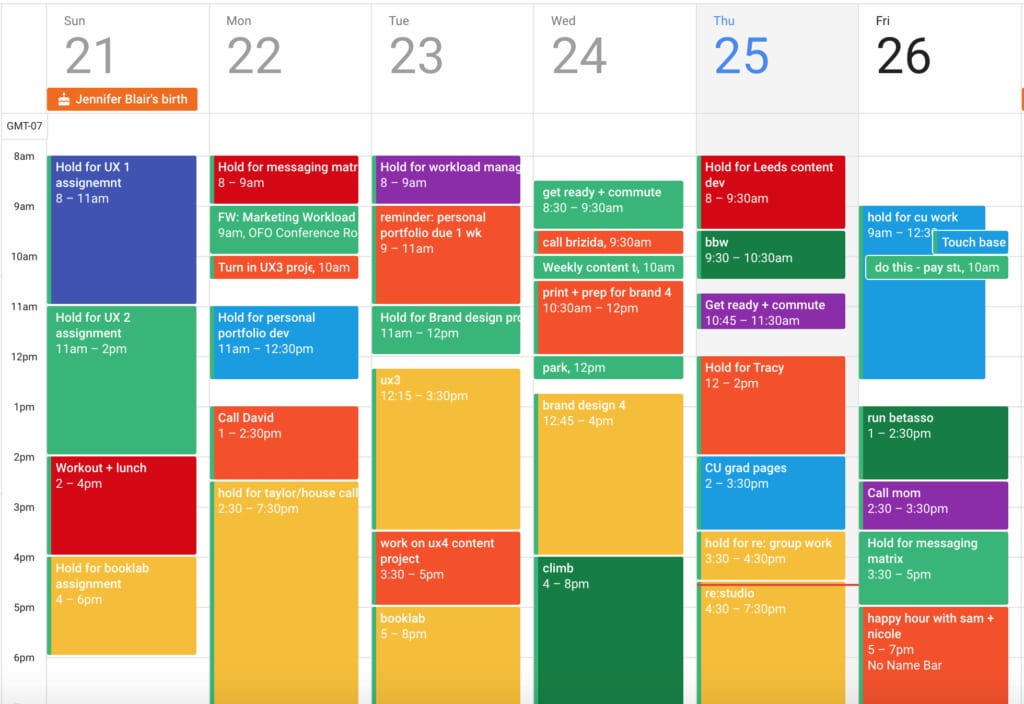
Instead, a large calendar on your wall or desk can help give you a more holistic view of your working week.
You can also incorporate family responsibilities or other personal commitments, such as dental appointments, to show a more holistic view of your work-life schedule.
Alternatively, you could plug all this data into your Outlook, Google, or Apple calendar. Your wearable tech can then remind you of upcoming deadlines, tasks, or commitments.
Remote Work Equipment for Illustrators, Designers, and Creatives
Illustrators, graphic designers, and creatives rely on powerful tools and high-quality displays to bring their ideas to life. A slow computer, inaccurate colors, or an uncomfortable workspace can kill creativity and productivity. Here’s what you need to work efficiently from home.
Drawing tablet
Design tablets allow you to work on detailed illustrations before transferring them to your computer.
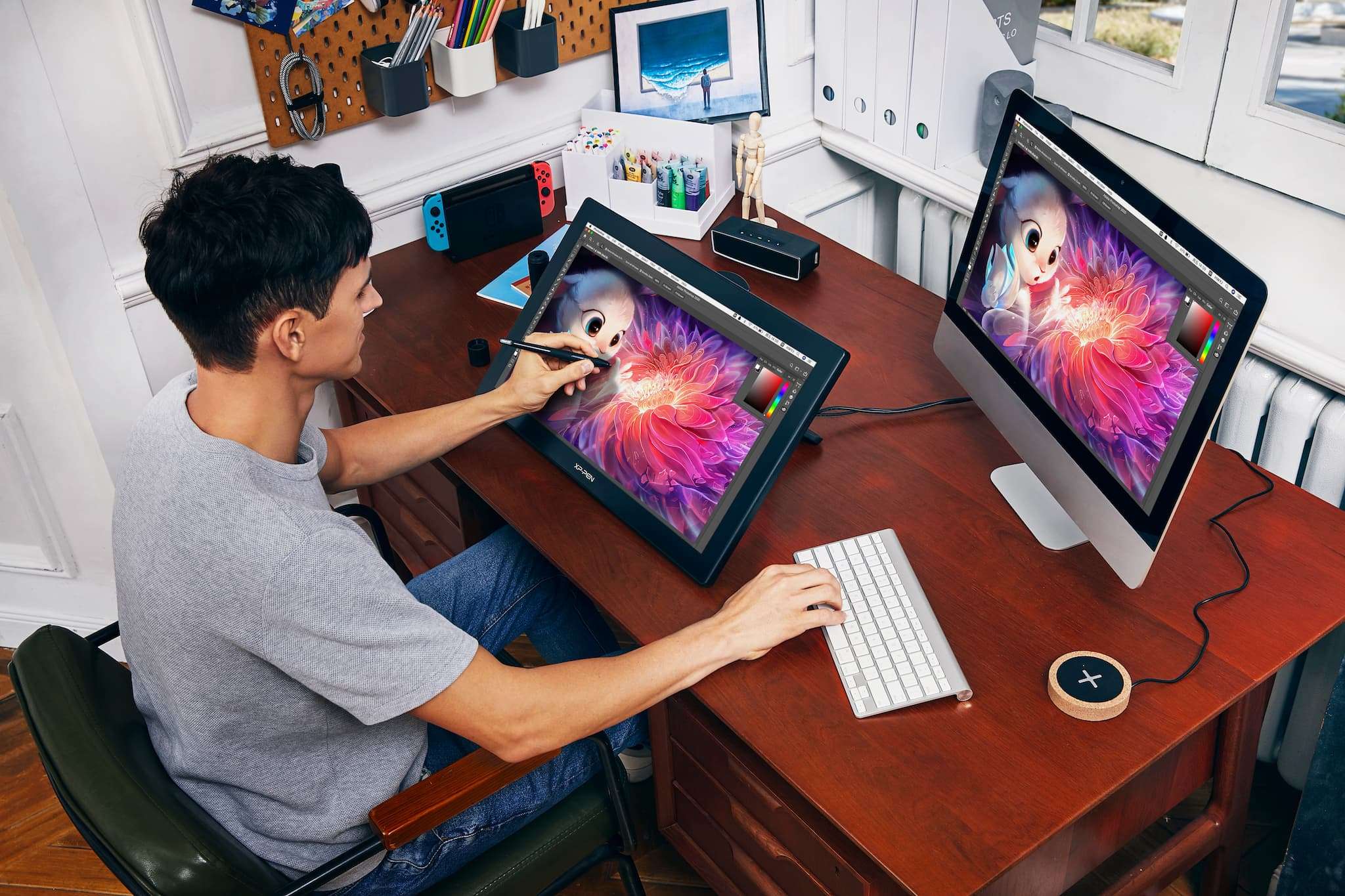
They also offer the additional freedom to take your work anywhere.
Are you at your most creative watching the ducks at the park? No problem. Take your tablet with you, and don’t waste the inspiration.
The Graphics Tablet Market is poised to grow from USD 592.5 million in 2024 to USD 1415.43 million by 2032, so there are plenty of options available.
But tech aficionados ZDNET believe designers can’t go wrong with the Apple iPad Pro 7 because of its portability, processing power, functionality, and super-sharp designs.
However, at around $1,000, the iPad is a significant investment. So, the ZDNET team also recommends the Huion Kamvas Pro 12. This pen-display tablet is feature-rich, and the super-sharp display can present nearly 17 million hues.
Plus, the anti-glare technology makes it perfect for completing those sketches on a sunny day at the duck pond. At $250, it’s much more accessible than the Apple alternative.
Ergonomic mouse
Working on designs, architectural drawings, or advertorials every day can equate to a lot of mouse use.
Having a design companion that works with your hand's unique shape is a great way to improve comfort and blood flow while reducing issues like wrist ache or carpal tunnel.
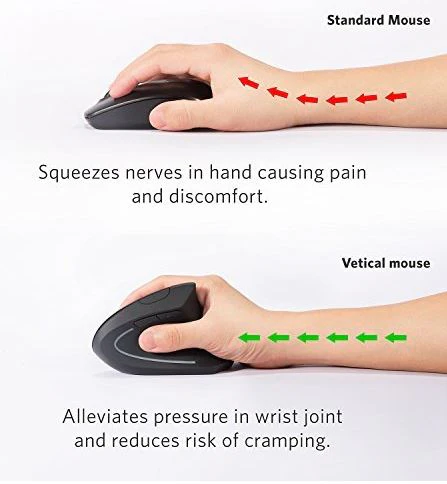
When creating precise designs, the experts at KVT Design suggest using tools that offer trackball functionality, super smooth operation, and precise, quiet scrolling.
Portable storage device
Programs like Adobe Illustrator and PhotoShop are great for developing super-sharp designs. But those data-heavy programs can be taxing on your running speed and processing power.
External storage devices can reduce some of that data load.
Featuring plug-and-play connectivity - usually by USB-C cable - external storage devices allow you to move large files from your PC or laptop to the device.
Another benefit of storage devices is their portability. They are normally small and lightweight bars making them simple to take with you wherever you’re working from.
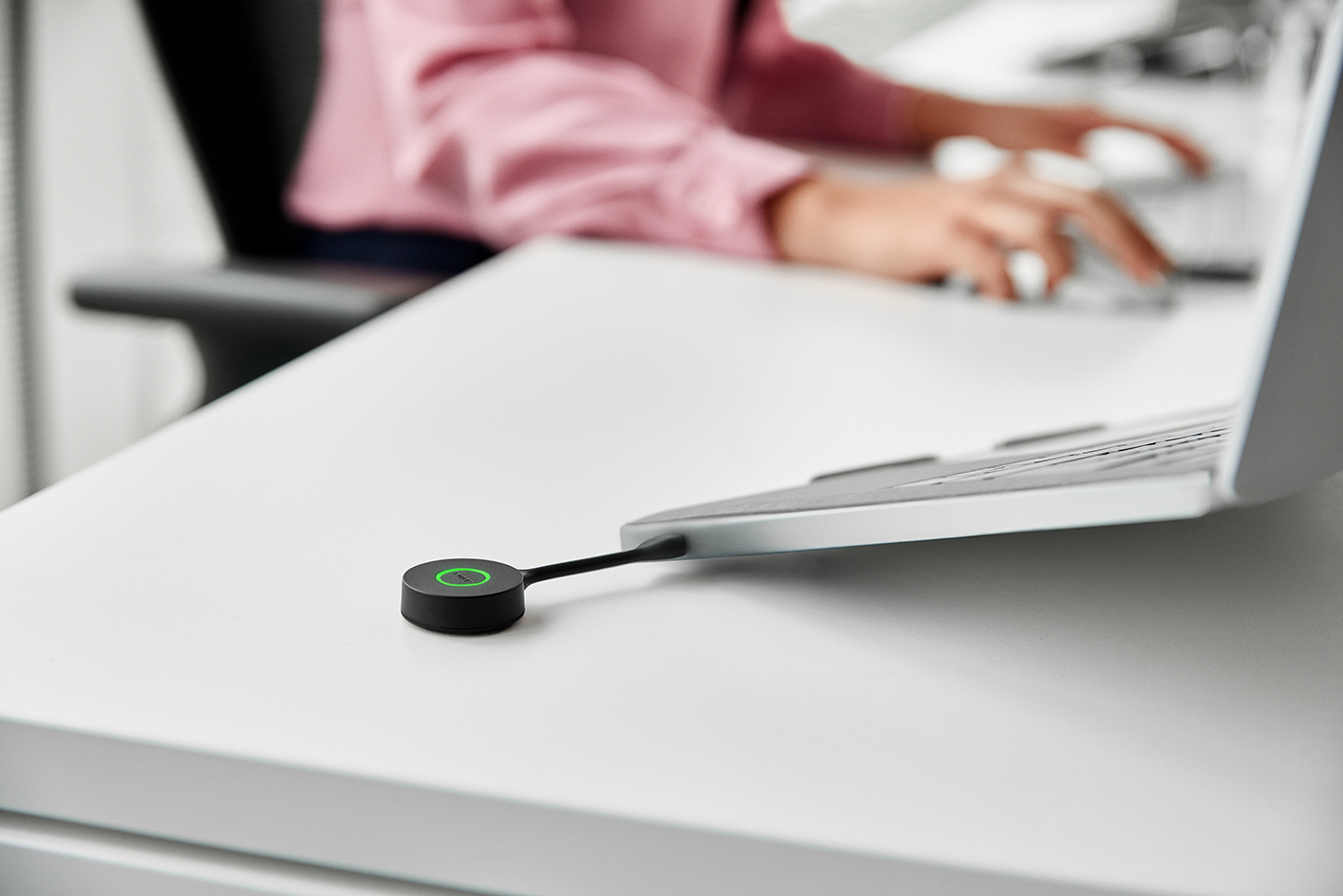
Depending on how much extra storage you need, external hard drives come in 1, 2, or 4TB options. For reference, the 4TB version is equivalent to:
- 1 million photos on a 12-megapixel camera
- 2,000 hours of SD video, or 1,000 standard definition movies
- 26 million rich text documents
Remote Work Equipment for Managers and Team Leaders
The challenge for managers and team leaders is staying organized and productive when working from home.
Maybe you’ve recently transitioned from an office-based role to a remote one and feel unprepared for the switch. Here are some tools to get you up to speed.
Whiteboard
Perfect for project management, a physical whiteboard can be used to divide tasks, set deadlines, or help organize larger tasks.
For example, operations managers can use a personal whiteboard to keep track of deliveries and resources. Alternatively, website managers can use whiteboards to map a site-build project or simplify a sitemap.
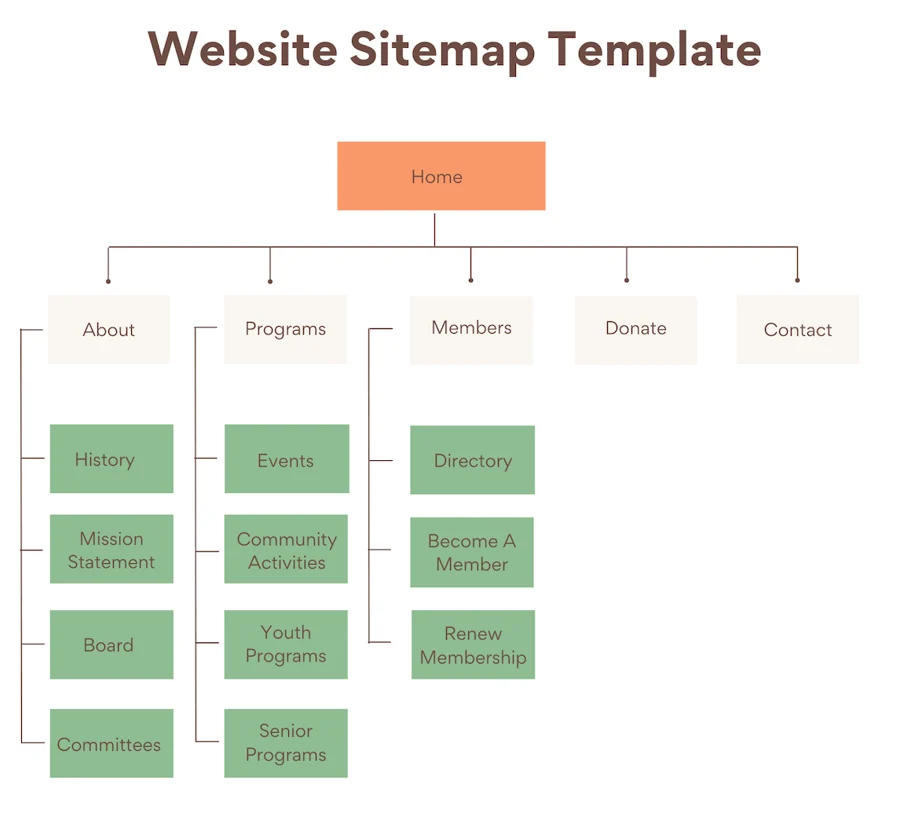
Tip: If you have PanaCast 50, it allows you to share your physical whiteboard with others on a call. They can see every detail on the zoomed-in view, just like they’re in the room. This is perfect for collaborating on sitemaps, brainstorming sessions, complex processes, and more.

Desk organizer
A recent study in the UK found that 41% of employees believe a tidy workspace is crucial to performance. Meanwhile, two in five admitted that a messy desk directly affects their productivity.
Desk organizers keep your workstation clear and your equipment close at hand. These solutions can be as sleek or playful as you like with plenty of designs to match your mood.
Organizers leave your desk looking clutter-free. That said, if you’re more creative in chaos and just need something to look good on calls, PanaCast 20’s Intelligent Zoom function will blur out your messy space — so you don’t have to tidy up for every call.
Printer/scanner
The major challenge of getting a great printer and scanner in your home office is finding a reliable, affordable machine that doesn’t drop connection and fits your space.
RTINGS.com suggests that the sleek design, affordable running costs, and compact design of the Brother MFC-J1205W make it an ideal solution. The color all-in-one inkjet model produces sharp documents and detailed photos while connecting simply via USB and WiFi.
If you need quality printing and scanning from a machine that fits nicely into your space and comes in a shade over £100, then this is for you.
Remote Work Equipment for Developers and Engineers
Developers and IT professionals are some of the most common remote roles. But what are the top tools you need to deliver incredible results from home?
Mobile VPN
When building or enhancing websites, apps, and programs remotely the last thing you want is bad actors leveraging your public WiFi connection to gain access to sensitive data.
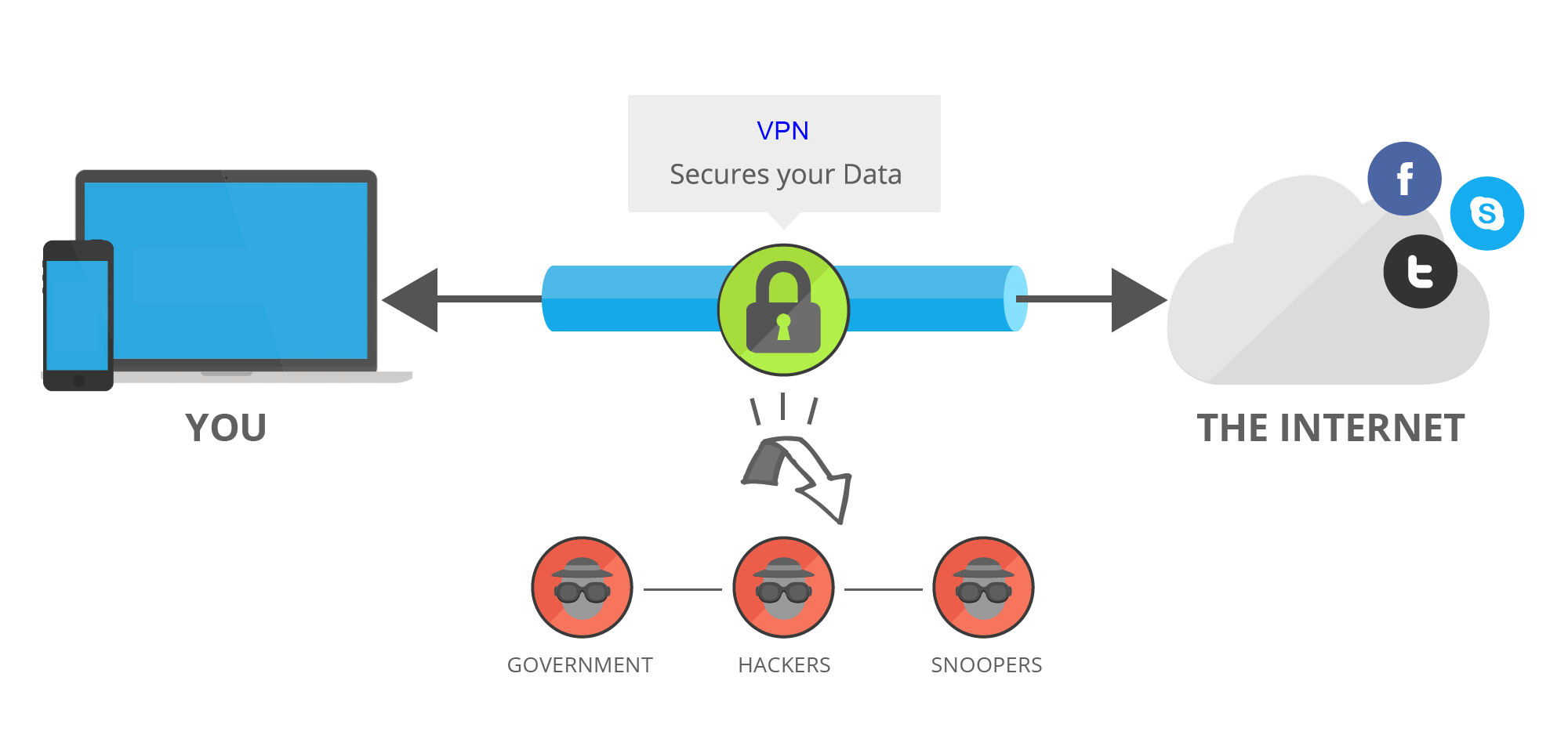
Adding a mobile VPN to your remote work equipment policy can help safeguard your team and network when connecting from remote locations.
Mobile VPNs make working remotely on sensitive projects more secure by encrypting connections from public WiFi to company servers.
Ultrawide monitors
When leveraging multiple dev tools simultaneously, ultrawide monitors are perfect for opening various windows on one central screen.
Aside from their sheer size and super-sleek design helping your setup to look like a workstation from a spaceship, ultrawide monitors have several productivity benefits:
- Increased screen real estate: Wider aspect ratio (21:9 or 32:9 as opposed to 16:9 on a standard monitor) leaves more room to open multiple windows side by side like code editors, terminal windows, documentation etc.
- Enhanced workflow: Additional screen space allows programmers better task management. For example, they can view code editors on one side and a browser or debugging tool on the other.
- Added ergonomics: Ultrawide screens can prevent some musculoskeletal issues attached to constantly turning or angling your body to see dual screens.
- Reduced eye strain: Having everything you need open on one screen means less strain from constantly shifting focus between multiple monitors.
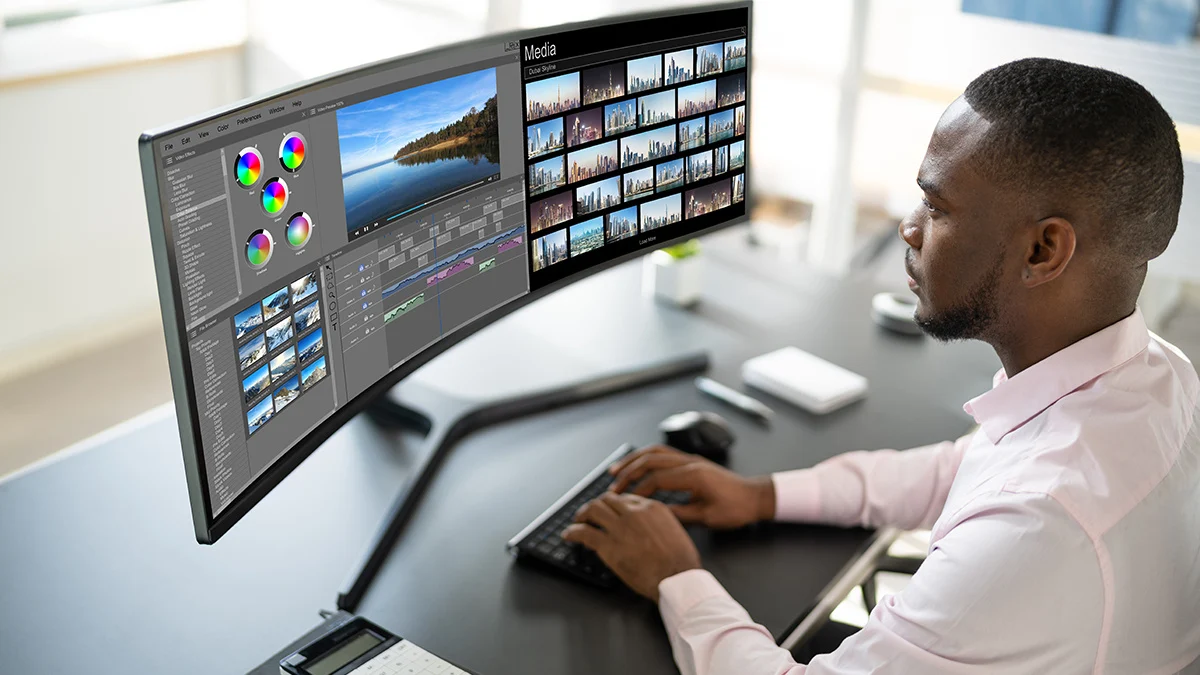
In terms of application, a programmer on Reddit highlighted that ultrawide monitors are great for development work:
“As a rough generalization: Frontend work usually requires having a browser open to test your changes on the side. So having more screen real estate is advantageous. Backend work you’re usually focused on an IDE (Integrated Development Environment) and docs. An ultrawide is perfect for this.”
Monitor mounts or stands
Working from a desk-positioned monitor or constantly switching focus between dual screens can leave your neck, shoulders, and back feeling sore.
Monitor mounts raise your displays to a more ergonomic position. By clamping to the desk they also stabilize your screens and free up vital desk space. Plus, with wide compatibility, they can even lift ultrawides up to 34”.
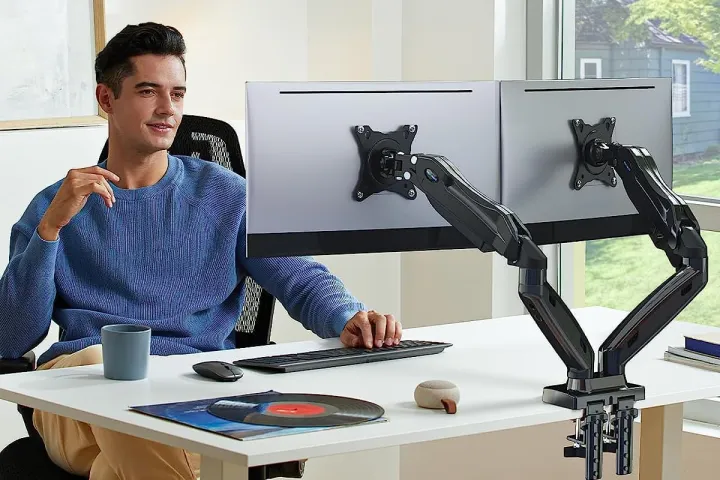
Using stands to raise and stabilize your displays offers the additional benefit of elevating the location of your webcam for clearer and more professional video calls.
Mechanical keyboard
Mechanical keyboards are comfortable, robust, and fun solutions for developers who spend long periods typing out code.
Offering typists the ability to customize their keyboards, mechanical keyboards feature Individual switches beneath each key making them more durable, easier to repair, and (most importantly) feel great when working.
Also popular with gamers, customizing your keyboard allows you to get more personal with the look, feel, responsiveness, and sound of your keyboard.
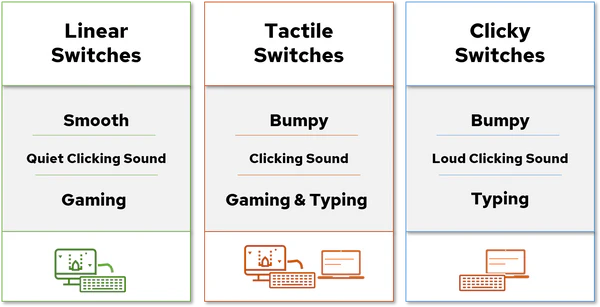
Kimber Streams, an expert in laptops, keyboards, mice at WireCutter, explains there are three main varieties of mechanical switches:
- Linear switches feel smooth when you press them, from top to bottom.
- Tactile switches have a noticeable bump partway through the keypress, which lets you know that you’ve activated the key.
- Clicky switches feel similar to tactile switches but add a click sound to match the tactile bump.
Remote Work Equipment for Customer Support Specialists
For customer support specialists, working from home should feel as seamless as working from a corporate office. Your customers should experience clear audio, uninterrupted communication, and professional sound quality, regardless of whether you’re taking calls from a dedicated home office or your living room.
Headsets
A high-quality headset is the most critical tool for a remote customer support specialist—bad audio can frustrate both you and your customers.
Look for one that has the following features:
- Dual noise cancellation that blocks background noise for both you and your customer.
- Powerful microphone with voice isolation that ensures customers hear only your voice, not your surroundings.
- All-day comfort with lightweight, padded ear cups for long shifts.
- Wireless or wired flexibility with USB and Bluetooth connectivity.
Some of our favorites include:
- Jabra Evolve2 75 - best premium noise-cancelling for crystal-clear calls
- Jabra Engage 55 - best for high-volume call centers and compliance. It includes DECT wireless connection. That’s stronger and more secure than Bluetooth for uninterrupted calls.
Speakerphone
Not all customer support happens with a headset—sometimes, you need a speakerphone for team discussions or escalations.
Jabra’s Speak Series makes getting professional-grade call quality from your home simple and stress-free.
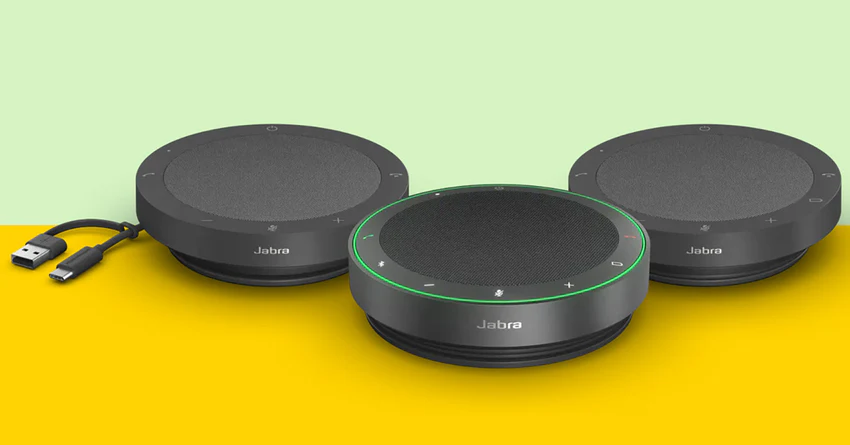
The Jabra Speak2 Series is our latest generation of professional speakerphones—engineered for hybrid working and packed with industry-first innovations. Every model in the range delivers crystal-clear conversations with full duplex audio, advanced beamforming microphones, and simple plug-and-play connectivity across leading UC systems, including Microsoft Teams, Zoom, Google Meet, and more.
Speak2 40: Perfect for office-based professionals who need reliable, high-quality audio without compromising on clarity. Speak2 40 is a corded speakerphone with USB-C and USB-A connections, delivering wideband audio and voice level normalization for balanced, natural-sounding calls
Jabra Speak2 55: Designed for flexibility, Speak2 55 offers Bluetooth and USB connectivity, making it ideal for hybrid workers who move between home and office. With up to 12 hours of battery life, it delivers consistently professional sound wherever you’re working from.
Jabra Speak2 75: Our most advanced speakerphone yet. Featuring super-wideband audio, a 65mm full-range speaker, and a microphone quality indicator, Speak2 75 ensures your voice is captured just as clearly as you hear others—whether you're leading customer calls or presenting to your team. It’s the ultimate choice for premium conversations.
All Speak2 devices are certified for Microsoft Teams and Zoom, and come with IP64-rated protection against dust and water—ready for wherever work takes you.
Stress ball
Delivering high-quality customer service is a stressful job. So any help managing that pressure is a good thing.
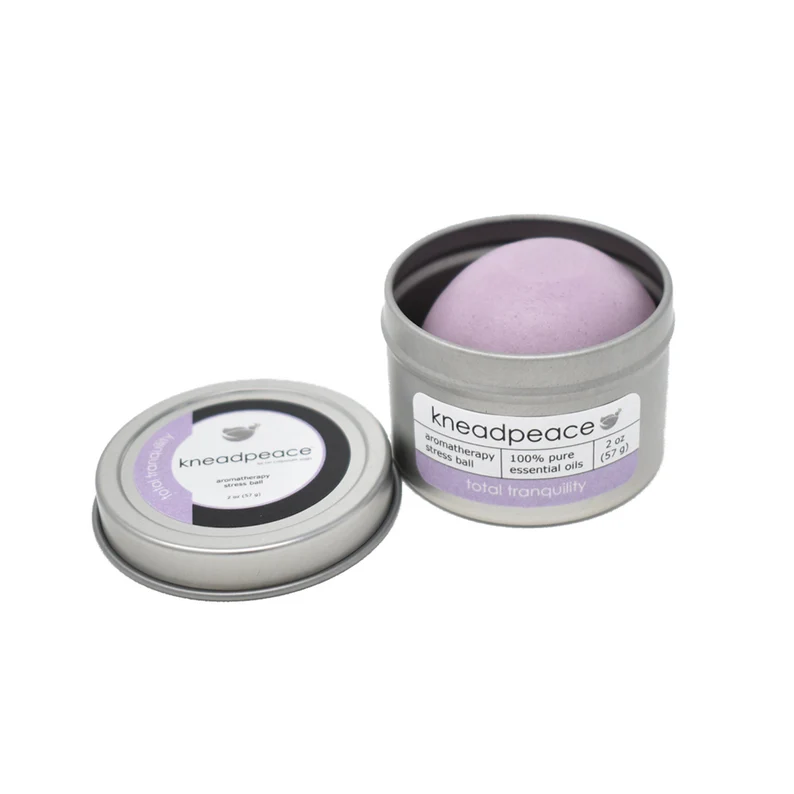
Metal baoding balls are great for reducing stress and ergonomic aches. But they can be noisy when trying to take customer calls. Instead, try squeezable or aromatherapy stress balls.
They offer the same benefits as their metal counterparts but without the noise. Plus, on the aromatherapy balls, the soothing scents are designed to help keep your stress levels low while the storage tin helps their portability and ensures the soothing bouquet lasts longer.
Scribble pad
Retaining information from each discussion is a challenge when taking multiple calls throughout the day. But you don’t have to invest in complex online tools or apps to simplify note-taking.
Sometimes, going old-skool is best. But instead of buying countless notepads, a large desk scribble pad is perfect for jotting down notes, thoughts, comments, or actions from calls.
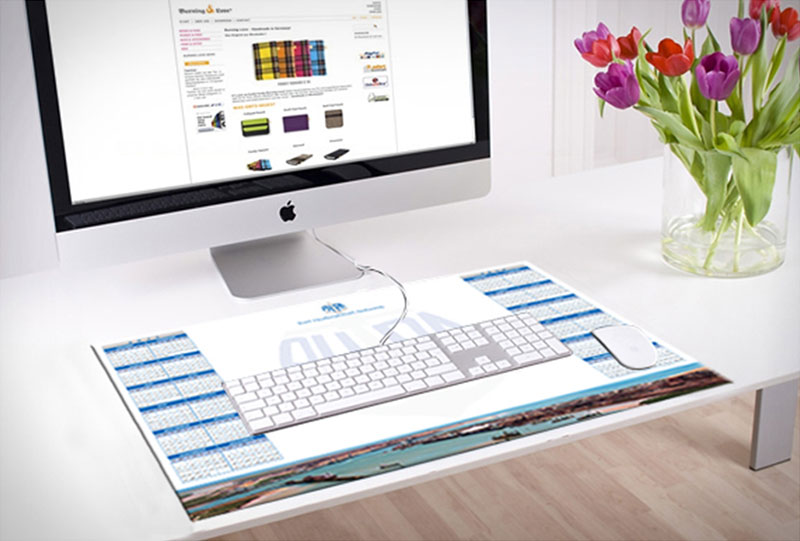
Because the giant paper jotters double up as helpful pads for your keyboard and mouse, you can take notes right next to your keyboard.
If you’ve chosen an Evolve2 headset, you won’t need to think about the scribble pad helping to reduce background noise from your typing or mouse. But it will still ease the wear on your mouse and desk.
Extra Equipment Needed to Work from Home Healthily and Comfortably
The link between worker well-being and productivity is well-founded. Gallup research highlighted that unhealthy employees are 48% more likely to suffer from daily stress.
However, our Future of Work Trends 2024 study found that employers are becoming increasingly mindful of worker wellbeing. But your workspace can have a huge impact on your physical and mental health. Here are some tools to help boost your wellbeing while working from home.
Adjustable desk
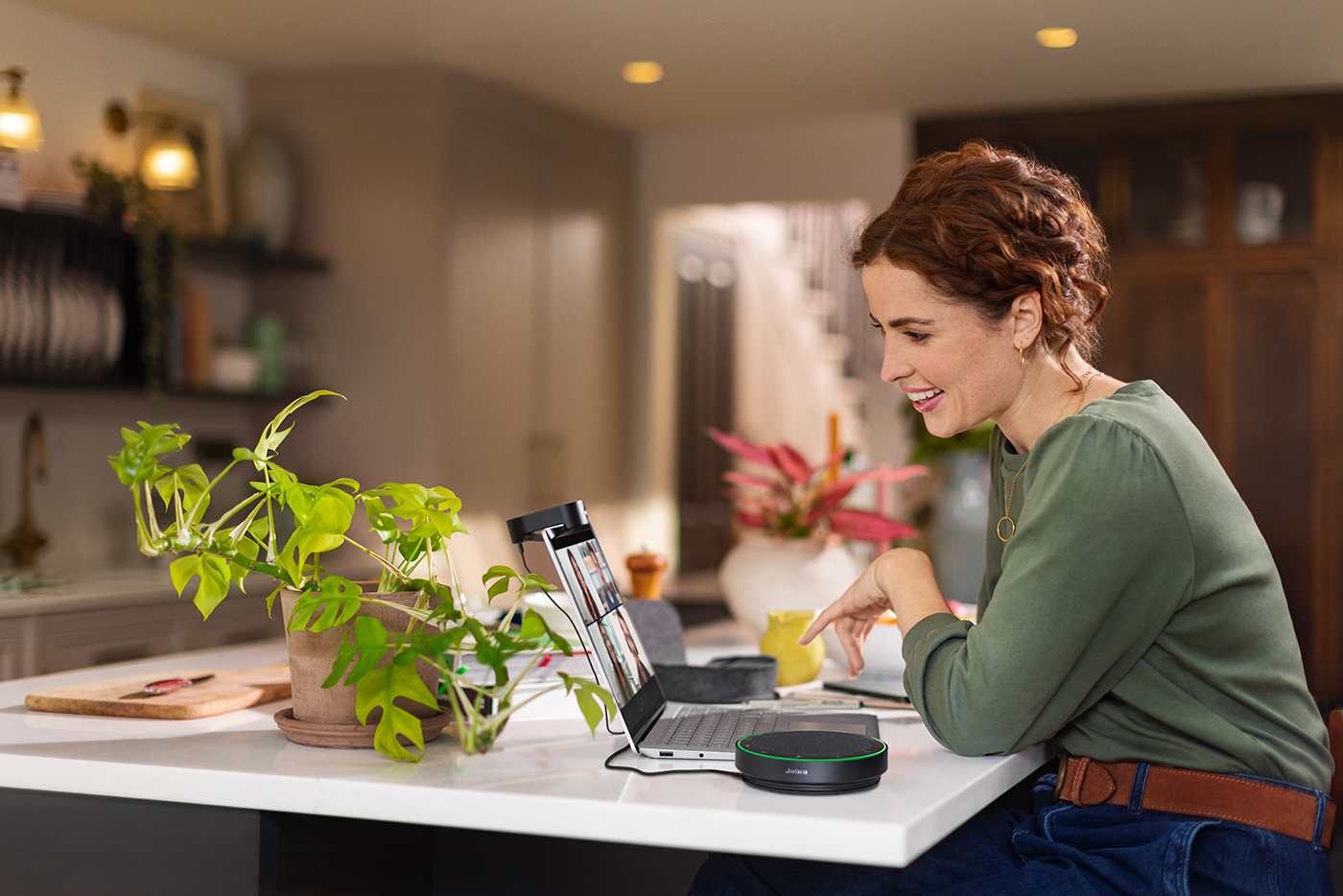
An adjustable desk is the perfect physical well-being accompaniment to your ergonomic chair. Standing desks improve circulation and reduce the effects of sitting disease by increasing the amount of physical activity you do in a day.
However, not everyone wants to be standing up all day. So, get yourself a desk that can do both.
You might think adjustable desks are an expensive addition to your space. But solutions like the Ergear Standing Desk, FEZIBO Height Adjustable Electric Standing Desk, and Devoko Electric Standing Desk are all great options for well under $100.
If you want to take those physical activity benefits to the next level, you could think about investing in an under-desk treadmill.
Plants
Plants can offer welcome pops of color to your space while improving the air quality and even giving your productivity a healthy boost. Studies have found that adding plants to your office can improve productivity by 15%.
Even better, if you don’t have the time or understanding to look after real plants, artificial greenery can still help. Green is a naturally relaxing tone, helping with stress reduction. Plus, artificial alternatives can be easier on the wallet, too, offering a more affordable solution than the real deal.
Laptop stand
Working all day from a laptop placed at desk level can mean you spend extended periods hunched over the screen and straining your eyes to view the display. Which can be harmful to your back, neck shoulders, and vision.
Laptop stands or risers prevent those issues by lifting the screen to meet your eye level - ensuring all those skeletal areas are more comfortably positioned.
But laptop stands can also have several benefits not attached to your posture, including:
- Freeing up desk space
- Providing better airflow to your laptop
- Increased temperature control
- Improved screen stability
Dimmable desk lamp
Working from a dimly lit space can increase eye strain, cause headaches, and hamper productivity.
Ideally, your home office should benefit from a good amount of natural light. But that’s not always possible.
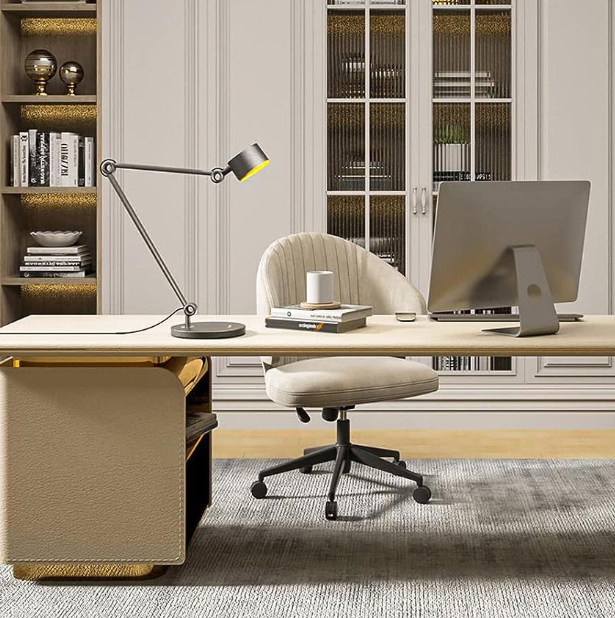
In those instances, a table lamp is perfect. If you’re working with a limited budget, space constraints (or both), Business Insider recommends the Ikea FORSÅ desk lamp or Honeywell Sunturalux H2 table lamp.
Both lamps offer perfect lighting solutions without draining your budget or taking up valuable desk space.
Blue-light-blocking glasses
Studies by the University of California have found that prolonged exposure to blue light emitted from screens like computers, phones, tablets, and TVs can have a negative effect on your health, causing:
- Eye strain
- Dry eyes
- Headaches
- Sleep cycle disruption
But, at this point, getting away from all those screens would mean quitting your job and moving to a cabin in the woods to live self-sufficiently.
Instead, you could invest in a pair of blue-light-blocking glasses that use specialist lenses to reduce the amount of blue light itching your eyes. You don’t even need to be a glasses wearer or have a specialist prescription to benefit from these specs.
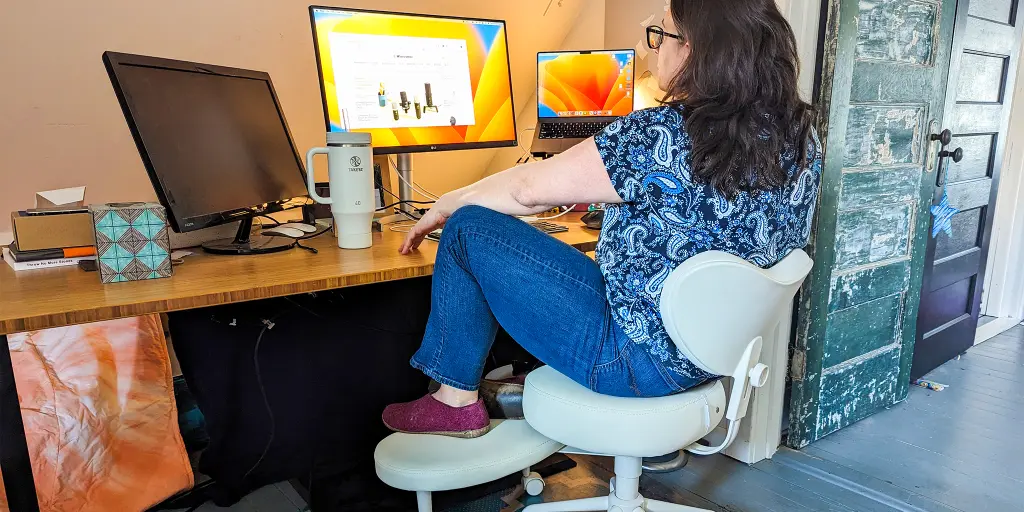
ADHD sympathetic chair
If you find sitting still in your office chair super difficult, then users on Reddit have recommended the Pipersong.
One user commented:
“I get up and stretch a lot more at home than in the office. For me, it's having a chair that works with the way my ADHD self sits, which is all over the place, lol. I have a Pipersong chair that I love.”
What makes chairs like this perfect for fidgety workers is the ability to offer different sitting positions, from cross-legged to squatting, kneeling, and more. You can move around without worrying about breaking your furniture or losing ergonomic support.
Smart speaker
Did you know that listening to music can actually improve your concentration levels?
Dr. Masha Godkin, a professor in the Department of Marriage and Family Sciences at the National University says:
“Music activates both the left and right brain at the same time, and the activation of both hemispheres can maximize learning and improve memory,”
So, getting a smart speaker set up in your home office could be a helpful addition to your productivity.
Additionally, linking your speaker to your calendar could also help you organize your day. Use the speaker to set audible notifications for incoming emails or messages. Alternatively, it could also be used to set timed reminders for things like breaks.
Practical Tips for Creating a Cohesive Setup

Prioritize essentials
Remember, you don’t have to go out and buy everything at once. A better way to develop your space is to start with the necessities included in your remote work equipment policy. Then, upgrade or add tools and technology as your role and office develop.
Don’t cheap out on tech
Resist the urge to go for cheaper technology alternatives - especially regarding audio-visual equipment.
Substandard remote work equipment will not perform to the levels you need, leading to miscommunications, connectivity issues, and meeting fatigue that will frustrate your colleagues, customers, and yourself.
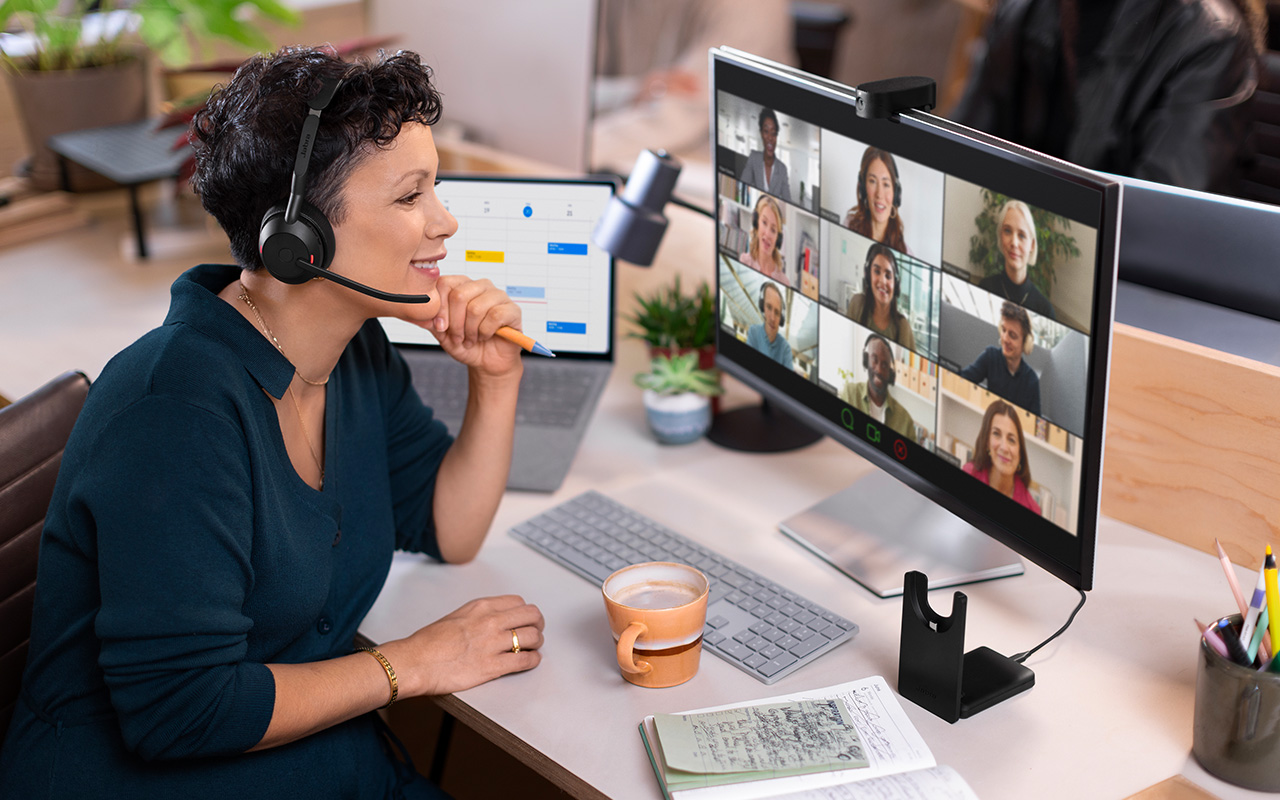
Instead, discover how products like our PanaCast 20 can help sharpen your video quality to deliver more professional meetings.
Choose simple connectivity
There are no IT teams in your home. So prioritize products that connect with ease. Headsets like Evolve2 65 provide wireless Bluetooth connectivity - removing complex setups and getting you working quicker. Whereas Jabra’s simple-to-setup Speak2 range will make sure you’re heard loud and clear.
Stay organized
Desk organizers, diaries, and scribble pads are great for keeping you on task. Also, writing a to-do list every day can help manage your time, reduce tasklist anxiety, and help you stay in touch with your goals.
Create a work schedule
One temptation when working from home is to get too tied to the desk and forget to get up and stretch. Likewise, remote workers can also become distracted when surrounded by home comforts.
Creating phone reminders to get up and stretch or take a break can have a positive effect on remote productivity.
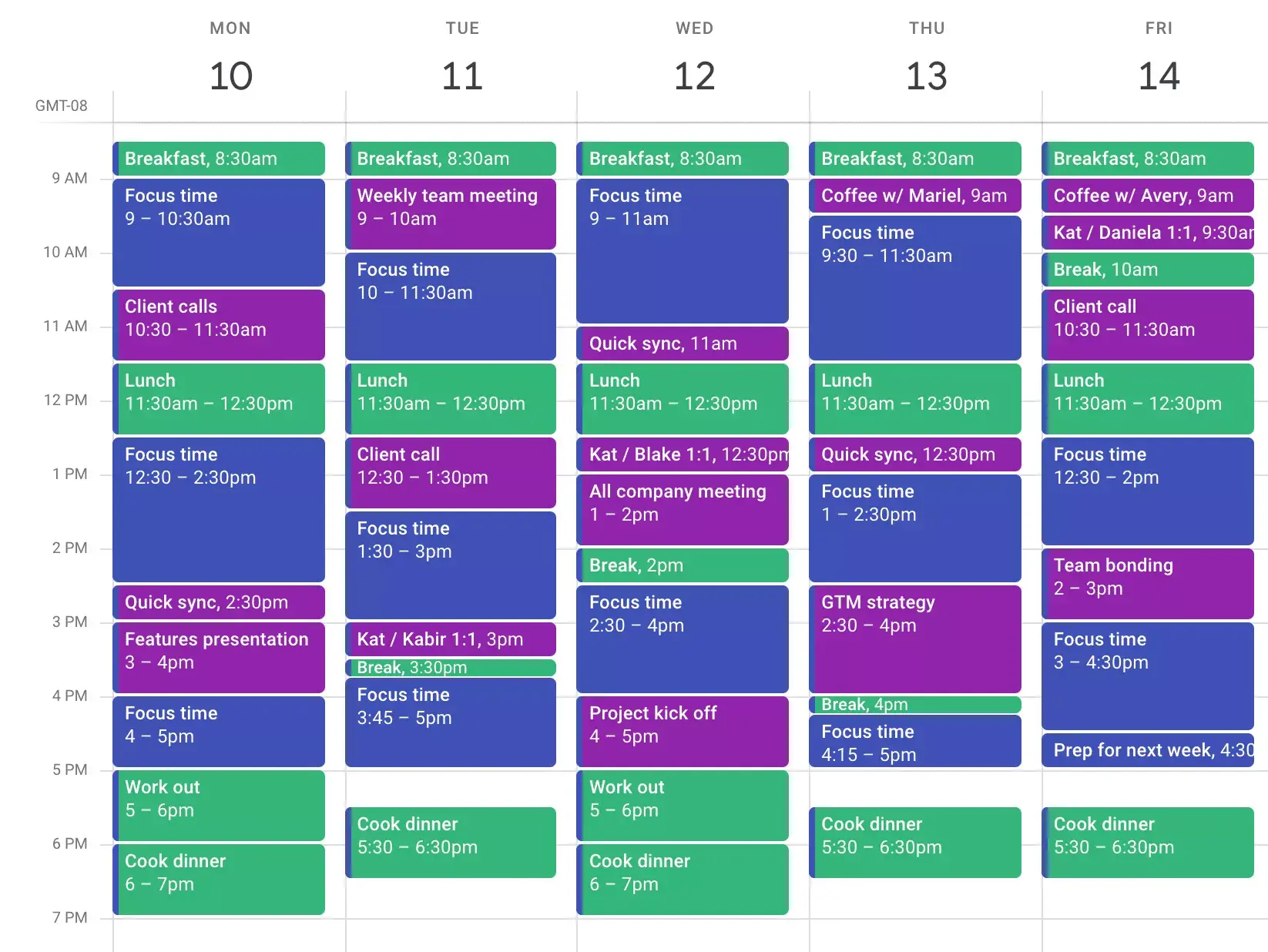
Similarly, time blocking can help. Time blocking is dividing your day into specific blocks dedicated to a single task. The task can be as specific as working on “that project” or as vague as “Focus time”. But it helps compartmentalize your day into busy and freer sections.
Complete Remote Worker Equipment Checklist
- Reliable laptop
- Ergonomic chair
- Noise-cancelling headphones
- External monitor
- HD webcam
- Notepads
- Ergonomic keyboard
- Laptop stand
- Quiet wireless keyboard
- Calendar
- Drawing tablet
- Ergonomic mouse
- Portable storage device
- Whiteboard
- Desk organizer
- Printer/scanner
- Video conferencing tool
- Mobile VPN
- Ultrawide monitors
- Monitor mounts or stands
- Mechanical keyboard
- Speakerphone
- Stress ball
- Scribble pad
- Adjustable desk
- Plants
- Laptop stand
- Dimmable lamp
- Blue-light blocking glasses
- ADHD sympathetic chair
Boost Work-from-Home Performance with Jabra Hardware
The best home offices and home-working equipment should help you feel more productive, connected, and comfortable in your home setup.
Filling your space with helpful tools and technology can inspire productivity. But it’s also essential to separate those features that actually assist your specific way of working from those that become frustrating distractions.
Additionally, spending a fortune on equipment needed to work from home is incredibly easy. That’s why starting with the basics and developing your tool stack to match your needs is important.
Our leading home office audio-visual technology tools offer the perfect foundation. Delivering professional-grade connectivity into your space. So, even if your office isn’t looking or sounding perfect, your colleagues and customers will never know.