
Best Hybrid Meeting Equipment & Tech: Ultimate 2026 Guide
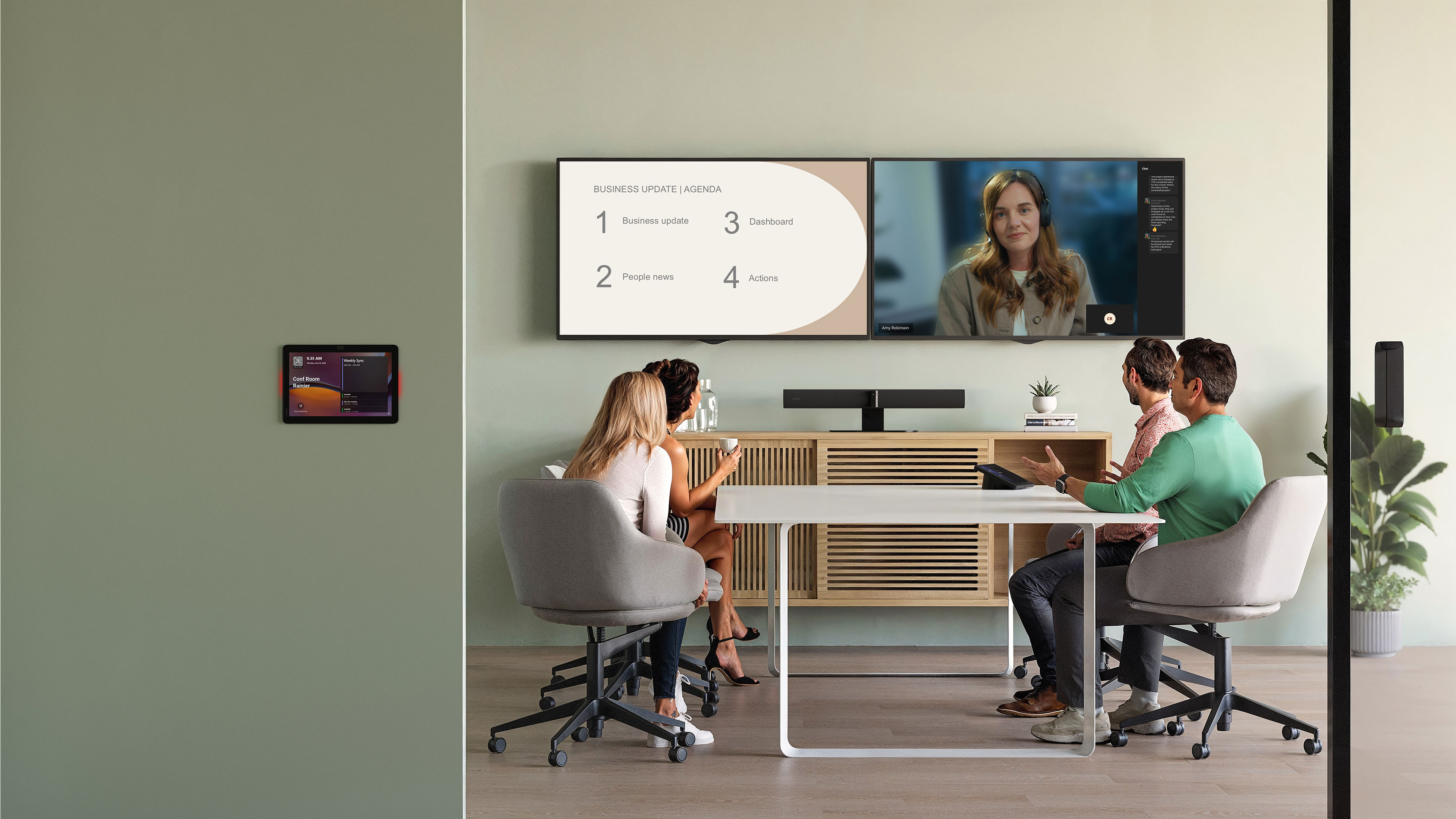
Hybrid work gives people more flexibility. The challenge is making sure meeting experiences work just as well for those joining remotely as those in the room.
Without the right setup, hybrid meetings can create friction for participants. Common challenges include: poor audio quality that forces participants to repeat themselves, screen sharing issues that keep presentations from being visible to everyone, and cameras that don't capture everyone clearly.
As hybrid work is the norm, organizations are discovering their current setup just isn't designed for today's flexible work model. As a result, remote workers often feel disconnected and excluded.
The good news is that creating a modern hybrid meeting experience doesn't require a complete overhaul of existing equipment or a massive budget.
This guide breaks down the essential hybrid meeting equipment you need to create inclusive, productive meetings where everyone can contribute.
6 essential technology types your hybrid meeting needs
Our research found that 2 in 3 meetings are now virtual, yet only 15% of employees surveyed say their meeting rooms have cameras. Remote participants can still participate, but they miss out on crucial visual cues and non-verbal communication.
Here are the essential layers of technology you need to address these challenges for more productive meetings:
| Technology type | Recommended product | Best for | Key features | Pricing |
|---|---|---|---|---|
Network equipment | Cisco Catalyst 9130AX Series Access Points | Enterprise-grade WiFi for large meeting spaces | WiFi 6 performance, dual 5 Gbps Ethernet ports, advanced security features | $750 - $1,300+ |
Audio Equipment | Jabra Speak2 75 | Small to medium conference rooms | Super-wideband audio, 65mm speaker, 360-degree pickup, Microphone Quality Indicator | $352 |
Video Equipment | Jabra PanaCast 20 | Personal video conferencing and remote work | 4K Ultra HD video, on-device background effects, lightweight design | $229 |
All-in-One Hybrid Meeting Solutions | Jabra PanaCast 55 VBS | Medium to large conference rooms | Camera, speakers and microphone array in one unit, 4K panoramic views | $3,199 |
Software Solutions | Jabra Scheduler | Scheduling meetings | Intuitive touchscreen, real-time room availability display, Microsoft Teams and Zoom certified | $799 |
1. Network equipment
Your network equipment is the foundation of your hybrid meeting experience. A great connection goes unnoticed. A weak one, creates frustration and chaos for everyone trying to join the call. The best cameras and microphones in the world won't save you from audio delays or frozen videos.
Here's what you'll need to keep connected:
Wired Ethernet connections
Wired Ethernet connections are faster and more reliable than Wi-Fi, but at the cost of being physically tethered to a single location. However, the trade-off is worth it for lower latency and consistent performance for more productive virtual meetings.
Recommended product: Cat6 cables offer speeds up to 10 Gbps and bandwidth of 250 MHz, making them ideal for most hybrid meeting room setups.
Enterprise-grade WiFi
If wired connections aren't feasible, invest in enterprise Wi-Fi access points and position them strategically in your meeting space to ensure strong signal strength. Look for WiFi 6 (802.11ax) routers that can handle multiple high-bandwidth devices simultaneously.
Recommended product: The Cisco Catalyst 9130AX Series Access Points ($750-$1,300+) provide enterprise-grade WiFi 6 performance with dual 5 Gbps Ethernet ports and advanced security features.
Network switches and bandwidth
Ensure your network switches support gigabit speeds and configure Quality of Service (QoS) settings to prioritize video conferencing traffic. Your internet connection should provide at least 25 Mbps upload and download speeds for reliable performance.
Recommended product: The Netgear GS308E ($27.99) provides 8 gigabit ports with QoS capabilities at an affordable price point.
2. Audio equipment
"I can't hear you."
"Could you repeat that?"
Not exactly a great start to a meeting.
Audio quality is one of the top barriers to productivity in online meetings.
Your audio equipment must accommodate in-room and remote participants. The tech you put in your meeting spaces needs to keep both experiences in mind, so in-room participants can hear remote attendees speaking and remote participants can hear everyone in the room clearly.
Conference speakerphones
Why buy separate microphones and speakers when you can combine their functions into one speakerphone?
Look for models with 360-degree pickup, noise cancellation and echo reduction.
Recommended product: The Jabra Speak2 75($352) offers super-wideband audio and a full-range 65mm speaker to deliver crystal-clear calls. It also features a Microphone Quality Indicator so you know how well your voice is being picked up.

Office headsets
Some meetings need privacy.
Remote workers might want to have a headset to zone in on a meeting while cancelling outside noise. A person in the office might need to jump on a call when there's no meeting room space available.
The right office headsets can help meet these needs by reducing distractions and delivering clear audio in any environment. Prioritize features like Active Noise Cancellation, professional-grade microphones that filter out background office noise, plus all-day comfort.
We recommend: Jabra Evolve3 75 offers superior wireless audio performance with adaptive noise cancellation that adjusts in real time to block out noise. These headsets are also certified for Microsoft Teams and Zoom to ensure compatibility with your conferencing platform.

3. Video equipment
Your face says more than you think.
Facial expressions convey emotions and intentions that are important to pick up on in meetings. You might notice someone looks confused and needs clarification. Or that someone is trying to speak by the way they open their mouth and then close it again.
However, poor video quality can keep remote participants from picking up on these subtle signals and make them feel disconnected from the conversation. That's why your video conferencing setup must have high-quality video equipment to ensure in-room and remote participants can pick up on these nonverbal cues.
Video conferencing cameras
From huddle rooms to large meeting spaces, the right video conferencing cameras capture everyone clearly while automatically adjusting to movement.
Look for cameras that offer immersive, inclusive features. They should deliver clear 180° views and offer quality speakers so remote participants can see and hear everyone. They should also work with video conferencing platforms like Microsoft Teams and Zoom.
Recommended product: Jabra PanaCast 55 VBS($3,199) video bar features a panoramic 180° field of view with three 13-megapixel cameras, AI-powered intelligent zoom and eight beamforming microphones that keep conversations crystal clear.

Webcams
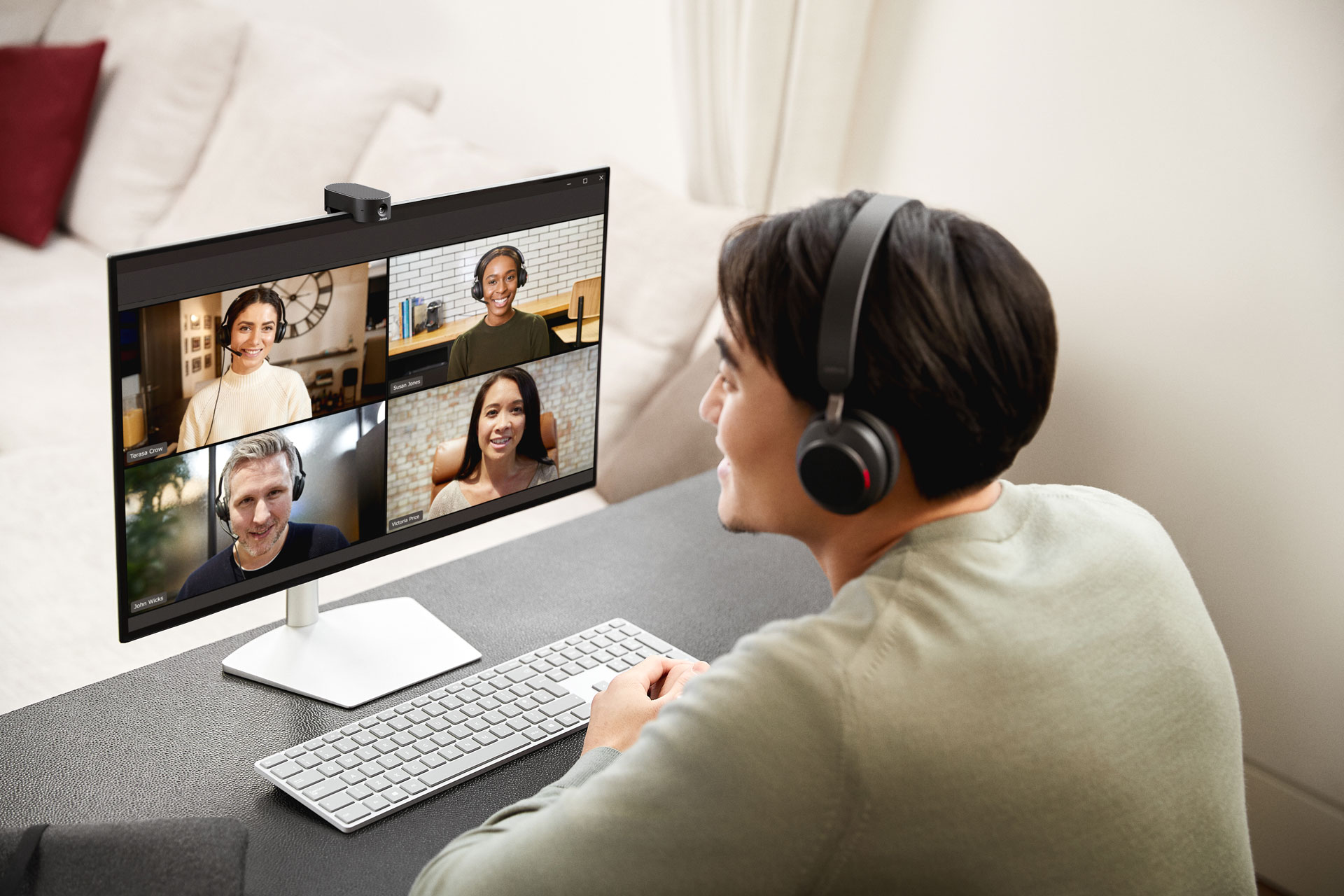
Remote employees joining from their desks need reliable webcams that deliver high-quality video beyond what their laptop camera offers for their home office setup.
Features like 4K Ultra HD, good lighting performance and picture-in-picture are a must. A lightweight design is also a plus for employees to easily transport on the go.
Recommended product: The Jabra PanaCast 20($229) offers 4K Ultra HD video and intelligent optimization that automatically adjusts images in real time. It also features on-device background effects to maintain privacy.
4. Presentation equipment
Effective collaboration in hybrid meetings requires online collaboration tools that make in-person and remote participants feel like they're in the same room. That way, everyone can brainstorm together and contribute, regardless of their location.
Wireless presentation system
Wireless presentation systems let participants mirror their device on a shared projector or TV. Presenters can quickly share their screens with a single click.
Look for solutions that support multiple platforms (Windows, Mac, iOS, Android) and work seamlessly with your existing video conferencing software.
Recommended product: The Barco ClickShare Conference offers one-click wireless conferencing with support for multiple participants. It works with video conferencing platforms like Microsoft Teams and Zoom and offers low-latency audio/video.
5. All-in-one hybrid meeting solutions
Struggling with complicated AV setups or equipment that won't work together?
Video bar systems are all-in-one hybrid meeting solutions that offer a modern alternative to complex AV installs. These devices combine a camera, speakers and a microphone into one compact unit. In-person and remote participants can join meetings instantly without needing to plug in or host from a laptop.
Video bar systems offer several advantages. They:
- Reduce failure points by consolidating multiple devices into one system
- Simplify deployment with pre-configured systems that are ready to use
- Lower total cost of ownership compared to purchasing separate components
They're designed to work in small to medium-sized rooms and require minimal setup. This last part is important as employees may shy away from using technology that seems complicated. In fact, our research shows that 1 in 3 employees hesitate to use meeting rooms because they don't know how to use the technology.
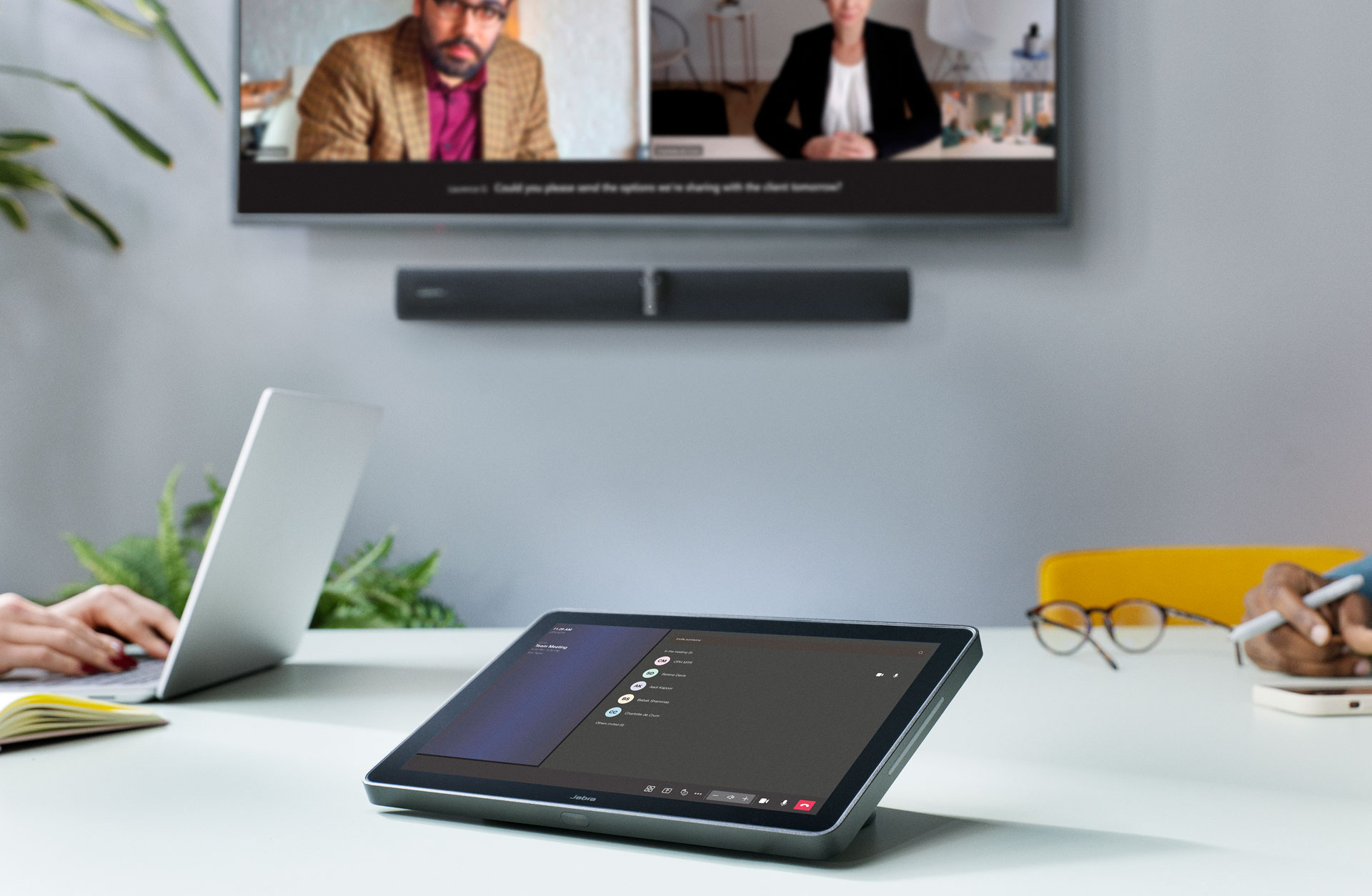
Recommended product: Jabra PanaCast 55 VBS($3,199) is a powerful all-in-one video bar system. It features 4K panoramic 180° views, three 13-megapixel cameras and eight beamforming microphones. Every participant can be seen and heard as long as they're in the room.
Its AI-powered intelligent zoom automatically frames active speakers, while Virtual Director adjusts the camera view in real time to help remote participants easily track the conversation and see who's speaking. Jabra PanaCast 55 VBS is certified to work with leading video conferencing platforms like Microsoft Teams and Zoom.
It also utilizes advanced speaker tracking to focus the camera view on whomever is currently speaking.
Don't take our word for it. See why more companies are choosing Jabra to power their meetings.
6. Software solutions
While hardware creates the foundation for great hybrid meeting setup, software solutions bring everything together. The right tools help people collaborate more naturally, simplify room booking and create a smoother meeting experience for everyone, wherever they join from.
Video conferencing platforms
The best video conferencing platforms help your team communicate and stay connected no matter where they are. Choose a platform that integrates with your existing tools to reduce complexity and improve adoption rates across your organization.
Recommended product: Zoom offers reliable performance with extensive hardware compatibility, making it ideal for growing businesses. If your company is already all-in on the Microsoft 365 ecosystem, Microsoft Teams may be a better option to keep everything unified. Both platforms integrate with Jabra devices for quick setup and deployment.
Room management and scheduling tools
You need to use a room for a quick meeting but you find that someone is already using it. It's a common issue that affects many workplaces. 80% of employees report wasting time looking for available rooms.
With the right room management and scheduling tool, you can eliminate scheduling conflicts and make better use of your available spaces.
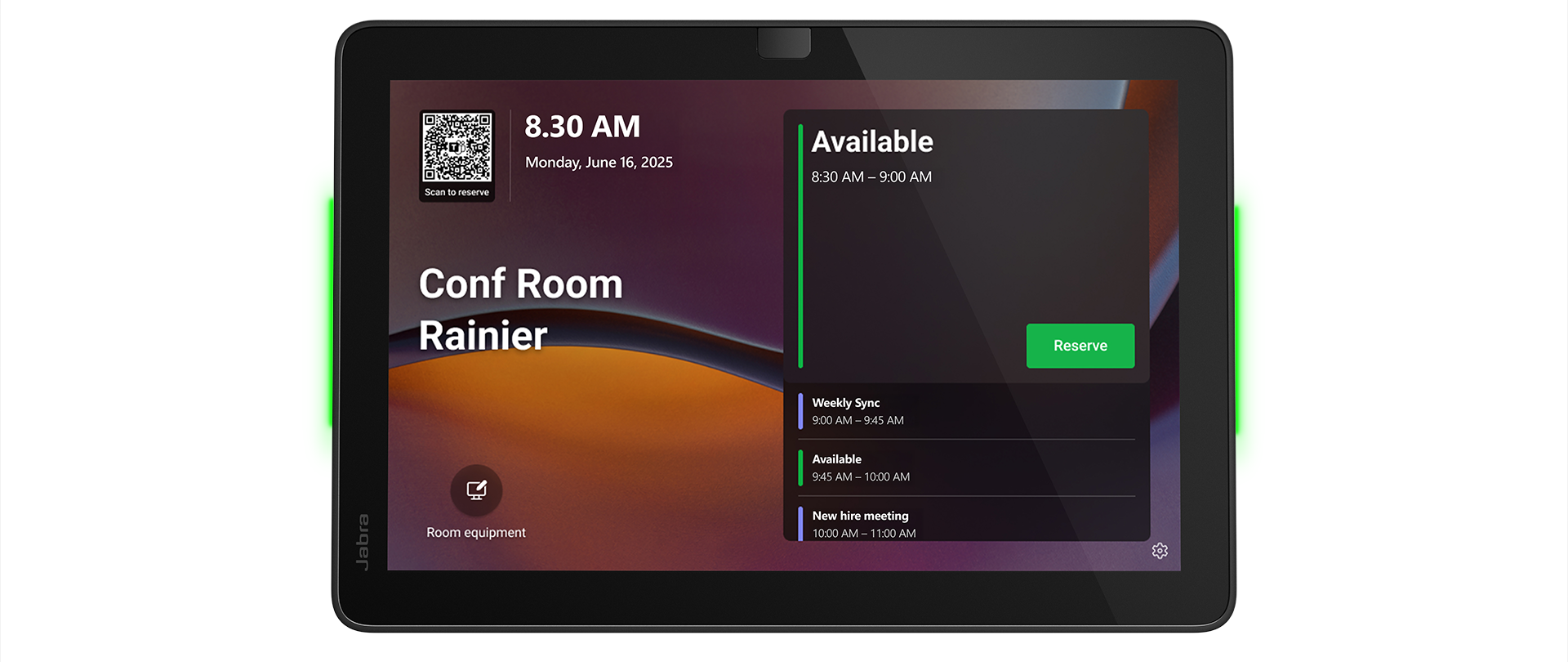
Recommended product: Jabra Scheduler($799) is a smart room scheduling panel that displays real-time room availability on an intuitive and user-friendly touchscreen.
Meeting analytics and AI transcriptions
Want to understand how your meeting rooms are actually being used?
Software solutions track how rooms are used and provide insights to help you optimize space allocation and improve overall efficiency. Some offer AI-powered features that generate meeting summaries to help absent participants get up to speed.
Recommended product: Flowtrace provides AI-powered meeting analytics that help companies reduce meeting costs and increase productivity through actionable insights.
How to choose the right hybrid meeting technology for your space
There's a lot of categories. How do you decide which of them you really need and then which products to go for?
Consider the following when choosing hybrid meeting technology:
- What's your room size? Make sure the equipment you choose can accommodate your space. Small and huddle rooms need basic setups, while medium to large conference rooms benefit from professional-grade systems.
- How frequently do you host meetings? If you hold frequent hybrid meetings, it makes sense to invest in more reliable, high-quality equipment to reduce technical complexity.
- Does it integrate with your existing platform? Choose certified devices that can plug-and-play with your video conferencing platform to ensure seamless integration with your systems.
- What's your budget? If you have a limited budget, all-in-one video bar systems offer the best value as they combine a camera, microphones and speakers in one device.
- Can the system scale? A minimal setup may suffice for now, but it likely won't accommodate future growth. Choose systems that enable you to start with basic equipment and add components as your needs evolve.
Whether you're outfitting a huddle room or a large conference room, the right combination of hybrid meeting solutions ensures all participants can contribute equally. Start with the essentials, test thoroughly and refine based on real user feedback.
Make your hybrid meetings more inclusive with Jabra
Hosting hybrid meetings without the right technology can hamstring productivity and delay discussions because everyone can't see or hear each other clearly. Worse, it can make remote participants feel disconnected from their team or secondary to the discussion.
At Jabra, we offer hybrid conference room technology that turns ordinary conference rooms into inclusive spaces where every voice is heard and every idea considered.
Explore our range of video conferencing solutions and create hybrid meeting experiences your teams want to take part in.
Hybrid meeting equipment FAQs
What equipment is needed for a hybrid meeting?
Essential equipment for hybrid meetings include: quality cameras, microphones and/or speakerphones for clear audio, plus a reliable internet connection and video conferencing software like Microsoft Teams or Zoom.
What is the best hybrid meeting technology in 2026?
Top solutions include Jabra PanaCast 20 for remote workers, Jabra Speak2 75 for crystal-clear audio, Jabra PanaCast 55 VBS video bar for all-in-one hybrid meeting setups and Microsoft Teams and Zoom for video conferencing.
How do you set up a hybrid meeting room?
Your hybrid meeting room should accommodate all participants, whether they're joining from the office or remotely. Start by taking a look at your available space as this will determine your equipment needs. Invest in high-quality audio and video equipment with microphones that clearly pick up voices while removing background noise. Be sure to position cameras thoughtfully so they capture everyone's face.
How much does hybrid meeting equipment cost?
Costs vary widely by room size and quality. Basic setups for small rooms and huddle rooms with webcams and speakerphones cost $200-$500, mid-range certified devices for medium conference rooms cost $800-$3,200 and professional-grade systems for large boardrooms cost $3,200-$10,000+.