
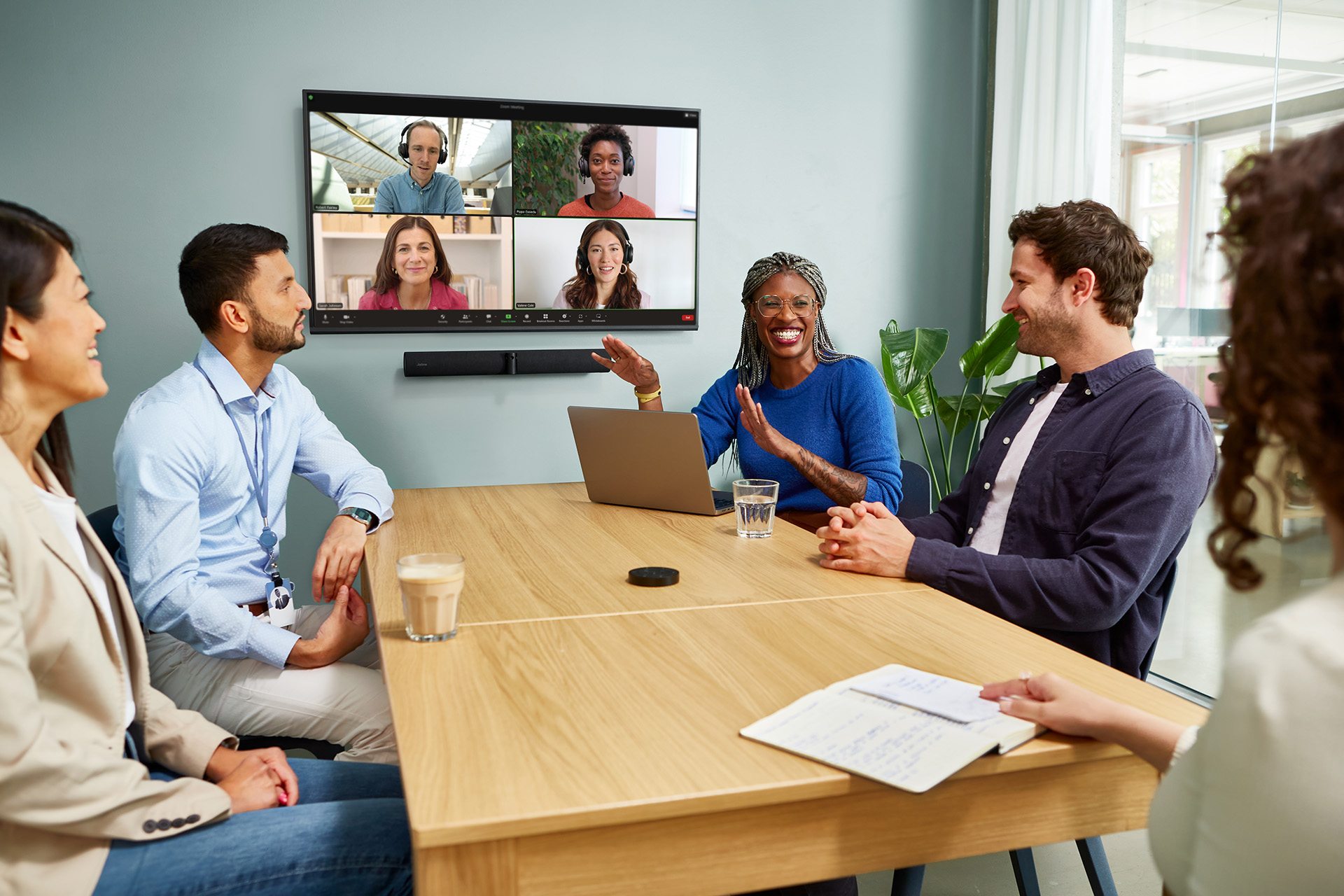
6 Conference Room Essentials That Make Meetings Memorable
In this article, you'll learn which conference room essentials are worth investing in to make every meeting engaging, equitable, and productive for the whole team.
What do "essentials" mean in this context? The list is a mix of physical products and principles that no piece of hardware can replace. They are what you must keep in mind as you put your conference room together.
Why your conference room accessories and essentials matter
A conference room is more than a room with a screen, a table, and a few chairs. It's the space where your team meets clients, crafts strategies, and makes the decisions that move the business forward. How you set up the space and the accessories you choose (or leave out) shape what happens in every one of those meetings.
Your conference room accessories have a direct impact on these three areas:
- Productivity: When the conference room technology works on the first try, meetings start on time and stay on track. Teams spend less time grappling with video settings and asking "Can everyone hear me?" and more time getting through the agenda.
- Engagement: Remote attendees participate more when they can hear clearly and see who's speaking. The same goes for people in the room, who follow the conversation better when audio and video are reliable.
- Professionalism: How your team sounds and looks on a call shapes how clients, candidates, and partners see your company.
6 conference room essentials and accessories
1. Get your conference room layout right first
A poor conference room layout puts people at a disadvantage before the meeting begins. Some attendees end up with their backs to the camera, others sit too far from the microphone to be heard clearly, and the people closest to the screen block the view for everyone behind them. All of this puts a damper on the meeting before anyone says a word.
When planning the layout of your conference room, here are a few things to consider:
- Table shape and size: Choose a round or boat-shaped table so everyone has a clear line of sight to one another and to the screen. Also, match the table size to the typical number of meeting attendees so people aren't spread thin or crowded together.
- Sightlines to the screen and camera: Every seat should have a clear view of the display and be within the camera's frame.
- Proximity to audio devices: Place microphones so they pick up voices from every seat, not just the ones nearest the front.
- Avoiding "head of table" dynamics: Traditional rectangular setups make one seat feel more important and push remote attendees to the edge of the conversation. So, go for a round, semi-circle, or oval table that puts everyone on equal footing.
When everyone can see and be seen equally, the conversation opens up and flows naturally.
2. Soundproof the conference room
A conference room should ideally be quiet. Quiet rooms let people hear each other clearly and speak at a normal volume, and it reflects well on the business overall.
However, this isn't the case with most conference rooms. Sound bleeds in from nearby workspaces and the street outside, while inside the room, the HVAC unit hums overhead, voices echo off hard walls and flooring, and every cough, shifting chair, or laptop fan gets amplified by bare surfaces.
A few accessories can help soundproof the room and prevent sound from coming in or going out. They include:
- Soft furnishings: Upholstered chairs, fabric curtains, and cushioned seating absorb sound and reduce echo.
- Acoustic panels: Wall-mounted panels are designed to dampen reverberation and stop sound from bouncing off flat surfaces.
- Carpet over hard flooring: Carpets and large rugs soften footsteps and reduce the sharpness of sound as it travels across the room.
- Glass wall treatments: Glass walls look sleek, but reflect sound badly. So, adding frosted film, acoustic curtains, or sound-absorbing dividers can help bring the noise down.
- Door seals: Acoustic seals around doors keep conversations from leaking out and outside chatter from coming in, which is especially important for confidential meetings.
3. Invest in a conference room speakerphone that gives every voice equal weight
A great meeting is one where everyone, including remote attendees, gets the chance to speak up and hear what others have to say. The conversation flows naturally, and no one gets talked over or left behind.
However, that's only possible when your audio technology supports it.
A powerful speakerphone like the Jabra Speak2 75 helps create an equitable environment for everyone in the meeting, whether in person or remote.
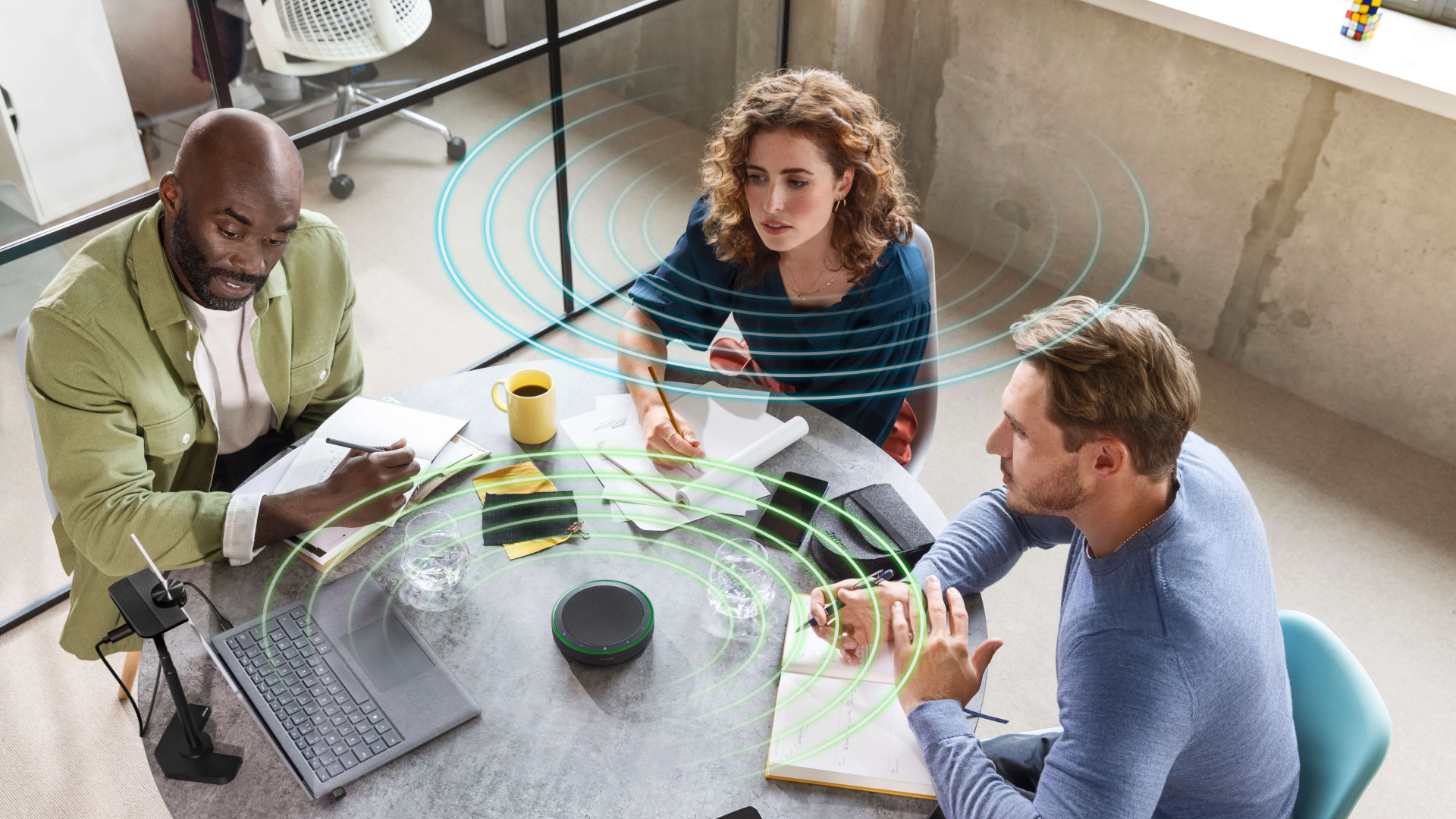
This portable, professional-grade speakerphone comes equipped with:
- Four beamforming microphones with advanced noise-cancellation: These work together to isolate the active speaker's voice and filter out background noise, so remote listeners hear the speaker and nothing else.
- A 65mm full-range speaker and super-wideband audio: This combination delivers crystal-clear sound throughout the meeting, so every word comes just like it would in real life.
- Advanced full duplex audio: This allows people on both sides of the call to speak and hear each other at the exact same time. Conversations flow as they would in real life, so folks can say "yes" to agree or "ooh" to show understanding while someone else is speaking without getting muted.
- Voice Level Normalization: This technology evens out varying vocal volumes so both quiet and loud speakers in the room are heard equally by remote participants.
4. Choose lighting that helps everyone look their best on camera
Lighting is the difference between a call where people look present and engaged, and one where they look like they're dialing in from a car park.
Harsh overhead lights, under-lit rooms, and windows behind in-room participants all make the team look unprofessional on camera. Worse, they make it harder for remote attendees to read facial expressions and body language.
To get your conference room lighting right, consider:
- Natural light sources: Position seating so windows are in front of or beside participants, never behind them. Backlighting turns people into silhouettes on camera.
- Warm vs. cool light temperature: Warm light (around 3000K) flatters skin tones and creates a softer, more welcoming feel. Cool light (5000K and up) can look clinical on video, so save it for spaces where color accuracy matters more than appearance.
- Bias lighting behind screens: A soft light placed behind the display reduces eye strain and balances the screen's brightness, helping in-room attendees stay comfortable during longer meetings.
- Supplementary lighting for larger rooms: In bigger conference rooms, overhead lighting often leaves shadows on people's faces. Adding adjustable floor lamps, ring lights, softbox panels, or wall sconces fills in those gaps and keeps everyone evenly lit.
When people look good on camera, they feel more confident. And when remote participants can clearly see faces, they stay more engaged in the conversation.
5. Get a conference room camera that captures the whole room
Being visible is important in a hybrid meeting, especially for remote attendees, who often get sidelined in conversations because they aren't physically present.
The trouble is, standard webcams won't cut it in a conference room. They capture a narrow slice of the space, so people at the edges of the table disappear from view and remote attendees end up with a skewed, partial picture of who's actually in the meeting.
Instead, invest in a professional-grade video bar like the Jabra PanaCast 55 VBS.
This camera features:
- True 180° Panoramic-4K view: The PanaCast 55 VBS bar uses three 13-megapixel cameras and real-time AI video stitching to capture a full 180° wall-to-wall frame. So even if your conference table sits close to the display, or some participants are sitting in the corner, everyone will stay fully in view.
- True 180° Panoramic-4K view: The PanaCast 55 VBS bar uses three 13-megapixel cameras and real-time AI video stitching to capture a full 180° wall-to-wall frame. So even if your conference table sits close to the display, or some participants are sitting in the corner, everyone will stay fully in view.
- 8-microphone beamforming array: These microphones cover the entire room, precisely isolating human voices and filtering out typical office distractions like HVAC hum, rustling paperwork, and keyboard clatter.
- 4-speaker stereo system: These speakers deliver immersive room-filling audio that keeps remote voices crisp and natural.
- AI-Powered mode: The video bar uses visual AI and audio features to automatically crop and zoom in on whoever's speaking, so everyone can follow the natural flow of the conversation.
- Platform certifications: The PanaCast 55 VBS is compatible with major UC systems, including Microsoft Teams Rooms and Zoom Rooms.
All-in-one solution: Jabra PanaCast Room Kit
Prefer a multi-camera set-up? The Jabra PanaCast Room Kit is an all-in-one video conferencing system that makes sure that in large rooms everyone is included.
Jabra PanaCast Room Kit is built on Microsoft Device Ecosystem Platform.
6. Manage your devices so every room stays meeting-ready
Conference room equipment isn't something you just set once and forget. Over time, firmware gets outdated, custom settings stop applying, and devices stop syncing properly with Teams or Zoom. Small issues like these create friction that compounds across every room in the organization.
So, the IT team needs to stay on top of the devices. They should:
- Update firmware on a regular cadence: Schedule firmware checks at least quarterly and roll out critical security updates as soon as they're released.
- Monitor device health: Track which devices are online, which are flagging errors, and which are due for replacement, so problems get fixed before they disrupt a meeting.
- Ensure configuration consistency across rooms and locations: Every meeting room should run the same baseline settings, so the experience is identical whether a team joins from headquarters or a regional office.
- Audit usage and performance regularly: Look at which rooms are actually being used and how the devices are performing, so the team knows where to expand, upgrade, or scale back.
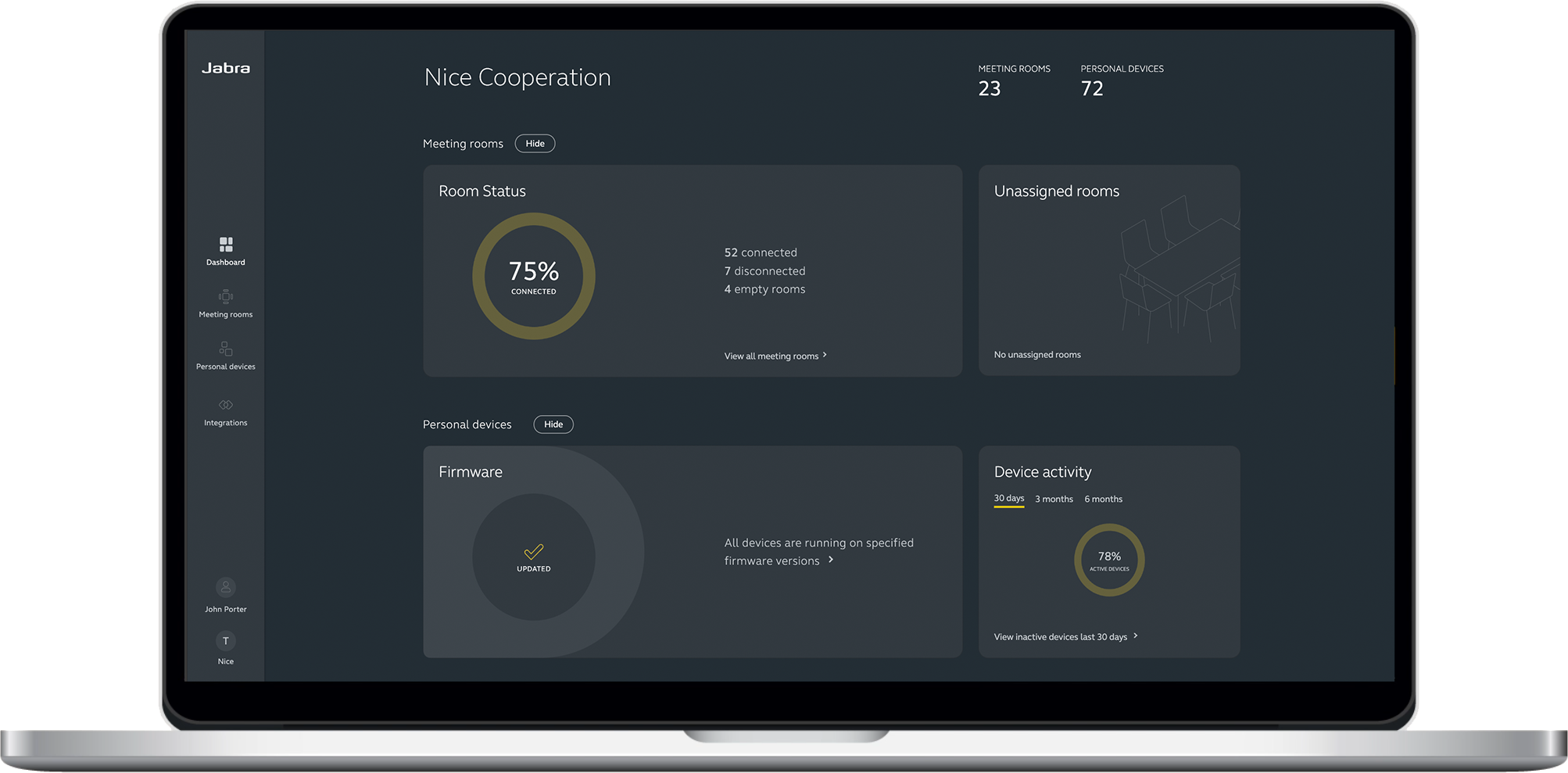
Going from room to room to push firmware updates and troubleshoot devices is hectic and time-consuming. The better option is for the IT team to use software that lets them manage devices across the organization from a single dashboard.
Jabra Plus Management was built for this very reason.
-
Jabra Plus Management: A cloud-based platform that gives IT admins a single dashboard to monitor, configure, and troubleshoot Jabra meeting room devices and personal headsets across the entire organization.
Conference room table accessories to make the room feel lived in
With the big-ticket items sorted, here are a few accessories that help make the conference room easier to settle into.
Cable management solutions
Wires from laptops, monitors, charging cables, and HDMI connectors can pile up and tangle across the conference table. This restricts movement, obstructs paperwork or coffee cups, and undermines the professional feel of the room.
A few accessories can keep this in check, including:
- In-table cable ports: Recessed openings that let cables run from the table surface down to power and data sources underneath.
- Cable trays: They're mounted beneath the table to hold and route cables out of sight.
- Cable ties: These bundle loose wires together to stop them from spreading across the table.
- Surface-mounted connectivity units: Pop-up modules that house power outlets, HDMI, and USB ports neatly within the table.
These fixtures keep every device connected while keeping the wires out of view and out of the way.
Notepads and pens
During meetings, the team may need to take notes, but not everyone remembers to bring a notepad and pen. So, stock the conference room table with a few of each so people can grab them whenever they need to. It's convenient and affordable, and it signals to the team that they're expected to engage actively during the meeting.
If the budget allows, invest in branded stationery. This reinforces the company's identity, especially during client meetings.
Water and glasses
People often need a drink of water during meetings, especially those that last for hours. Setting out water and glasses on the table before the meeting starts means everyone can pour a glass without leaving the room.
It's also a considerate touch that shows the host has thought about the comfort of the people in the room. Attendees feel more settled and focused because they don't have to excuse themselves halfway through or sit through the discomfort of being thirsty.
Plants and greenery
One of the easiest ways to take a conference room from purely functional to genuinely inviting is to bring in a few plants. Not only do they do wonders for the aesthetics, but research also links greenery in workspaces to reduced stress, improved focus, and greater comfort, all of which boost creativity and productivity.
For low-maintenance options around the room, consider:
- Snake plants: They can tolerate low light and irregular watering, and grow tall enough to fill a corner.
- ZZ plants: They can survive long stretches without water and grow well in rooms with little natural light.
- Pothos: They trail beautifully from shelves or cabinets and need minimal care.
- Fiddle leaf figs: A statement plant for a bright corner, if the room gets natural light.
For the table, smaller options work better since they won't block sightlines:
- Succulents: They're compact, sculptural, and need watering only every couple of weeks.
- Small air plants: These sit in decorative holders, don't need soil, and add a clean, modern feel.
- Mini snake plants: A scaled-down version of the corner option, easy to care for and well-suited to low light.
A few well-placed plants soften the look of the room and make it feel more like a space people want to be in.
Start with conference room essentials, end with better meetings
The way a meeting unfolds and how engaged your team stays throughout has a lot to do with the conference room itself. The layout, the furnishings, the technology, all of it shapes the conversation, so getting these essentials right is key to creating a space where productive conversations happen.
Audio and video are where technology earns its keep. A professional-grade speakerphone, like the Jabra Speak2 75, picks up every voice in the room and filters out surrounding noise, while a camera, like the Jabra PanaCast 55 VBS, brings the entire room into frame so remote attendees can see and hear everyone.
Explore Jabra's range of conference room solutions to build a meeting space your team will actually want to use.
FAQs
-
How do I improve audio quality in my conference room?
Start by soundproofing the space with soft furnishings, acoustic panels, carpets, and door seals to cut down on echo and outside noise. Then invest in a professional-grade speakerphone with beamforming microphones and noise cancellation, like the Jabra Speak2 75. Together, these handle the noise at the source and at the device level.
-
What's the difference between a regular webcam and a conference room camera?
Standard webcams generally have a diagonal field of view (FOV) of roughly 45° to 55°, which leaves people at the far ends out of the frame. However, a conference room camera like the Jabra PanaCast 55 VBS bar uses a 180° panoramic view to capture the entire room wall-to-wall, so all in-room participants stay visible to remote attendees throughout the meeting.
-
How can IT teams manage conference room devices across multiple locations?
The most efficient option is to use dedicated device management software that works across the whole organization. Tools like Jabra Plus Management lets IT teams monitor device health, push firmware updates, and apply consistent settings to thousands of devices across multiple sites from a single dashboard, without visiting each room individually.