
QUESTIONS FRÉQUEMMENT POSÉES
How do I adjust the Jabra PanaCast settings using Jabra Direct?
How do I adjust the Jabra PanaCast settings using Jabra Direct?
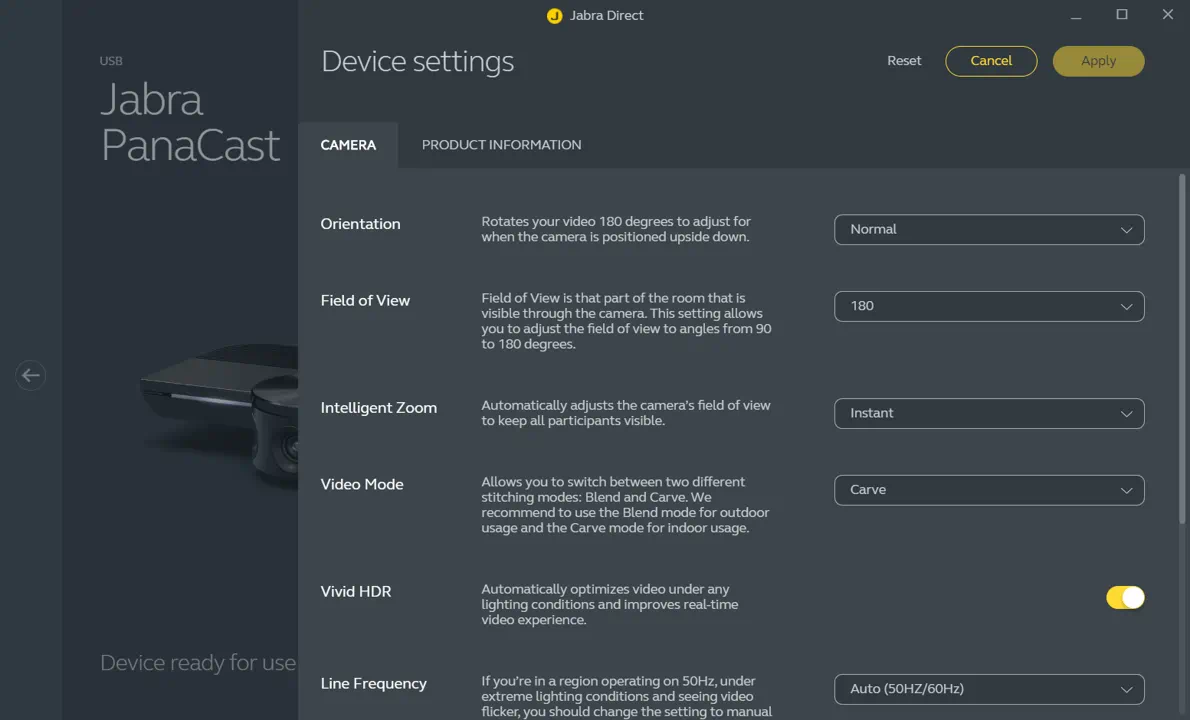
The Jabra PanaCast camera is a plug-and-play device and is ready to be used out of the box. In addition, you can customize the settings using Jabra Direct. To customize the settings, follow these steps.
- Open Jabra Direct.
- Click Device.
- In Device settings > Camera, adjust the settings according to your personal preference.
Note
We recommend you do not change settings during an active session/call/meeting. The Jabra PanaCast will normally reboot when settings have been changed. A reboot takes approximately 10 seconds.
