
Jabra Logo
Jabra Logo

Office worker using Jabra Direct
Support

How to manually recover or firmware update a Jabra device

Office worker using Jabra Direct

To manually update your Jabra device from a file, follow these steps

  1. On the Jabra Support website, navigate to the product support page for your Jabra device. Ensure you select the correct product variant.
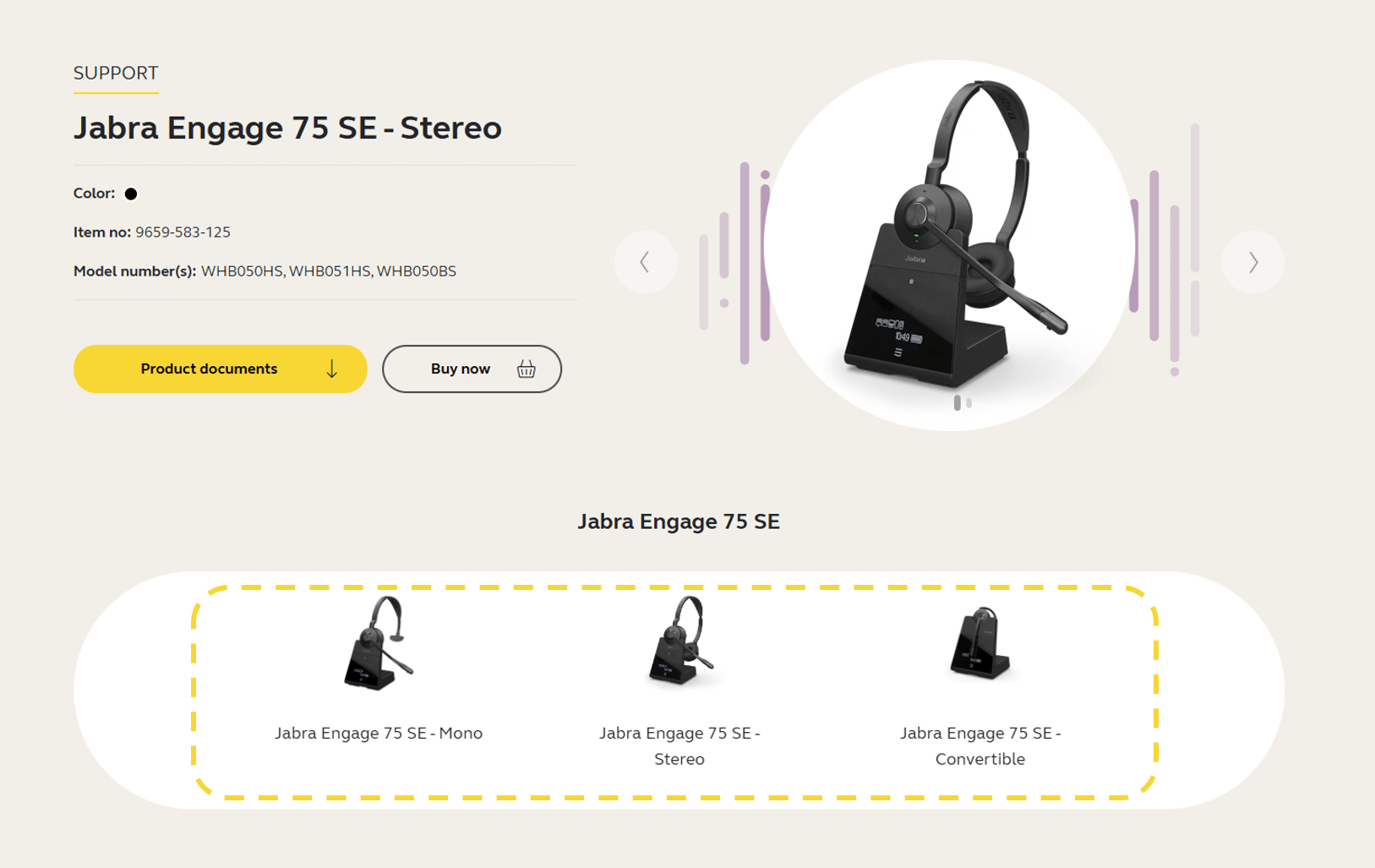
    Jabra Engage 75 SE


  2. Click the section Firmware and software and download the latest firmware version for your device. Save the file on your computer in a location you will be able to find later. Note that the firmware is the same for Windows and macOS.



  3. Open Jabra Direct, click Updates.

  4. If the Recover button is available for your device, click Recover and follow the instructions to complete the recover process. Otherwise, press Ctrl+Shift+U on your keyboard.

  5. Click the Update from File button that appears next to your device. 
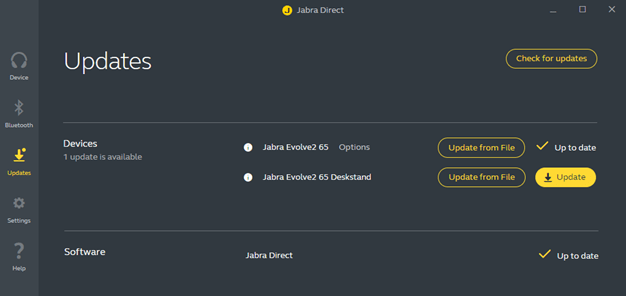


  6. In the dialog that opens, navigate to the relevant file on your computer and click Open.

  7. Select the preferred voice prompt language (if applicable) and then click Update from File.

    Important: Do not disconnect your device at any point during the update.

  8. When the firmware has been updated successfully, follow any instructions to complete the update.


If the firmware update is not successful, please contact Jabra Support. Find the relevant contact information on the product support page for your product.

Note
Images are for guidance purposes only. The displayed images may differ slightly from your device, however the content is still relevant and accurate.
  1. Firmware update recovery

Om oss

  • Vår historie
  • Karriere
  • Bærekraftighet
  • Nyheter og pressemeldinger
  • Jabra-bloggen
  • Kundehistorier
  • Vår historie
  • Karriere
  • Bærekraftighet
  • Nyheter og pressemeldinger
  • Jabra-bloggen
  • Kundehistorier

Støtteressurser

  • Produktstøtte
  • Brukerhåndbøker
  • Guide for sammenkobling av Bluetooth
  • Kompatibilitetsguide
  • Veiledningsvideoer
  • Tilbehør
  • Identifiser produktet ditt
  • Produktstøtte
  • Brukerhåndbøker
  • Guide for sammenkobling av Bluetooth
  • Kompatibilitetsguide
  • Veiledningsvideoer
  • Tilbehør
  • Identifiser produktet ditt

Vanlige spørsmål

  • Hva er et godt headset for Skype?
  • Hva er et godt headset for iPhone?
  • Er Bluetooth-headset trygge?
  • Hva er et godt headset for Skype?
  • Hva er et godt headset for iPhone?
  • Er Bluetooth-headset trygge?

Ta kontakt med oss

  • Kontakt Jabra Salg
  • Mine bestillinger på nettet
  • Registrer produktet ditt
  • Bli en forhandler
  • Foretak kasseringspolicy
  • Utviklerprogram
  • Kontakt Jabra Salg
  • Mine bestillinger på nettet
  • Registrer produktet ditt
  • Bli en forhandler
  • Foretak kasseringspolicy
  • Utviklerprogram
GN logo
  • Varemerker
  • Sikkerhet og advarsler
  • Retningslinjer for informasjonskapsler
  • Endre samtykke til informasjonskapsler
  • Samsvarserklæringer
  • Kommersielle ansvarsfraskrivelser
  • Retningslinjer for personvern
  • Sikkerhetssenter
  • Lisenser for åpen kildekode