
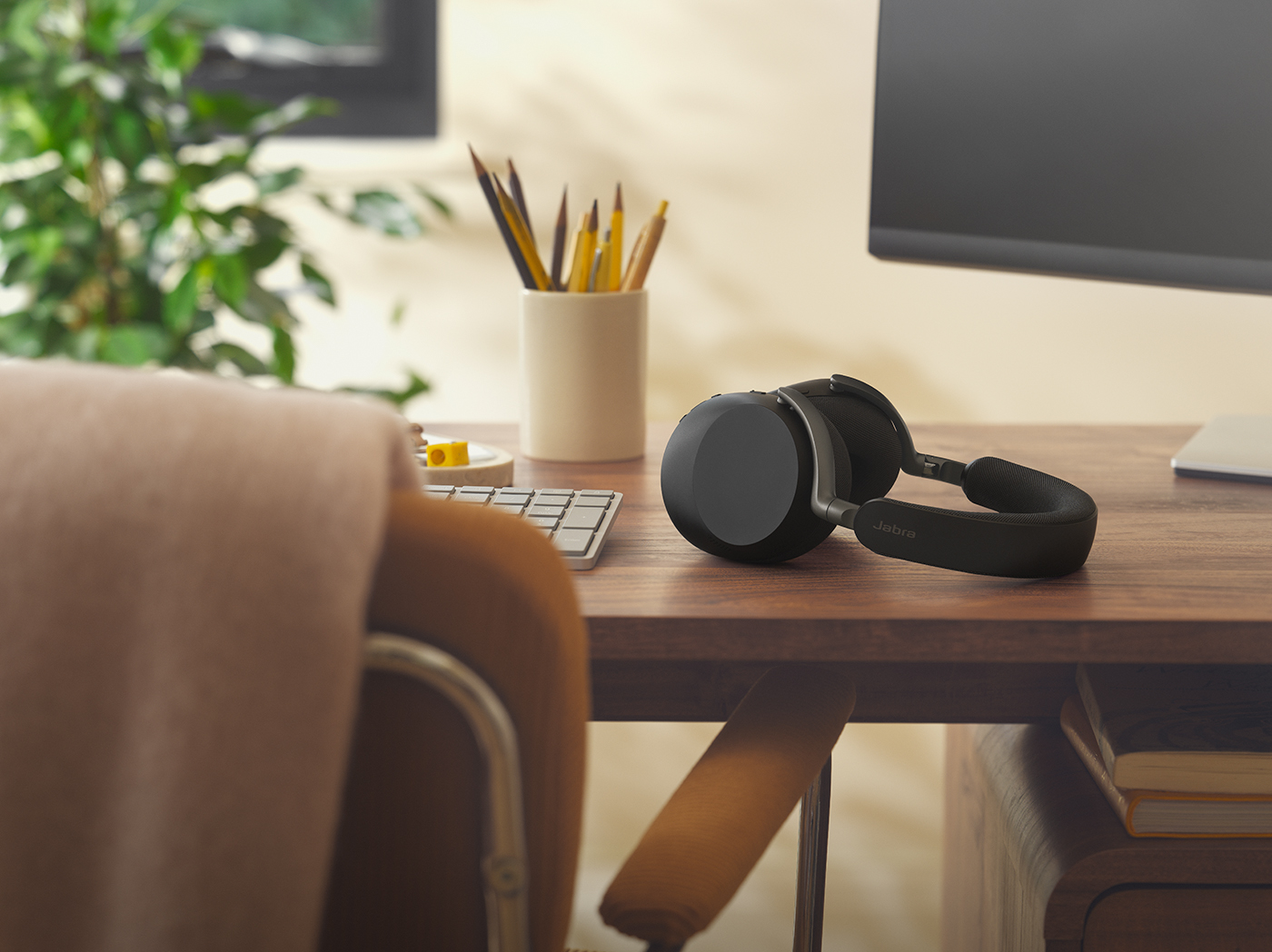
7 Technologies the Modern Workplace Need
Hybrid work has changed how teams communicate, collaborate, and get work done, but workplace technology hasn't always kept up. Too often, teams are juggling disconnected tools, struggling through awkward meetings, or losing time to small but constant frustrations that chip away at productivity.
The best workplace technology solutions do the opposite. They fade into the background, helping people connect, collaborate, and stay productive without thinking about the tech at all.
Here, we'll walk through seven essential types of workplace technology that help teams communicate clearly, collaborate seamlessly, and save time in day-to-day work. Together, these tools form the foundation of a more connected, productive workplace.
What today’s teams really need from workplace technology
Work today isn't short on tools. In fact, there are almost too many. What it is short on are tools that work well together.
When technology clashes, connection suffers. And that matters because 77.63% of employees say feeling connected at work is important or very important. So if your team is struggling to connect, they may be less engaged and looking for an exit ramp.
Real connection comes from technology that supports how people communicate, collaborate, and focus.
At its best, workplace technology should help teams:
- Communicate clearly and reliably, without repeating themselves or talking over one another
- Collaborate easily across rooms, screens, and time zones
- Save time by removing small, everyday obstacles from the workday
The workplace technology that follows spans both software and hardware, from communication and videoconferencing tools to resource management, project tracking, cloud storage, and wellbeing solutions. Together, they form a practical, people-first foundation for in-person, hybrid, and remote work.
The 7 types of technology you need for in-person, hybrid, and remote work
1. Communication tools
Workplace conversations now jump from desks to screens to chat apps, often all in the same hour. Communication tools create a shared space where coworkers can stay aligned, informed and connected, wherever they're working.
In practice, it comes down to the platforms teams use to communicate, like Zoom and Teams, and the hardware that makes those conversations easier day to day.
Microsoft Teams
Microsoft Teams is a core communication tool for organizations working within Microsoft 365. It brings chat, calls, meetings and file collaboration into one workspace.
For hybrid teams, Teams helps reduce context switching by keeping conversations, documents and meetings connected, whether coworkers are in the office or working remotely.
Once teams have a shared communication platform, the right hardware makes sure every conversation is clear.
Slack
According to Slack, 90% of their users feel more connected when using their collaboration platform.
This stat makes a lot of sense because it's a very user-friendly, flexible platform. Team members can react to messages with fun emojis, send GIFs to illustrate their feelings, and organize chats the way works best for them. All this makes you feel more connected to co-workers.
Using Slack, remote and hybrid teams can communicate, make decisions, share lists, manage tasks, and tap into Slack's AI agents. You can also use 2,000+ apps directly in Slack, automating repetitive tasks and increasing productivity.
Jabra Perform
With Jabra Perform headsets, you get completely hands-free communication. So whether you're making a coffee or boxing orders, you can still join a call with push-to-talk (PTT).
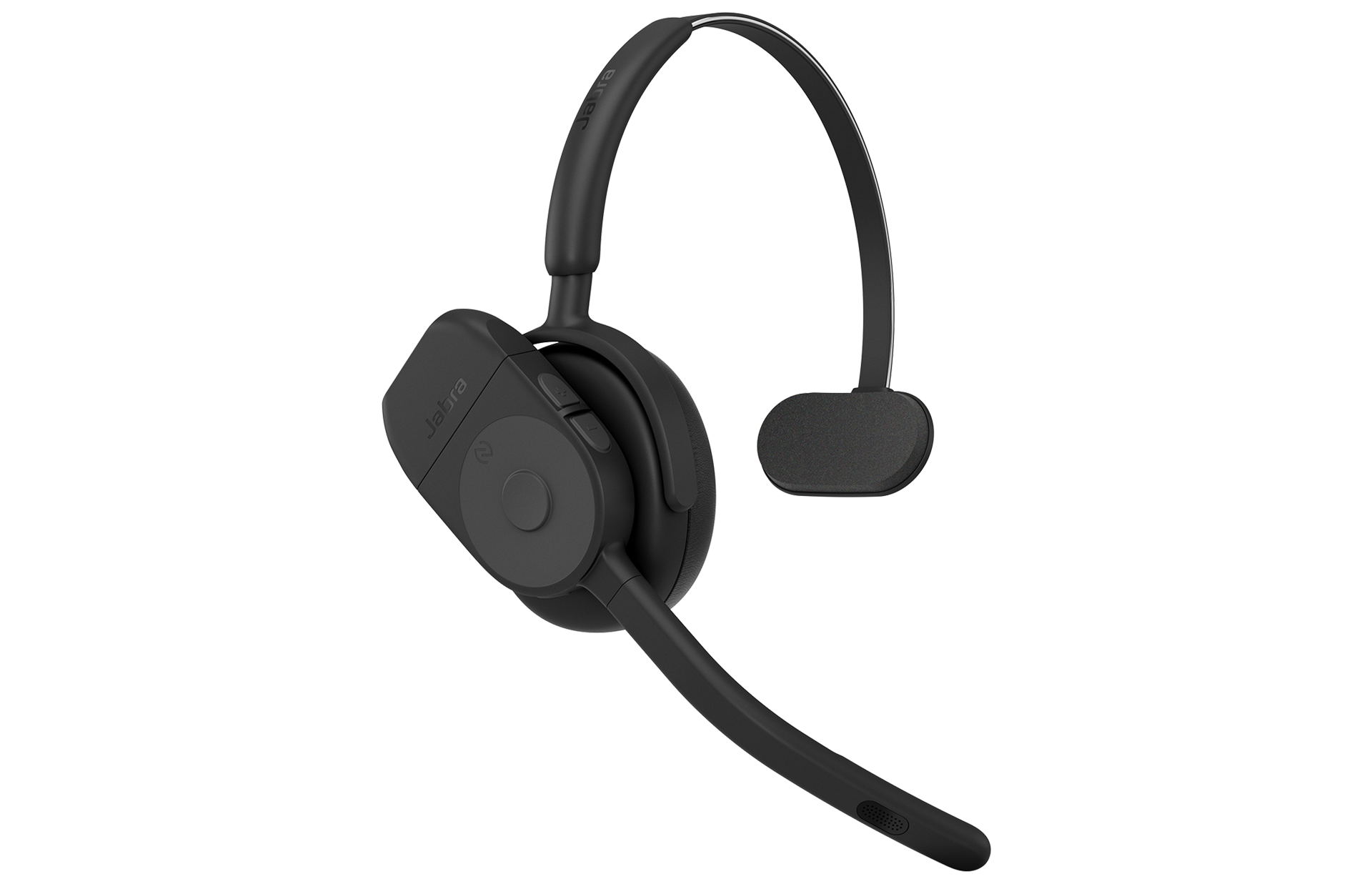
With Jabra Perform headsets, you get completely hands-free communication. So whether you're making a coffee or boxing orders, you can still join a call with push-to-talk (PTT).
Plus, their noise-cancelling capabilities enable you to talk even if you're in a noisy environment, reducing stress for customer service or remote workers.
Best for: Retail or customer service workers always on the move
2. Video conferencing technology
Hybrid work means meetings happen across different rooms, screens, and time zones.
Video conferencing technology keeps everyone visually and audibly connected, making collaboration feel natural no matter where people are working from.
Workplaces often use a mix of platforms like Zoom and Google Meet, supported by cameras and audio tools that help conversations flow.
Zoom
Zoom is a great video conferencing platform for high-quality virtual meetings. It gives remote and hybrid teams a place to come together, brainstorm, make decisions and coordinate work.
You can easily schedule and start meetings, plus their AI companion provides smart recordings and transcripts to refer back to.
For teams joining from shared spaces or huddle rooms, Zoom compatible audio tools like Jabra Speak2 75 help ensure voices come through clearly, without background distractions.
Google Meet
For hybrid teams, Google Meet keeps video calls simple and accessible, reducing friction and improving efficiency.
It also integrates closely with Gmail, Google Calendar and Docs, helping teams move smoothly from scheduling to meeting to collaboration.
Gemini in Google Meet can transcribe meetings and take notes, and it also uses AI to adjust lighting and improve video and sound quality in real time. When that's paired with the professional cameras and audio tools below, meetings look sharper, sound clearer and feel more natural for everyone involved.
Jabra PanaCast 55 VBS
Hybrid meetings only work when everyone feels equally present and included, not when half the room is out of frame or voices fade into the background.
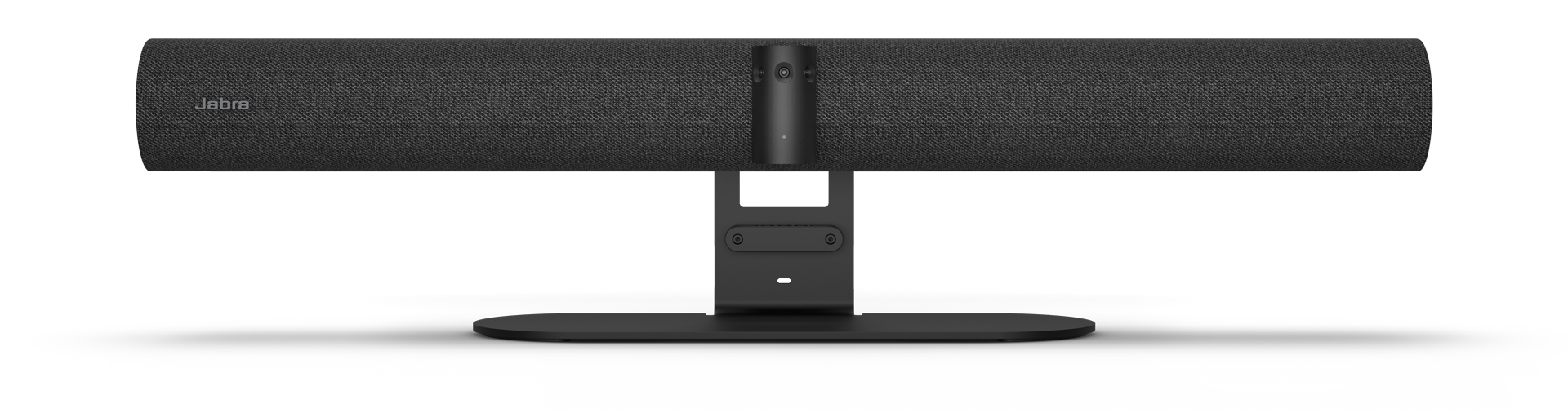
Jabra PanaCast 55 VBS is a plug-and-play video bar designed to make hybrid meetings feel balanced and inclusive. With intelligent video and professional-grade audio, it adapts to different meeting room setups so everyone can be seen, heard, and included, without needing complex installation or AV expertise.
For IT teams, it integrates seamlessly with platforms like Microsoft Teams, Zoom, and Google Meet. For employees, it removes friction from meetings, letting conversations flow naturally instead of fighting the tech.
3. Audio & visual hardware solutions
Hybrid meetings already come with enough challenges. Audio cutting out, cameras pointing at the ceiling, or voices fading into background noise shouldn't be part of the agenda.
With the right video conferencing setup, even hybrid meetings can feel natural. Everyone can see, hear, and participate without thinking about the technology at all.
Jabra Speak2 75
The built-in microphone on the headphones you wear to the gym aren't made for high-pressure online presentations. To make sure you're heard clearly and confidently you need an audio upgrade.

The Jabra Speak Series brings professional-grade audio to both personal and shared meeting spaces, ensuring voices are balanced, clear, and easy to follow.
With Jabra Speak2 75 you get a more powerful sound, advanced microphone technology, and added flexibility in a single device that fits easily into your laptop bag. And if you're soft-spoken, our advanced voice technology equalizes all voices to the same volume level.
Jabra PanaCast 40 VBS
For small meeting rooms or huddle spaces, the Jabra PanaCast 40 VBS provides a 180º view, using three 13 MP cameras with real-time AI stitching to capture the whole room. It comes with a Lenovo ThinkSmart controller and audio powerful enough to hear a pin drop but intelligent background noise cancellation so you won't.
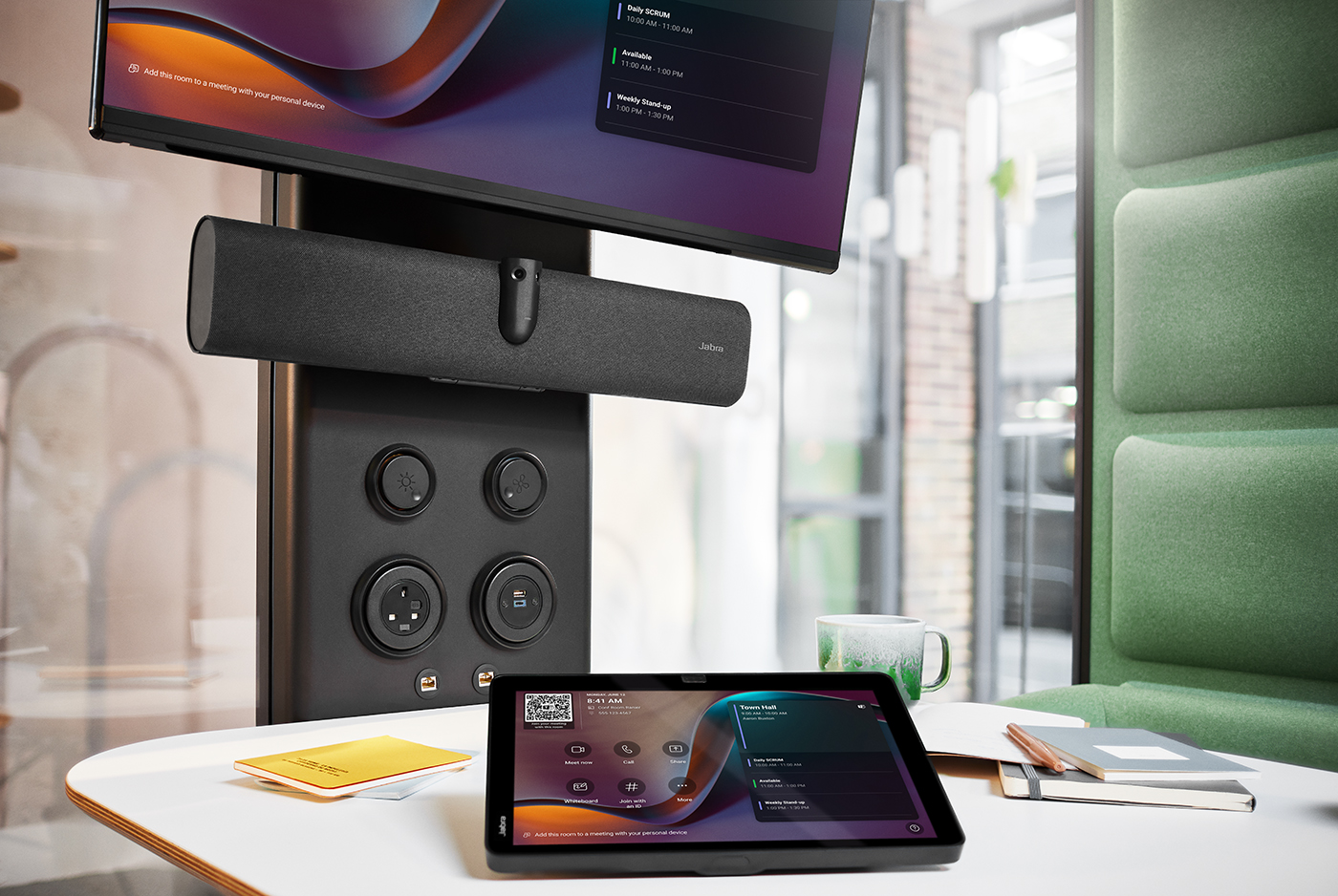
There's also no complicated setup, you can connect it to any laptop and begin your meeting.
Jabra Evolve3 65 Flex
In open-plan offices, home workspaces, or busy shared environments, noise levels can get distracting.
Jabra Evolve3 65 Flex is designed to support deep focus and clear communication wherever work happens. With professional-grade audio and best-in-class adaptive active noise cancellation, these headsets reduce distractions during calls and focus time alike.
Certified for platforms like Microsoft Teams and Zoom, Jabra Evolve3 65 Flex gives employees the freedom to work comfortably across different environments and workstyles.
Jabra PanaCast 20
Just because you're working from home doesn't mean that a pixelated version of you should join meetings. Using Jabra PanaCast 20, you get 4K ultra-HD video, so you can shine.
Even when working from your home office, you can present in meetings with confidence, knowing that your image is crystal-clear and that Jabra's AI is continuously adjusting your picture and lighting so that you're always in the spotlight.
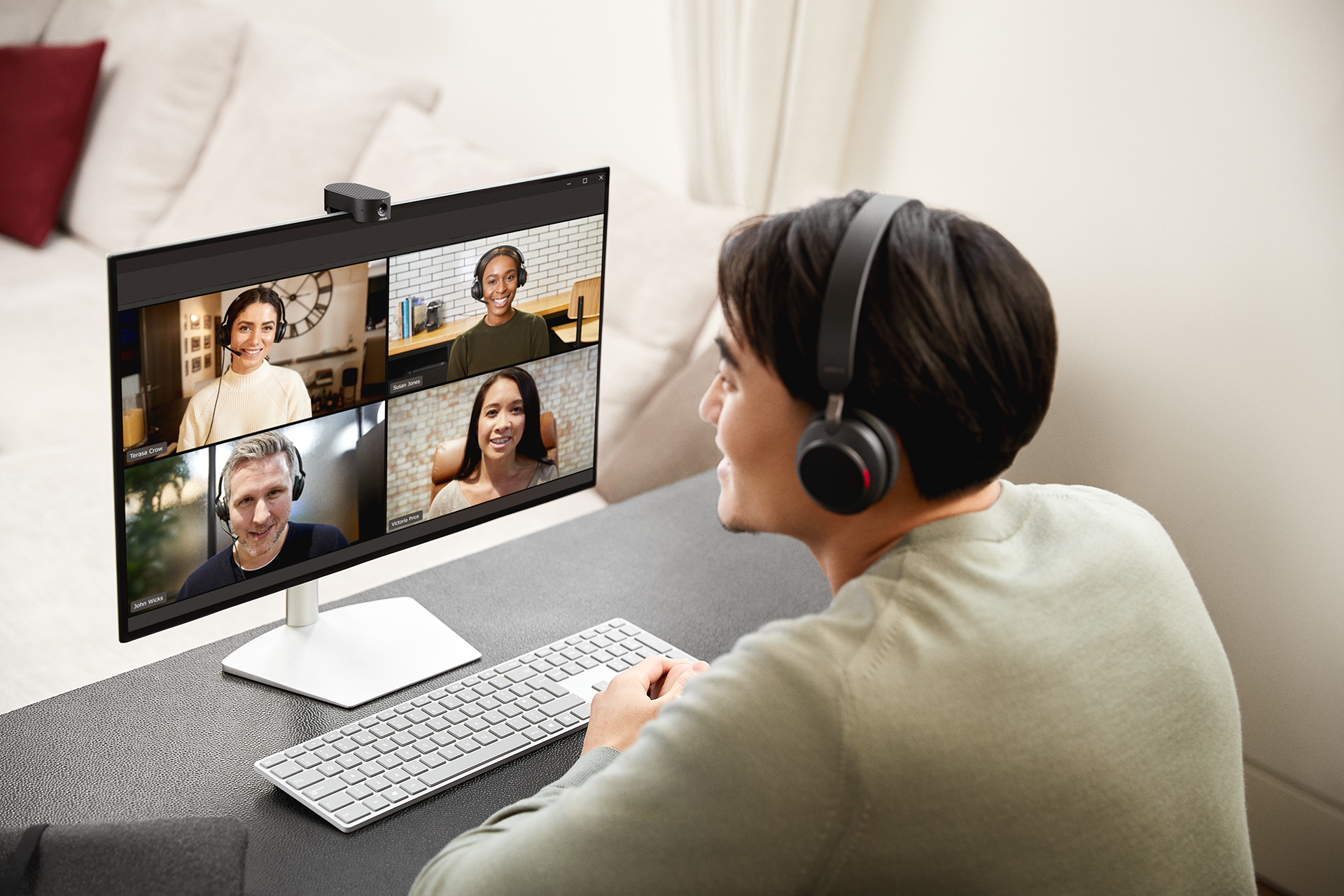
This video conferencing camera is also compact and comes in a little case so that you can take it anywhere. You'll only ever be seconds away from seamless, intelligent, high-quality video collaboration.
4. Workplace experience & resource management systems
It's the small things that are annoying in an office, like not finding a meeting room, taking ages to sign a visitor in, or someone stealing your sandwich.
Installing cameras in the fridge might be a bit much, but we do have workplace technology solutions for the other two!
Jabra Scheduler
Ever gone from floor to floor looking for an available meeting room? Yep, it's a waste of time. Tools like Jabra Scheduler help remove that friction by making meeting room availability visible at a glance.
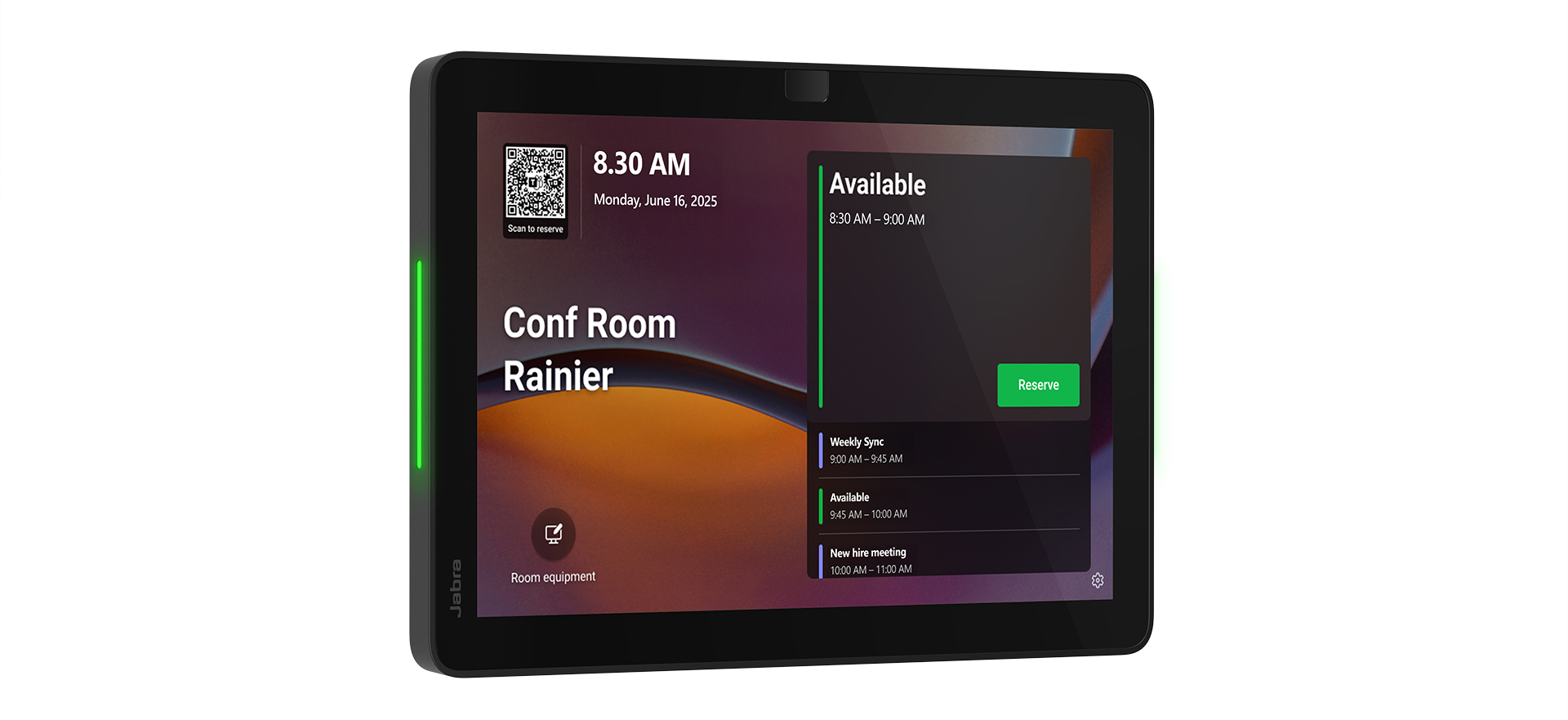
You can book rooms in advance from your calendar or the corridor and check which are currently in use. It's intuitive to use and easy to install, making it the perfect companion to Jabra PanaCast.
Greetly
Rather than spending time constantly checking and re-checking guests in, you can create a smooth, simplified process using Greetly.
Visitors can scan a QR code or sign-in directly on a tablet, and the system automatically notifies hosts, maintaining security while the front desk team can focus on more important tasks.
At a busy, hybrid office with so much foot traffic, you need to keep everyone safe and maintain secure records of all visitors without taking up hours of your receptionist's time.
5. Task & project management solutions
"But what is Lucas actually working on?" and "How is that project really going?" and don't forget "This client is asking about the update that we promised him, but I don't know how it's going".
Enter project management software, the answer to all those problems.
Asana
Asana enables hybrid teams to track projects, campaigns, and manage workflows in a centralized location.
Every department can use Asana to allocate resources, unblock tasks, improve creative projects, automate workflows, and connect tasks to goals. Using it, you increase clarity, accountability, and impact across teams and locations.
Monday.com
Like Asana, monday.com reduces repeated tasks, increases accountability and keeps projects moving smoothly.
And their vibrant, customizable dashboards and advanced reporting are both appealing and useful for large teams.
It also offers a more all-in-one product, with CRM, ticket handling, sprint software, and work management software tools. Together, they help cross-departmental workflows run smoothly.
6. Cloud storage & file sharing solutions
Modern-day workplace faux pas include talking on mute and sharing files without having adjusted the access. We've all been there.
But with these workplace technologies, sharing files becomes easy as "borrowing" an office pen that never quite makes it back.
Google Drive
Google Drive is the place to collaborate and share files when you use Google Workspace. It's cloud-native, encrypted, and sensitive files are automatically labelled.
And now Gemini summarizes long documents, retrieves facts about your content, and even finds your lost files, making work even more efficient.
OneDrive
If you're in the Microsoft ecosystem, OneDrive is a logical choice. It integrates with Microsoft Teams and all Microsoft 365 apps, and is fully protected. If your files are lost or stolen, they can easily be recovered.
Hybrid teams can't work effectively without shared folders that everyone can access for editing, approvals, and brainstorming. OneDrive makes this easy.
7. Employee feedback & wellbeing technology
You can have the best tools and processes in place, but if people are burned out or unheard, something's missing.
These workplace technology solutions go beyond productivity, supporting employee wellbeing, feedback, and a healthier, more connected workplace.
Culture Amp
To understand how your employees are really feeling, you need to ask them. With Culture Amp, you can uncover crucial insights into engagement, retention, and more, so that you can take action.
They also offer employee feedback tools so that you can encourage continuous feedback and drive changes and improvements at every level of the company.
And when it comes to performance review time, Culture Amp's software is there too. You can build a consistent review tool that matches your evaluation categories, so that you know that everyone is being evaluated fairly.
With this workplace technology, you can build an open and fair culture and environment where everyone feels heard, appreciated, and respected.
Lyra Health
The last workplace technology is Lyra Health. This is a comprehensive mental health service that you can offer your employees as a benefit.
Lyra has online mental health providers in over 200 countries so that employees can access ongoing care.
They also offer a library of activities, meditations, and videos to support wellbeing, six-week digital care plans, and short-term support for stress or anxiety with a certified coach with between-session activities.
For workplaces that want to offer mental health support, Lyra Health could be a great option to support your employees.
Jabra Evolve3 65 Flex
Working in a noisy environment, whether that's an open-plan office with a lot of foot traffic or remotely with noisy children playing nearby, increases stress.
A study we did in 2024 showed that a loud working environment makes 74% of employees mentally tired and 63% of employees feel physically tired.
To support employee wellbeing, decrease stress, boost focus and concentration, and improve creativity and collaboration, invest in the right headset.
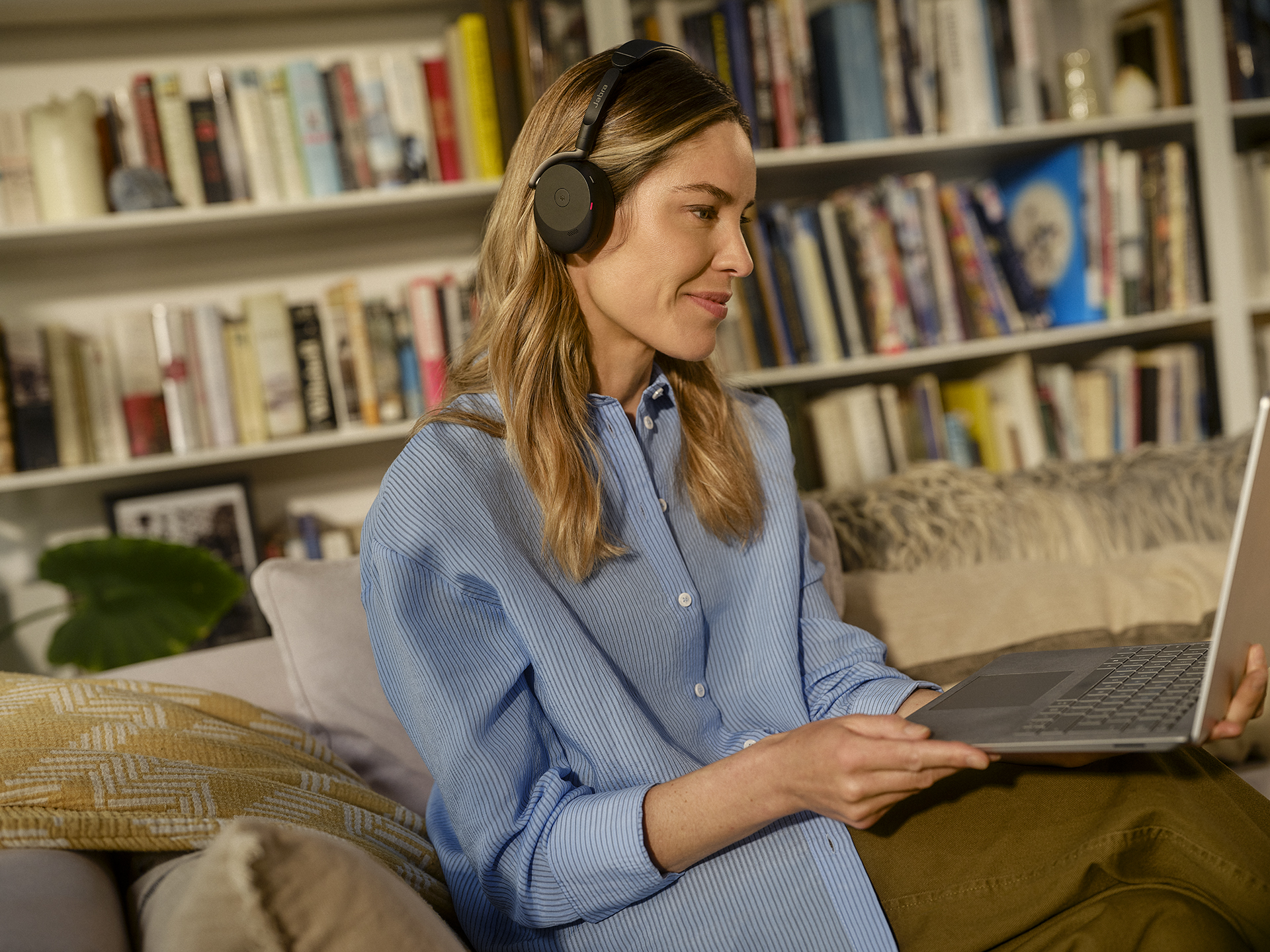
Jabra Evolve3 65 Flex has best-in-class active noise cancellation, sealing employees off from distracting and stressful noise.
In meetings, it cuts out any background sounds, and the premium microphone makes you sound crystal clear in any environment. It also folds up, so it's ideal for hybrid work.
Power a more connected workplace with the right technology
The right workplace technology leads to the outcomes that you want to see: higher productivity, stronger collaboration, deeper engagement, and more motivated teams.
With Jabra, you get all of those for your hybrid teams.
Our Perform and Evolve headphones increase focus while also improving online conversations. Our PanaCast video bars and cameras strengthen connection in hybrid meetings, and our Speak2 series ensures every voice is heard clearly, wherever your teams gather.
Explore our products and build a more productive, connected hybrid workplace.
FAQ
What are some workplace technology examples that help teams focus in an office setting?
In an office, having good headphones, like Jabra Evolve3 65 Flex, can make all the difference, so that people can focus. Plus, having smaller meeting rooms, such as huddle rooms, that individuals or teams can pop into to discuss ideas, and collaborate on projects can lead to more productive conversations without disturbing other teams.
What technology is essential for hybrid work?
It's essential that coworkers can communicate and collaborate in a hybrid work environment. So they need high-quality cameras and audio tools like Jabra's, videoconferencing and chat software, cloud storage and file sharing, plus task management tools.
Where does AI fit in the workplace technology landscape?
AI is increasingly used in all workplace technologies. You can find it in project management tools, cloud storage, and in cameras, headsets, and speakerphones to increase connectivity and productivity.