FAQ
How do I set up a safety capacity limit for the Jabra PanaCast 50 using Jabra Direct?
How do I set up a safety capacity limit for the Jabra PanaCast 50 using Jabra Direct?
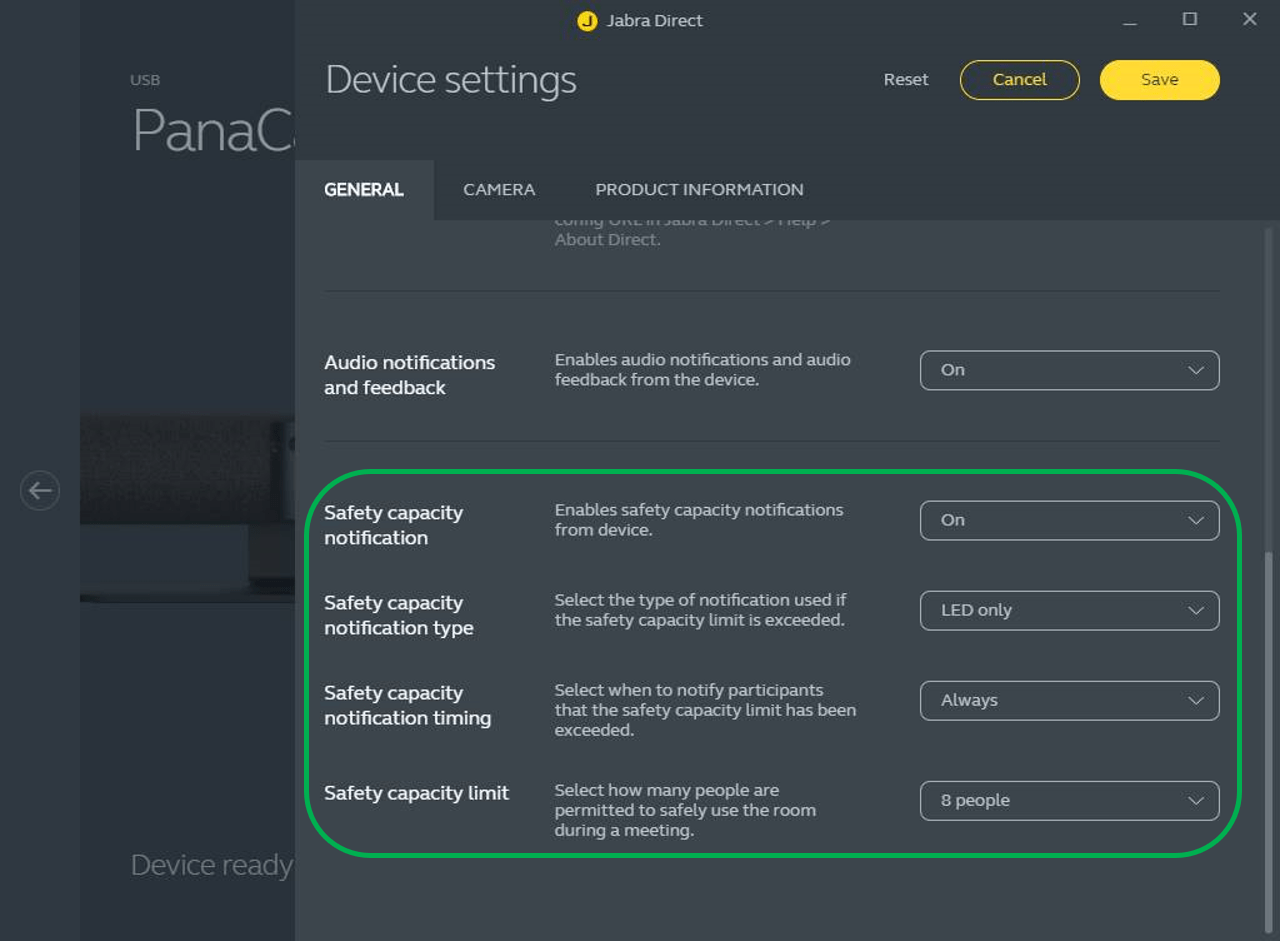
Using Jabra Direct, you can set a Safety capacity limit for the number of people permitted in a meeting room at the same time. During a meeting, the Jabra PanaCast 50 will automatically detect if the limit is exceeded and then notify the meeting attendees in real time.
To set up the safety capacity settings in Jabra Direct, follow these steps.
- Go to Jabra PanaCast 50 > Settings > General.
- Set the Safety capacity notification to On (the default setting is Off).
- Select the preferred Safety capacity notification type.
- Select the preferred Safety capacity notification timing.
- Select a Safety capacity limit.
- Click Save.