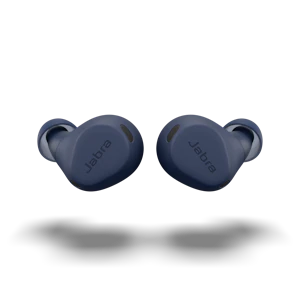
Your New Training PartnerExercise is about freedom, so why spoil it with a corded headset that ties you down?
Running to your own soundtrackWith today’s smartphone technology, you don’t have to choose between listening to music and talking on the phone. You can do it all, with one mobile device. So you need a headset that gives you the same multi-tasking opportunity.
  • Listen to music or take phone calls
  • Built-in FM radio allows you to exercise to your favorite radio station
  • US Military Grade rain, shock and dust protection
  • Experience a secure and comfortable fit
  • Exercise in any environment and not worry about sweat ruining your headset
  • Hear powerful bass sound
  • Works with the most popular health and fitness apps
Male mountainbiker mobileThe Jabra Sport headset does just that. Listen to your own music while getting in your workout routine. The headset is equipped with a powerful bass component, so you get excellent sound quality, both for calls and music. The built-in microphone is wind-shielded, so the wind only blows through your hair, not in your caller’s ear.

A little rain never stopped youRain, sleet, snow; your workout doesn’t wait for good weather. Now your headset won’t either. Jabra Sport is built with US Military-grade rain, dust and shock protection. It can go wherever your workout takes you and has sweat resistant materials for tough workouts.
Female runner mobileExercise the way you wantThere’s nothing worse than getting tangled in wires while you’re working out. You want to stay connected, but not literally. Jabra Sport is a wireless Bluetooth® headset. So you can stream music and calls directly to the headset. And the headset’s unique, behind-the-ear fit ensures that it doesn’t get in your way.

Jabra Sport works with all phones, Mp3 players and tablets. So whatever type of device you own, Jabra Sport can be your headset of choice.

Jabra SPORT has won:

  • CES Innovations Award 2012
  • Red Dot Design Award 2012
Was this useful?

Thank you for your feedback

The information you provide will be used to improve the page.

We will not respond directly to your comments.

Please go to Contact if you need further assistance.

Thank you for your feedback

The information you provide will be used to improve the page.

Help Us Get Better

Please tell us why you didn't find this useful

How can we make this more useful for you?

Send Feedback Cancel
We are so grateful when customers or other media channels talk about our products. We have selected some of our favorite videos from YouTube we wish to share with you. We hope you enjoy them and find them helpful. Please let us know in the “Was this useful?” area, if you find the videos helpful and relevant – or recommend other relevant product videos. We prefer to use content from YouTube. 

Jabra has no stakeholder involvement in the selected videos. The videos are selected by random employees and by customer recommendations.
Jabra Sport Bluetooth Stereo Headset

Uploaded byomarcorrea
on Mar 24, 2012

Was this useful?

Thank you for your feedback

The information you provide will be used to improve the page.

We will not respond directly to your comments.

Please go to Contact if you need further assistance.

Thank you for your feedback

The information you provide will be used to improve the page.

Help Us Get Better

Please tell us why you didn't find this useful

How can we make this more useful for you?

Send Feedback Cancel
Jabra Sport review

Uploaded by TrustedReviews
on Jan 6, 2012

Was this useful?

Thank you for your feedback

The information you provide will be used to improve the page.

We will not respond directly to your comments.

Please go to Contact if you need further assistance.

Thank you for your feedback

The information you provide will be used to improve the page.

Help Us Get Better

Please tell us why you didn't find this useful

How can we make this more useful for you?

Send Feedback Cancel
Jabra Sport Wireless Headphones - Review

Uploaded by MRiOSdevices
on Jan 8, 2012

Specifications

  • Connectivity

    • Wireless Technology: Bluetooth
      Supports Bluetooth™ for wireless connectivity
    • Bluetooth version: 3.0
      Supports Bluetooth® version 3.0
    • AVRCP: Yes
      You can control your music from this device when it's streaming from another device, such as your mobile phone
    • Auto Pairing: Yes
      With Auto Pairing, a device pairs automatically with Bluetooth® devices supporting this feature
    • Music Streaming: Yes
      Device can stream music from a source, such as a Smartphone, Bluetooth enabled laptop, tablet, or MP3 player
  • Speakers

    • Frequency Response: Hifi
      Speakers with a hifi frequency sound produce a sound range well suited for realistic sound reproduction, e.g. Music
    • Digital Signal Processing: Yes
      Digital Signal Processing (DSP) is a technology that digitally optimizes your voice and music and suppresses echoes
  • Microphone

    • Microphone Type: Omni Directional/noise filter
      Enhances call clarity by eliminating background noise from the office.
    • Microphone Sensitivity: Standard (E-STD)
      Standard (STD) variation microphone sensitivity is comparable to a normal telephone receiver and is used in most telephone devices.
    • Mute function: No
      There is no option to "mute/unmute" a conversation directly from the device
  • Battery & Power

    • Talk Time: Up to 4.5 hours
      Talk Time is the maximum time you can talk before a device runs out of power
    • Standby Time: Up to 96 hour(s)
      Standby Time is the maximum time a device can remain powered on
    • Music streaming time: 3 hours
      Music Streaming Time is the maximum time you can stream music before a device runs out of power
    • USB Charging: Yes
      USB Charging enables a device to be charged via a USB cable
    • Battery Status Indicator: Indicator
      A battery status indicator reveals the remaining battery time
  • Design

    • Wearing Style:
      • Ear loop
      • Behind-the-neck
    • Weight: 26 grams
      How much the product weighs (in grams)
    • Length: 64mm
      The length of the product in millimeters
    • Width: 12mm
      The width of the product in millimeters
    • Depth: 43mm
      The depth of the product in millimeters
    • Ear Cushion Type:
      • Small (S) sized ear gels
      • Medium (M) sized ear gels
  • Remote Call Control

    • Digital Signal Processing: Yes
      Digital Signal Processing (DSP) is a technology that digitally optimizes your voice and music and suppresses echoes
  • Control

    • Vibrator: No
      There is no vibration function on this device
Was this useful?

Thank you for your feedback

The information you provide will be used to improve the page.

We will not respond directly to your comments.

Please go to Contact if you need further assistance.

Thank you for your feedback

The information you provide will be used to improve the page.

Help Us Get Better

Please tell us why you didn't find this useful

How can we make this more useful for you?

Send Feedback Cancel
1. CHARGING YOUR HEADSET Take the AC adapter and plug its charging tip into the socket on the headset.

Plug the end of the AC adapter into a wall outlet.

While charging, the battery indicator light is red and when fully charged the LED indicator light is solid green. Charging time is approximately 2h. You can use the Jabra SPORT while charging it. Jabra SPORT
SPORT 01 Charging Your Headset
2. TURN YOUR HEADSET ON OR OFF To turn your Jabra SPORT on press the On/Off button until the LED flashes Blue.

To turn your Jabra SPORT off press the On/Off button until the LED flashes Red.
SPORT 02 Turning Headset On Or Off
3. PAIRING YOUR HEADSET WITH YOUR MOBILE PHONEThe first time you turn your headset on, it automatically enters into pairing mode. The Bluetooth connection indicator on the StatusDisplay™ flashes blue.

For later pairing:
Make sure the headset is turned off

Press and hold the Answer/End button until the indicator light is flashing blue (approximately 4 seconds).

Set your Bluetooth phone to discover the Jabra SPORT. Follow your phone's instruction guide. This usually involves going to a "setup", "connect" or "Bluetooth" menu on your phone and selecting the option to discover or add a Bluetooth device.

Your phone will find the Jabra SPORT. Your phone then asks if you want to pair with it. Accept by pressing "yes" or "OK" on the phone. Your phone may ask for a pass key or PIN = 0000 (four zeros).

Your phone will confirm when pairing is complete. In case of unsuccessful pairing, repeat the steps.

Pairing is successful when the Bluetooth connection indicator and the battery icon show solid light. The lights will stay solid for 5 seconds and then turn off.

If you are wearing the headset, the voice guidance will say "connected"
SPORT 03 Pairing The Headset
4. ANSWER OR END A CALLTap the Answer/End button to answer or end calls.
SPORT 04 Answer Or End A Call
5. ADJUST SOUND AND VOLUMEUse the volume buttons to adjust the volume up or down.
SPORT 05 Adjust Sound And Volume
6. PLAY OR PAUSE MUSICTap the Play/Pause button to play / pause music.
SPORT 06 Play Or Pause Music
7. CHANGE BETWEEN MUSIC TRACKSUse the Volume buttons to change tracks by pressing for 1 sec. on the Volume up button to skip forward and press for 1 sec. on the Volume down button to skip back.
SPORT 07 Change Between Music Tracks
8. USING THE FM RECEIVERTo turn on the FM radio make sure your Jabra SPORT is turned on and press the FM button on the headset.

To change FM Station when FM is turned on press either the Volume up (+) or the Volume down (-) button for 1 sec. to start seeking for the next available radio station.
SPORT 08 Using The Fm Receiver
9. ALWAYS KNOW YOUR STATUSSolid icons:
When the Bluetooth icon is solid, the headset is connected to your phone. (If the battery indication is lit but there is no Bluetooth indication, the headset is on but not connected to your phone).

Jabra SPORT has voice guidance. When you do not have an active call, you can tap the answer/end button to hear "connected" statement. If your headset is not connected to any phone it will remain quiet.

Flashing Bluetooth icon:
The Jabra SPORT is in pairing mode.
In this state the headset can be paired (setup) to a new phone. Go to "pairing" in the menu for more information.
SPORT 09 Always Know Your Status
10. WEARING STYLESPlace each ear piece so the speaker is in front of the ear canal and the ear hook wraps snugly around the back of the ear. The wire should run behind the neck for optimum comfort and freedom of movement.

If the fit is too loose please try out the different ear gels provided to find the fit that suits you the best.
For optimal conditions it is recommended that you wear the mobile device connected to Jabra SPORT as follows.

For use indoor: Place mobile device anywhere up to a 30 foot radius of headset.

For use outdoor: Bluetooth as a technology has limitations when used outdoors. For optimal reception, place mobile device above waist and on right side of body - recommended placement is on your right arm*.

*Note - armband not included in product packaging
SPORT 10 Wearing Styles
Was this useful?

Thank you for your feedback

The information you provide will be used to improve the page.

We will not respond directly to your comments.

Please go to Contact if you need further assistance.

Thank you for your feedback

The information you provide will be used to improve the page.

Help Us Get Better

Please tell us why you didn't find this useful

How can we make this more useful for you?

Send Feedback Cancel
Choose support area
Was this useful?

Thank you for your feedback

The information you provide will be used to improve the page.

We will not respond directly to your comments.

Please go to Contact if you need further assistance.

Thank you for your feedback

The information you provide will be used to improve the page.

Help Us Get Better

Please tell us why you didn't find this useful

How can we make this more useful for you?

Send Feedback Cancel