55%
said it increases stress
52%
say it hurts their focus and concentration
36%
say it makes it harder to deliver high-quality work

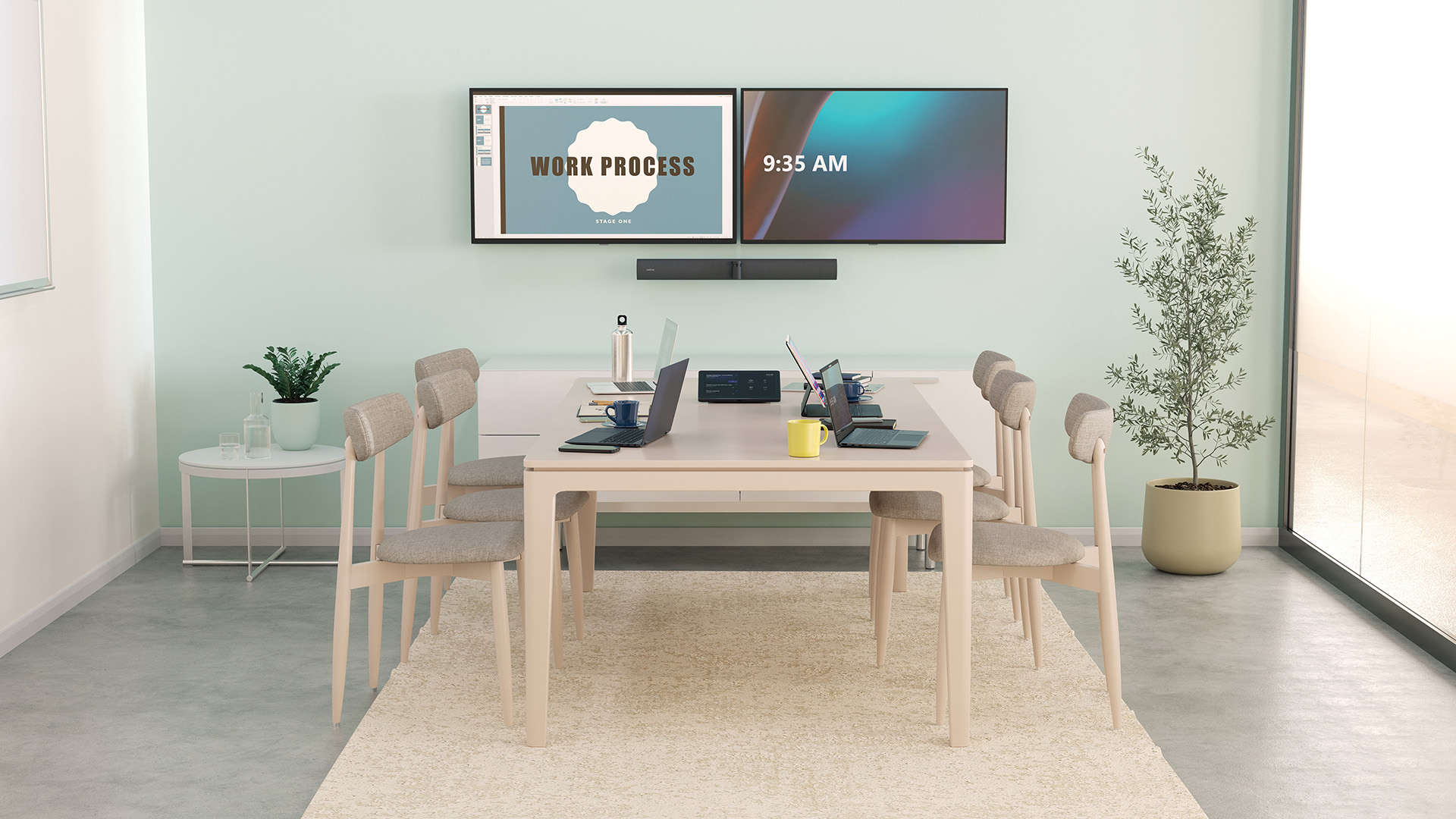
You and a few colleagues sit down in a conference room for a hybrid meeting. Laptops are charging, headsets are on, and the meeting gets underway.
Then the background noise creeps in.
Office chatter leaks through the hallway, the ventilation system hums overhead, and people continuously shuffle past the door. To compensate, in-room participants raise their voices to be heard, remote attendees repeatedly ask that statements be repeated, and you miss key points because you’re distracted by the noise.
If you (or your employees) have experienced this, your conference room likely has an acoustic problem. It could be due to poor room placement, hard surfaces that reflect sound, or an audio setup that doesn’t filter out background sounds.
The good news is that these issues are fixable, and you don’t even need a full renovation.
In this guide, you’ll learn:
For our 2024 Making the Workplace Sound Better report, we surveyed 2,000 knowledge workers across the United States, Germany, the United Kingdom, and France. When asked about how poor quality audio affects them during calls or video meetings:
said it increases stress
say it hurts their focus and concentration
say it makes it harder to deliver high-quality work
All that to say, poor meeting room acoustics are more than an annoying feature of the office. They actively get in the way of your people doing their best work.
If you want employees to stay focused, contribute equally, and leave meetings with clarity instead of fatigue, conference room acoustics have to deliver clear, reliable sound.
Read: How professional audio can elevate the hybrid work experience
You don’t need to be a sound specialist to spot poor acoustics. Most issues show up during everyday meetings, especially when people join remotely. If any of the signs below sound familiar, your conference room likely has an acoustic problem.
You hear an echo, reverb, or a “tin can” sound. If voices sound hollow or sharp, as if they are bouncing around the room, this usually means sound is reflecting off hard surfaces like glass, bare walls, or tables rather than being absorbed.
Remote participants keep asking for things to be repeated. When people on the call frequently say, “Can you say that again?” or “You cut out,” the room is not sending clean audio. Background noise, echo, or weak voice pickup from the speaker/headset often causes this.
In-room voices fade in and out on the call. If remote participants hear speakers clearly one moment and then struggle the next, the room is not delivering consistent audio. This often happens when acoustics distort sound or microphones fail to pick up voices evenly as people move or turn their heads.
External noises bleed into the meeting. If traffic, hallway chatter, or nearby office noise comes through clearly on the call, even when participants are using headsets , the room likely has poor sealing and/or a bad audio setup.
Audio quality changes depending on where people sit. If someone at the table sounds clear, while another person across the room sounds faint or muffled, that usually points to poor room acoustics or microphones that do not cover the space evenly.
People raise their voices or talk over one another. When sound does not carry clearly, people compensate by speaking louder or interrupting. This makes meetings more tiring and harder to follow.
Hard surfaces, such as glass walls, tile floors, concrete ceilings, and bare tables, reflect voices instead of absorbing them. As a result, people hear their own voices echo; side conversations carry across the room; and speakers sound less clear the farther they sit from the mic.
Softening the space helps stop sound from bouncing around the room. The good news is that you do not need a full redesign to make a noticeable difference.
Here are some practical materials you can add to absorb sound.
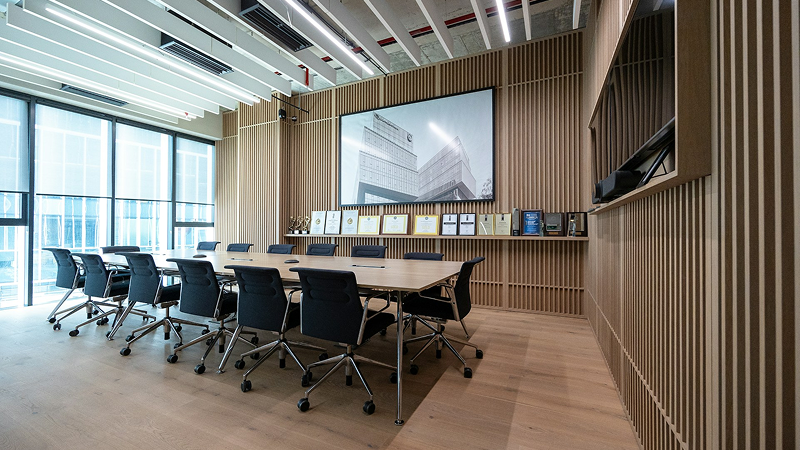
Add acoustic wall panels.
Acoustic panels absorb sound before it reflects back into the room. Place a few panels on large, flat walls, especially behind the main speakers or across from glass surfaces, to reduce echo and make voices sound clearer.
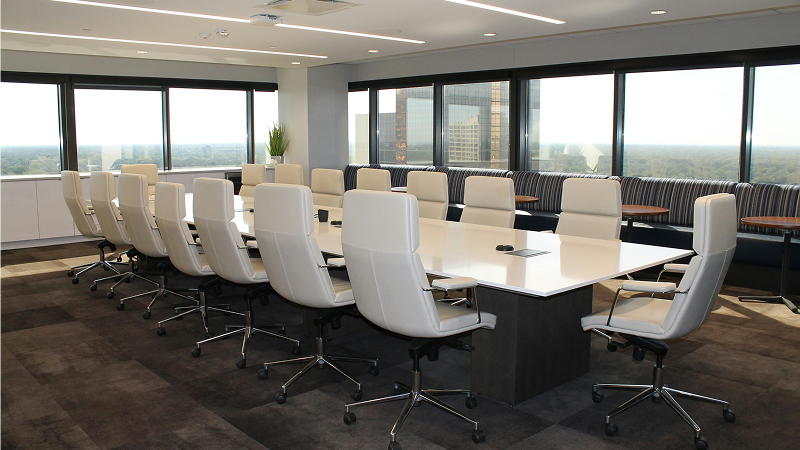
Use rugs or carpet tiles
Hard floors reflect sound upward. So, lay a rug under the table to absorb footsteps, chair movement, and low-level noise. In rooms with tile or concrete floors, this simple change can noticeably reduce reverb.
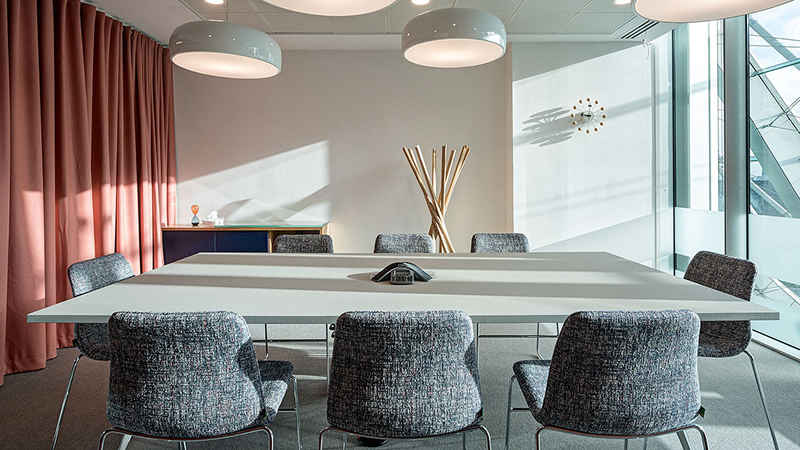
Install curtains or fabric wall coverings.
Thick curtains soften the sound coming off windows and glass walls. If your meeting room has large windows or glass partitions, curtains can reduce echo and block some outside noise.

Choose upholstered furniture.
Chairs with fabric backs, padded seating, or fabric-covered benches absorb sound better than hard plastic or metal. These surfaces reduce sharp reflections that interfere with microphones as people speak from different seats.

Break up large, empty surfaces.
Long bare walls and large tables reflect sound straight back into the room. Adding bookshelves, plants, or fabric dividers interrupts those reflections and helps prevent sound from bouncing directly between speakers and microphones.
You don’t need to apply every fix at once. Start with the largest hard surfaces and work from there. For example, if your room has glass walls and tile or concrete floors, begin with curtains and a rug, then add panels or upholstered furniture as needed.
Each soft element reduces echo and makes it easier for microphones to capture voices clearly.
Pro tip: Use sound masking in nearby open areas.
Sound masking adds a gentle, engineered background sound, such as soft airflow or pink noise, to an environment. It does not completely cancel sound, but it makes distracting noises, especially human speech, less noticeable.
Sound masking is effective in open offices or hallways outside conference rooms. It prevents outside conversations from spilling into meetings, reducing distractions and increasing participants' focus and productivity.
You can implement it through ceiling-mounted systems or integrated building audio, and adjust the level so it blends into the environment without drawing attention.
Soundproofing and acoustic treatment are often conflated, but they solve different problems. Knowing the difference helps you fix the right issue rather than adding materials that don’t address the root cause.
Acoustic treatment aims to reduce echo, reverb, and distortion so voices sound clean and easy to understand. It improves how sound behaves inside the room, but it doesn’t prevent outside noise from entering the room.
You’ve already seen examples of acoustic treatment in Tip 1. These include adding acoustic panels to walls or ceilings, using soft furnishings, and placing bookshelves or plants to prevent sound from reflecting straight back into microphones.
Soundproofing, on the other hand, reduces how much outside noise enters meetings and how much meeting audio leaks out. It doesn’t fix the echo or improve sound clarity inside the room. It simply prevents too much unwanted noise from entering the space.
Here are some ways to soundproof your conference room.
Pro tip: Know when materials are not enough.
Some acoustic problems cannot be solved with panels or upholstery alone. If you conduct hybrid meetings in glass-heavy rooms, shared spaces, or rooms with constant background noise, you’ll need to implement smart audio solutions that reduce background noise and capture in-room voices clearly, regardless of where the speaker is seated.
Smart audio solutions can fill the gaps where acoustic treatment and soundproofing fall short. They help pick up voices clearly, reduce background noise, and adjust in real time, making it easy for all participants to follow the conversation.
Here are three types of audio technology to use in your conference room.
An intelligent video camera with built-in microphones and speakers captures in-room participants clearly while delivering crisp audio to both in-room and remote attendees.
For example, Jabra PanaCast 50 video bar uses three 13-megapixel cameras to create a smooth, distortion-free 180° view of the room. This keeps everyone in frame, including people sitting close to the camera or at the edges of the table.

On the audio side, eight beamforming microphones pick up voices clearly from anywhere in the room, making it easier for remote participants to know who’s speaking. Four vibration-free speakers deliver crisp sound across the space, so in-room attendees can hear remote voices without strain.
Jabra PanaCast 50 video bar also uses intelligent algorithms to continuously remove residual echo and static noise, while full duplex audio ensures conversations flow freely in both directions, just like they would in person.
Read: How video enables us to get more done
Unlike consumer-grade headsets designed for casual listening , professional-grade headsets are built for clear, reliable communication in busy work environments. They focus on improving voice clarity and reducing background noise during long or frequent calls.
Our Evolve3 75 and Evolve3 85 headsets are a good example. It uses Jabra Advanced ANC™ (Active Noise Cancellation) which adapts to your environment to cancel ambient noise such as office chatter, humming air conditioners, traffic, or household sounds.

The on-ear breathable earcups fit gently on the ears, while blocking the distracting sounds and helps employees have productive discussions, no matter where they’re located.
For small meetings or teams that prefer hands-free discussions, a noise-cancelling speakerphone can be a better fit than individual headsets. This device sits at the center of the table and captures voices evenly around the room.
An example is our Speak2 75 speakerphone , which uses a 360° array of four microphones to hone in on the source of speech in a room while minimizing sound from other directions. Built-in digital signal processing (DSP) filters out background noise and removes echo, so voices don’t loop back to remote participants.

The Voice Level Normalization technology keeps everyone at a consistent volume, no matter how softly (or loudly) they speak or how far they are from the device. Like our video bar, this speakerphone also supports full duplex audio, allowing both in-room and remote participants to speak and be heard at the same time.
Used together, these tools help compensate for the room’s limitations. They support clearer conversations, reduce listening fatigue, and ensure everyone gets heard, whether they are in the room or dialing in remotely.
You don’t need to tear down walls to fix your meeting room acoustics. Smart audio tech can do more than you think.
Jabra PanaCast 50 video bar , Evolve3 75 and Evolve3 85 headsets , and Speak2 75 speakerphone pick up voices clearly, block out unwanted noise, and support natural, two-way conversation. Combined, they help create clearer, more inclusive meetings, even in noisy spaces.
If you’d like to learn more about how Jabra can help improve meeting room acoustics, explore all our solutions here.
What are the best ways to improve acoustics for meeting rooms?
Start by reducing echo and reverb inside the room. Add acoustic panels to large walls, rugs under the table, curtains over glass, and upholstered furniture. Then pair these fixes with audio technology that picks up voices clearly and reduces background noise, so meeting participants can easily follow the conversation.
How do I soundproof a conference room without a full renovation?
Focus on blocking noise at common entry points. Seal gaps around doors, install door sweeps, and use acoustic ceiling tiles to reduce noise from above. If possible, ensure that conference rooms are situated away from busy hallways, and add soft barriers such as curtains, fabric panels, or movable partitions near entrances to reduce noise from foot traffic. These small changes can reduce noise bleed without reconstruction.
What’s the difference between acoustic treatment and conference room soundproofing?
Acoustic treatment improves how sound behaves inside the room by reducing echo and distortion. Soundproofing, by contrast, controls how much noise enters or leaves the room. In other words, acoustic treatment helps in-room voices sound clearer, while soundproofing prevents external noise from spilling in and meeting audio from leaking out. Most conference rooms need a mix of both to support productive, balanced meetings.
Can audio technology help soundproof meeting rooms?
Yes, it can. Intelligent cameras, headsets, and speakerphones pick up voices clearly, focus on active speakers, reduce background noise, and keep volume consistent for all meeting participants. This is especially important in hybrid meetings, where remote participants rely entirely on what microphones capture and transmit.
What audio devices are best for improving conference room acoustics?
Video cameras with built-in microphones and speakers, professional-grade headsets, and noise-cancelling speakerphones all improve conference room acoustics. Devices like Jabra PanaCast 50 video bar , Evolve3 75 and Evolve3 85 headsets , and Speak2 75 speakerphone capture voices clearly, filter out background noise, and keep conversations natural, making them well-suited for hybrid meetings.