- More natural conversationsConversations flow naturally with AI-powered speaker tracking while Picture-in-Picture gives remote participants full meeting context.
 More powerful audioExtend sound in larger rooms with the PanaCast SpeakerMic accessory. 4 omnidirectional microphones pick up speakers clearly, and a powerful speaker projects voices naturally.
- More simplicityGet large rooms meeting ready fast with plug-and-play installation, no programming required and flexible mounting options to fit your space.

PanaCast Room Kit Multi
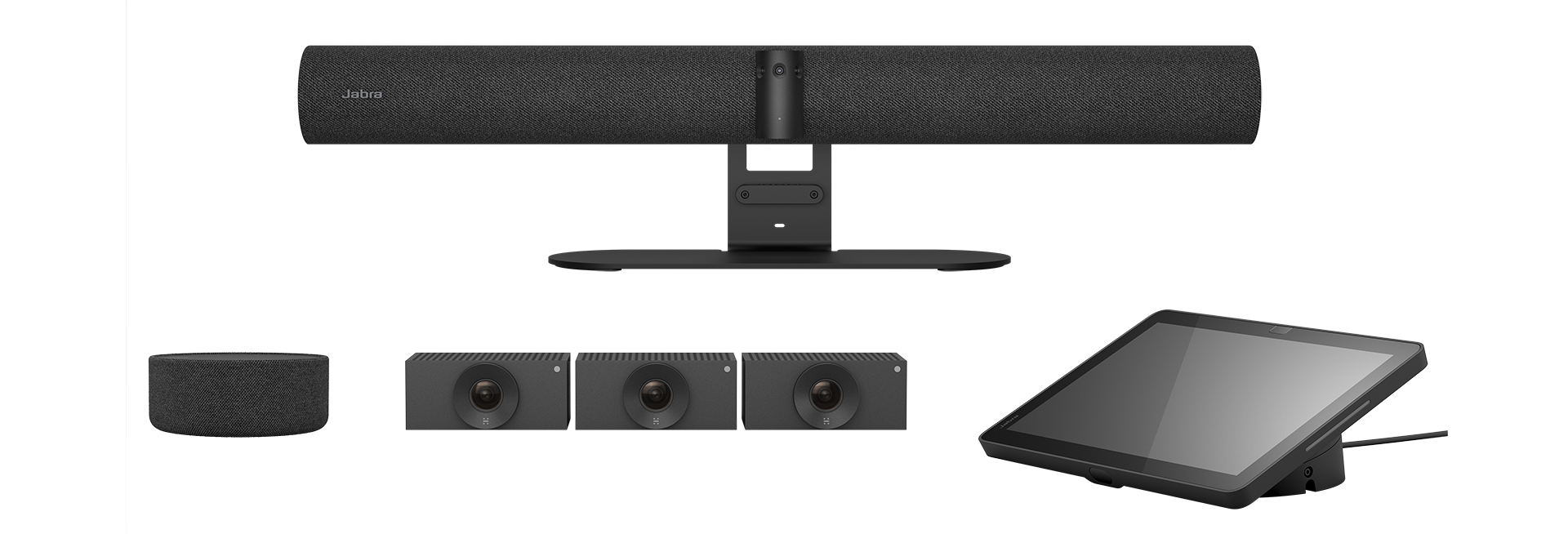
Large rooms. Made simple.
All-in-one. Meet the ultimate large room setup.
The Jabra PanaCast Room Kit Multi is an all-in-one video conferencing system that transforms large rooms for up to 22 people into immersive meeting spaces. The all-new, intelligent PanaCast 55 VBS with extension audio and 3 additional cameras, plus AI-powered features, ensures everyone is clearly seen, heard, and included. The best bit? No programming, no complexity. It’s all plug-and-play.
Get your large rooms ready faster with no programming
Everything included in one kit including extension audio and video
Flexes with your needs, with further add on cameras available

Large room collaboration
More immersive meetings from every angle
Bring everyone closer with extension audio plus multi‑camera, multi‑angle coverage.
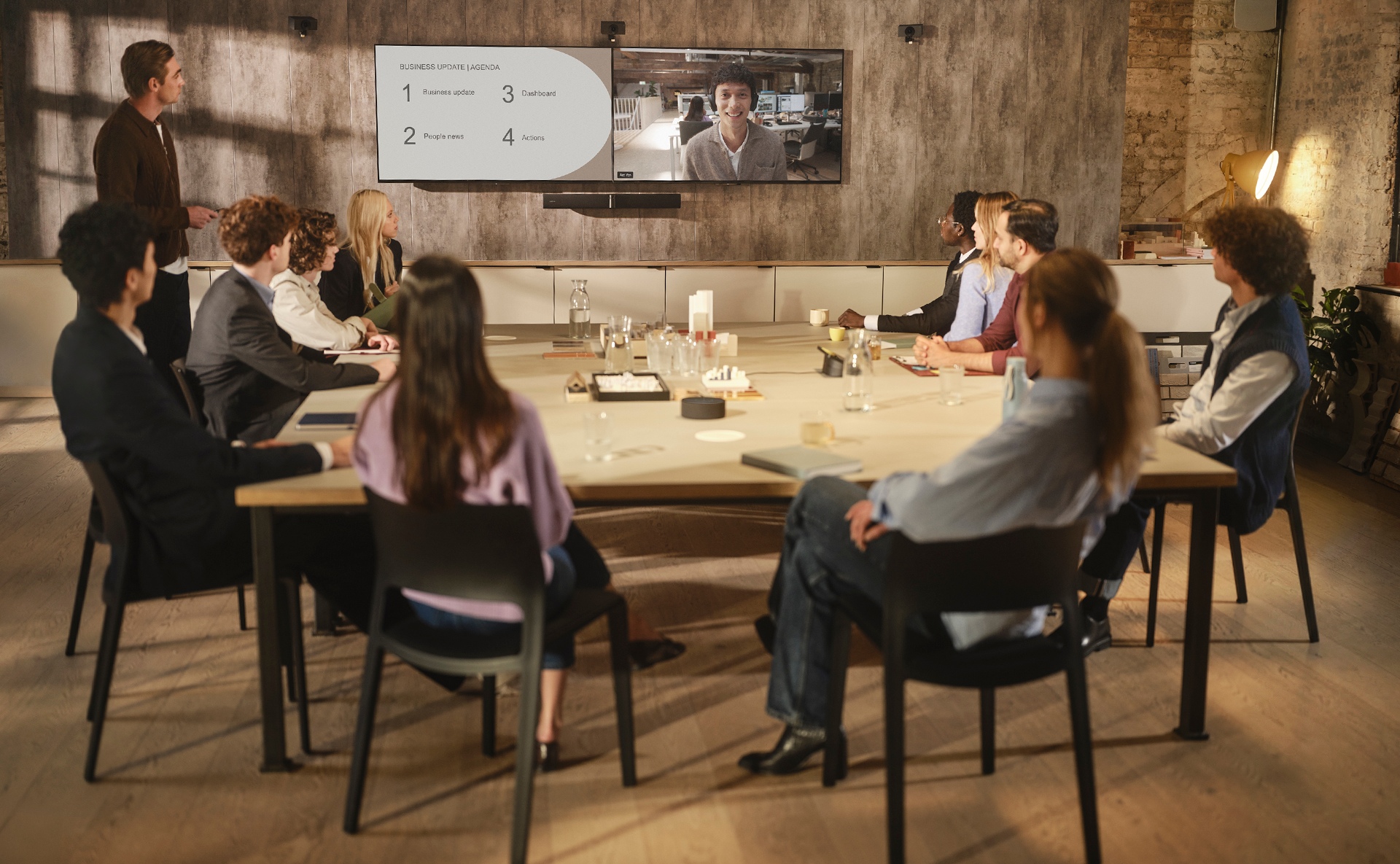
See more. Hear more. Feel more connected.
3 additional Hudly Crew cameras capture the entire space
AI-powered speaker tracking follows who’s talking
8 microphones, 4 speakers and audio extension
More room to grow
Jabra PanaCast Room Kit Multi features three additional cameras to capture every angle in high-definition detail. Add two further cameras for extra immersion or to cover awkward spaces.

Flexible. Seamless. Effortless by design.
Safe. Secure. And ever so easy.
Secure by design & easy device management
Built on Microsoft Device Ecosystem Platform (MDEP), enterprise-grade security and reliability is a given. Meanwhile, device management can be handled remotely through Jabra Plus.

Product overview
See everyone clearly
Multiple cameras capture every angle in high-definition detail.
All‑in‑one large room solution
Includes PanaCast 55 VBS, PanaCast SpeakerMic, and Huddly Crew for a complete audio and video solution.
AI-powered experiences
Intelligent speaker tracking makes conversations feel more natural, while Picture-in-Picture gives remote participants full room context.
Hear every word
8 beamforming, noise-cancelling microphones and 4 powerful speakers ensure every voice is heard clearly.8 beamforming, noise-cancelling microphones and 4 powerful speakers ensure every voice is heard clearly.
Extend audio to the back
PanaCast SpeakerMic delivers crystal-clear audio across the whole room.
Control at your fingertips
Start and manage meetings effortlessly with the Jabra Control IP.
Fast, easy setup
Plug‑and‑play installation gets large rooms ready in a fraction of the usual time.
Built for major meeting platforms
Works with Microsoft Teams and Zoom for seamless meeting experiences.
Secure and future-ready
Built on MDEP with Android 13+ to deliver robust, up‑to‑date security for every conversation.
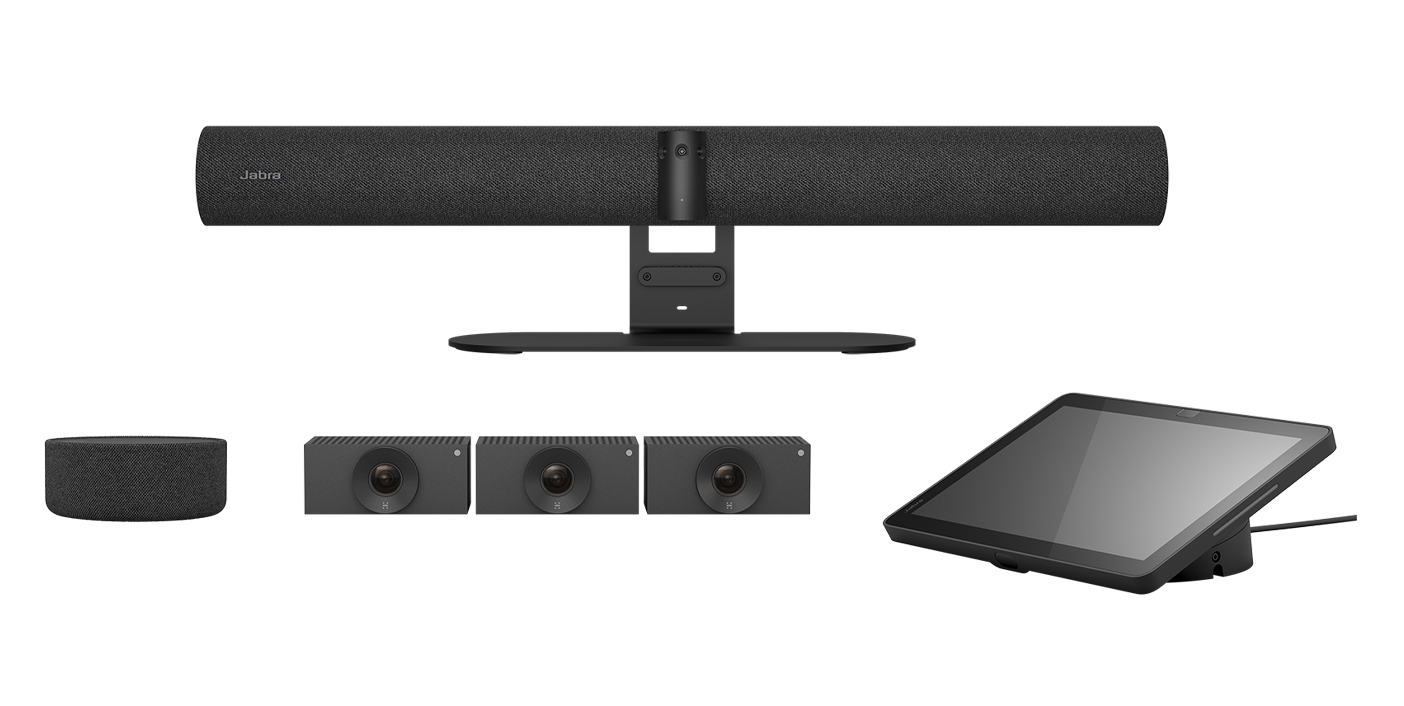
Select a product to see technical specifications
Technical specifications
- Box contentsPanaCast 55 VBS video bar • power supply • wall mount • Jabra Control IP • Privacy cover with sensor • Cable compartment cover and tool • 1 x HDMI cable 1.83m/6ft • 1 x regional power cable
- Packaging dimensions (WxHxD)1065 x 175 x 210 mm | 41.9 x 6.9 x 8.3 in
- Main unit dimensions (WxHxD)730 x 77 x 146 mm | 28.8 x 3.1 x 5.8 in
- Main unit weight (base unit)2259 g | 79.7 oz
- Package weight5760.5 g | 203.2 oz
- Warranty3 years
- Onboard AIYes
- Cable managementYes
- Kensington lock compatibleYes
- Operating voltage100-240V, 12V, 5A
- Power AdapterAC 100-240V, Output DC 12V 5A
- LED features and functionsAnswer/end call, Firmware update status, Mute/unmute, Power indicator
- Video output2 x HDMI
- Display resolutionSupports up to 4K, Touch Display Compatible
- Content sharingApple Airplay (only supported by Zoom), HDMI input, Microsoft Teams-Cast (only supported by Teams)
- Number of cameras3
- Type of cameraPanoramic multi-camera array
- Camera resolutionUp to 3840 x 1080 px
- ZoomUp to 6x lossless digital zoom
- Field of viewHorizontal: 180°, Vertical: 54°
- Intelligent ZoomYes
- Intelligent Meeting SpaceYes
- Multi-stream Dynamic CompositionYes
- Dynamic CompositionYes
- Virtual DirectorYes
- Vivid HDRYes
- Support secondary external USB cameraYes
- Supported number of SpeakerMics1
- Audio coverageUp to 7 m
- Audio coverage (PanaCast 55 VBS with PanaCast SpeakerMic)Up to 11 m
- Speakers2 x 2" (50mm) woofers, 2 x 3/4" (20mm) tweeters
- Speaker frequency range80Hz - 20000Hz
- Number of speakers4
- Automatic Speaker DetectionYes
- Noise Reduction Echo CancellationYes
- Non-Speech Noise SuppressionYes
- Woofer driver2 inches, outer diameter 61mm; Sensitivity: 79dB ±2dB @ 1 Watt, 1 meter; Rated Power: 5 Watts; Impedance: 4 Ohms
- Mid-Range driver0.6 inches, outer diameter 33.2mm; Sensitivity: 80.5dB ±2dB @ 1 Watt, 1 meter; Rated Power: 5 Watts; Impedance: 4 Ohms
- Microphone type8 microphone beamforming array - certified for rooms up to 4.5m x 6m
- Number of microphones8
- Microphone sensitivity-37dBFS
- Microphone frequency range100Hz - 16000Hz
- Aux-OutYes
- Media encryptionProvided by VaaS Partner
- Access managementJabra Plus; Admin menus; Jabra Web Console; Local account; VaaS Admin Portals including MS Teams Admin Center and Zoom Device Management
- Security managementRemote log in via Jabra Plus, Jabra Web Console and VaaS Admin Portal
- Authenticated access to Admin settings, Jabra Web Console, Jabra PlusYes
- Lockdown with secureboot, OS verified boot, Vendor lockYes
- Log retrieval via Jabra Web ConsoleYes
- Microsoft and Zoom based VaaS account authenticationYes
- InterfacesEthernet (RJ45), HDMI, Wi-Fi (802.11a/b/g/n/ac), 1 x USB-A, 2 x USB-C
- Bluetooth® version5.1
- Supported USB versionsUSB 2.0, USB 3.0
- Internet Protocol (IP)IPv4, IPv6
- EthernetRJ45
- Auto-MDIXYes
- Proxy supportHTTPS
- Support DHCPYes
- Support Static IP AddressYes
- Compatible software and/or appsJabra Plus; Jabra Web Console for remote device management via HTTPS; Support for native 3rd party applications, including Microsoft Teams Room for Android and Zoom Rooms; Cloud service providers including Microsoft Teams Admin Center and Zoom Device Management
- Integrated People CountYes
- Appliance modeYes
- BYOD modeYes
- Digital pan/tilt/zoomYes
- Manual Pan-Tilt-Zoom (PTZ)Yes
- One touch meeting joinYes
- Camera privacy coverYes
- Operating temperature5°C to 35°C | 41°F to 95°F
- Operating humidity15% to 80%
- Storage temperature-20°C to 60°C | -4°F to 140°F
- Maximum altitude4876.8m | 16000ft
- Temperature sensorYes
- Humidity sensorYes
- CO2 sensorYes
- TVOCs sensorYes
- Main unit dimensions (WxHxD)248 x 85 x 156 mm | 9.8 x 3.4 x 6.2 in
- Main unit weight958g | 33.8oz
- Display size10.1″
- Display orientationLandscape
- Display resolution1920 x 1200
- PoE power injectorYes
- Power over ethernet (PoE)IEEE 802.3af
- Proximity sensor2
- Kensington lock compatibleYes
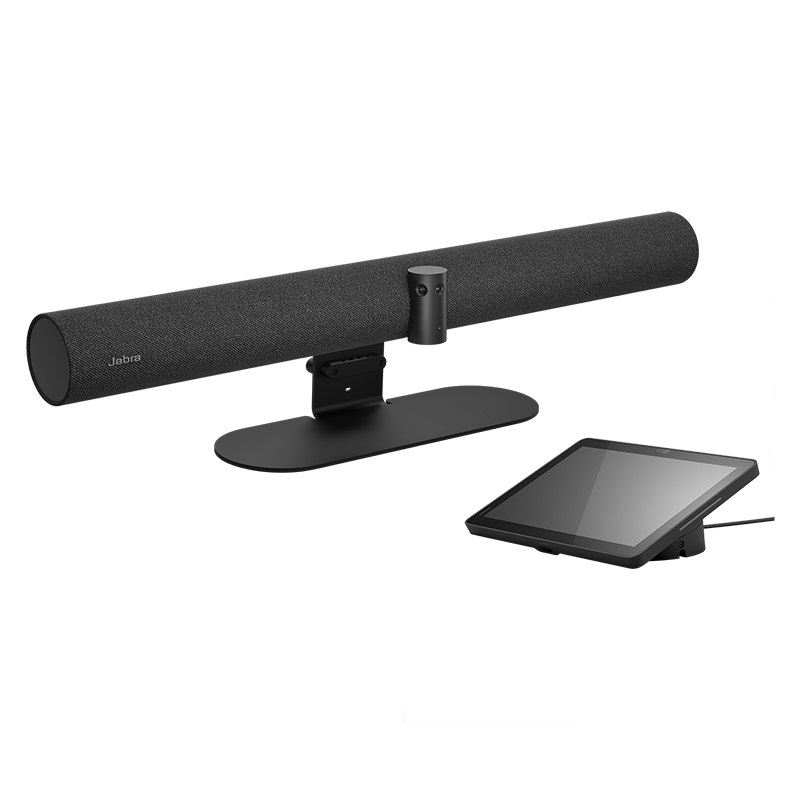
Technical specifications
- Box contentsPanaCast SpeakerMic, Mounting plate, SpeakerMic Adapter, 3x table adhesive, Installation leaflet
- Packaging dimensions (WxHxD)67mm x 186mm x 140mm | 2.64in x 7.32in x 5.51in
- Main unit dimensions (ØxH)136mm x 55mm | 5.35in x 2.17in
- Materials usedFabric, Aluminium, Black plastic
- Main unit weight623g | 22oz
- USB cable length0.5m | 1.6ft
- IP rating (main unit)IPX2
- Warranty3 years
- Number of microphones4
- Microphone typeOmnidirectional
- Microphone frequency rangeAnalog 100Hz - 18000Hz | Digital 100Hz - 18000Hz
- Microphone bandwidth100Hz - 18000Hz
- Noise reduction on callsYes
- Speaker size60mm | 2.36in
- Speaker frequency range100Hz - 18000Hz
- Speaker bandwidth (music mode)100Hz - 18000Hz
- Speaker bandwidth (speak mode)100Hz - 18000Hz
- Compatible software and/or appsJabra Plus, Cloud service provider including Microsoft Teams Admin Center and Zoom Device Management
- ConnectivityCat6 (not included), RJ45, RJ45 to USB-C (SpeakerMic Adapter)
- Maximum cable lengthUp to 30 meters
- Operating temperature0°C to 40°C | 32°F to 104°F
- Storage temperature-20°C to 45°C | -4°F to 113°F

Technical specifications
- Box contentsHuddly Crew (3 cameras) • 4 x 3m ethernet cable • 3 x camera Wall Mount • USB Adapter • 1 x 0.6m USB-C-C cable • 1 x 0.6m USB-A-C cable • AC/DC Power Adapter & Regional Plugs • Wall Mount • Ethernet Switch & 4 x Regional Power Cables
- Main unit dimensions (WxHxD)90 mm x 53 mm x 122 mm | 3.5 in x 2.0 in x 4.8 in
- Main unit weight (base unit)0.6 kg | 1.3 lbs
- Warranty3 years
- Onboard AIYes
- Power Requirement5v 3A external power adapter
- LED functionsPower indicator
- Certifications and complianceMicrosoft Teams Rooms; Zoom Rooms
- Type of cameraFixed-focus digital PTZ
- Camera resolution1920 x 1080
- ZoomUp to 5x digital zoom
- Field of viewHorizontal: 92°, Vertical: 65°
- InterfacesUSB C via USB Adapter; SuperSpeed USB 3; Ethernet (RJ45)
- Compatible software and/or appsMicroft Teams; Zoom Rooms; Huddly Connect App
- Integrated People CountYes

Contact Sales
Get the best solution for your organization and specific use case. Our experts can advise on products, compatibility and UC deployments.
Try Jabra for free
We offer free trials for companies of 500+ employees, who are replacing their current devices or have a new project. T&Cs apply.
Need technical support?
For product support and warranty-related questions, visit our support pages where you can find user manuals, FAQs, videos, contact information and more.
Get help now