

7 Modern meeting room designs & what you need to nail them
Think back to the video meeting that started 15 minutes late because no one could figure out how to connect the laptop to the screen. Or the one where remote participants couldn’t hear a thing because the audio picked up more table thumps and background noise than actual voices.
It’s not enough for a meeting room to look modern — it has to function like one too. That means creating a space where technology helps people connect, hear each other clearly, and actually get things done — instead of getting in the way.
After analyzing dozens of successful conference room setups, we identified six key elements that make modern meeting rooms work:
- 180° video coverage that captures everyone, so remote participants don’t miss facial expressions or body language.
- Intelligent audio solutions that use multiple microphones and noise-canceling technology to capture voices clearly — even when someone is 12+ feet from the mic — while minimizing background noise like clicking keyboard sounds, footsteps, or shuffling papers.
- Different room sizes that work for different types of meetings – from small huddles to big strategy sessions.
- Lighting designed for video calls – front-facing, diffused light sources that prevent glare so everyone looks clean and professional.
- Furniture layouts that promote collaboration – Tables are arranged so all participants can easily see each other and any shared screens, with enough leg room to move around without disrupting the setup.
- Easy connectivity – one-touch join buttons, wireless screen sharing, and universal input compatibility — no adapters or IT assistance so that meetings can start on time, every time.
Here are seven modern conference room design ideas we liked, what they’ve done right, and what you need to replicate them.
1. Modern minimalist with a statement wall
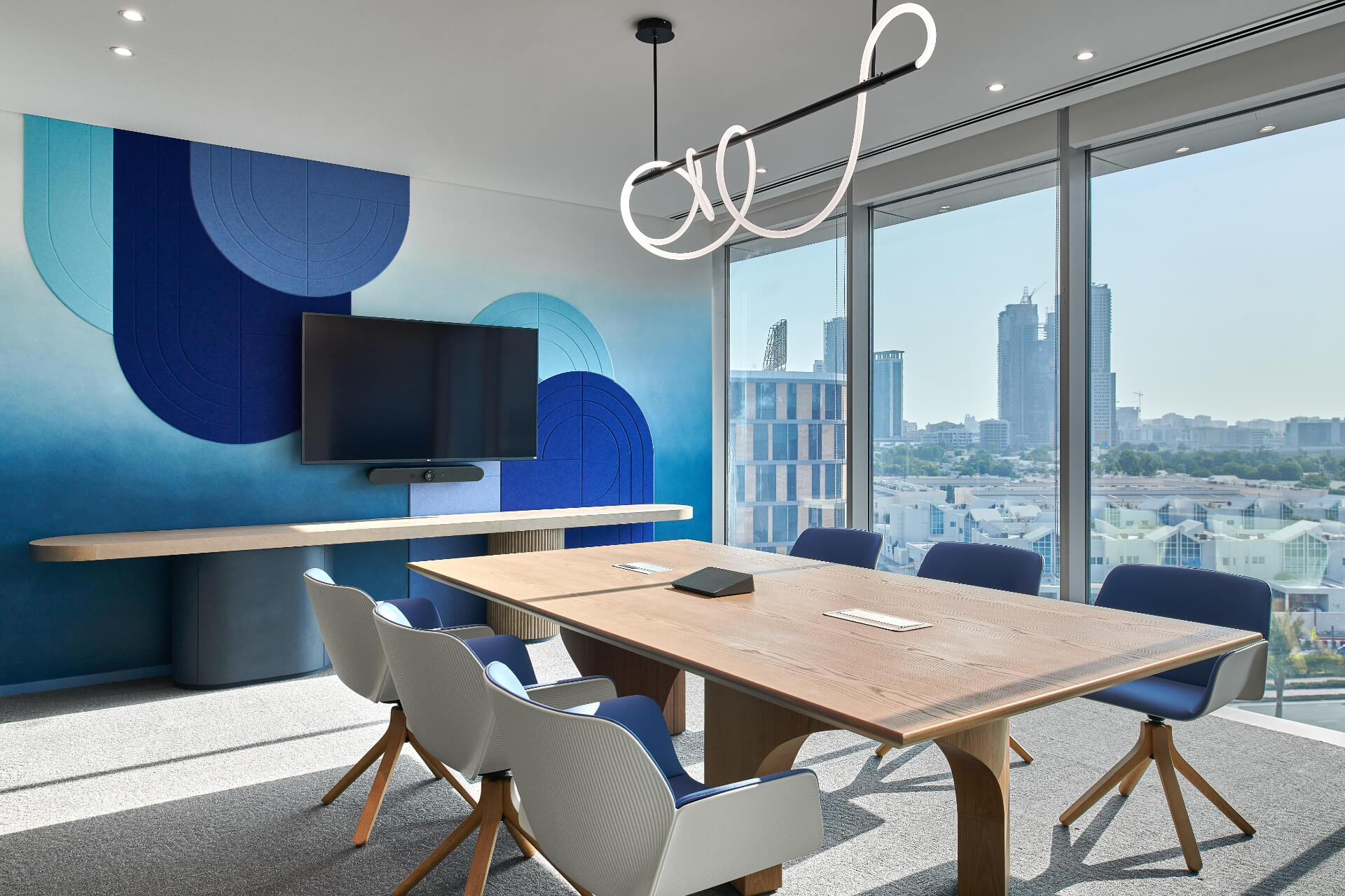
This modern meeting room design balances professional functionality (wide table, large display) with contemporary design elements (the chandelier, ceiling lighting, and acoustic designs). The designs energize the space without overwhelming it.
The calm yet modern design (with floor-to-ceiling windows) makes it ideal for client presentations or executive meetings where you must project professionalism and your taste for contemporary design.
What we love about it:
- The acoustic statement wall, with its blue ombre wave pattern and textured panels, adds a stylish touch to the room. It also improves sound quality by reducing echo.
- The natural light that floods the space through floor-to-ceiling windows, which can improve mood and productivity. The expansive city view also adds to the room's vibrant and dynamic feel.
- The wooden conference table adds warmth and organic texture to balance the cool blue tones. The modern meeting room chair designs also continue the blue/white color scheme and provide ergonomic support.
- Finally, the clean technology setup with a wall-mounted display is excellent. It’s at a standard viewing height; every attendee can quickly turn their head without straining their necks.
How to replicate this modern conference room design:
- Start with acoustics: Install sound-absorbing panels in a gradient color pattern that matches your brand. Companies like Acoufelt and Kirei provide customizable acoustic designs that can double as wall art. If you can’t go full acoustic yet, a small rug, chairs with foam, and a matte wall color can help absorb noise too.
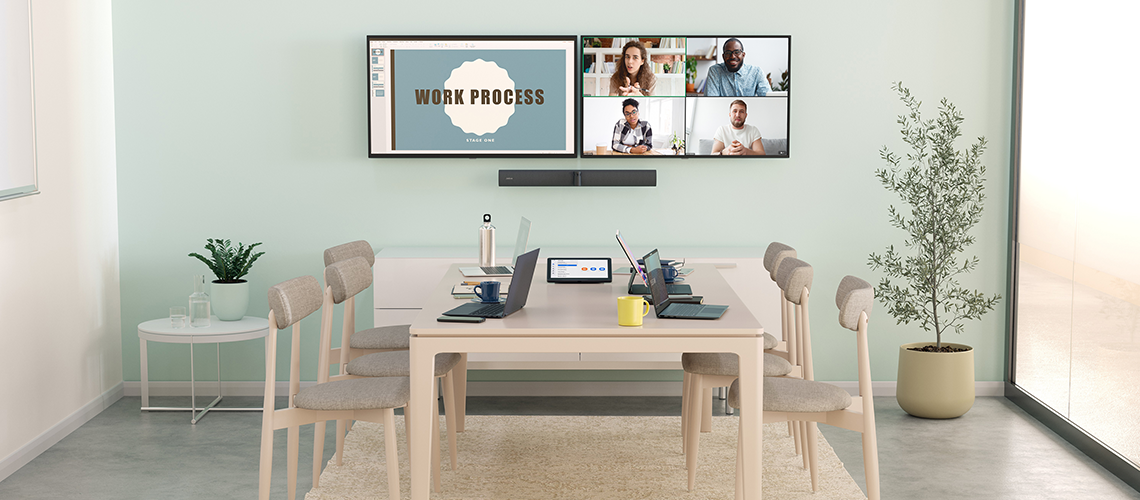
- Choose a balanced table: Look for modern meeting room tables with clean lines. The wooden surface provides warmth and the furniture is durable, so choose something equivalent.
- Upgrade your video display: Mount a large 65"+ 4K display at proper viewing height. This ensures everyone in the room can see what’s on the screen without squinting.
- Invest in a web conferencing audiovisual system: According to our study, only 30% of employees are confident they can consistently see or hear all participants during hybrid meetings.
So, for camera, video, and audio, opt for an all-in-one system like Jabra PanaCast 50 video bar system. It looks like this:

PanaCast 50 VBS specifically provides:
- 180° panoramic video that captures everyone at the table, even those sitting lateral to the camera.
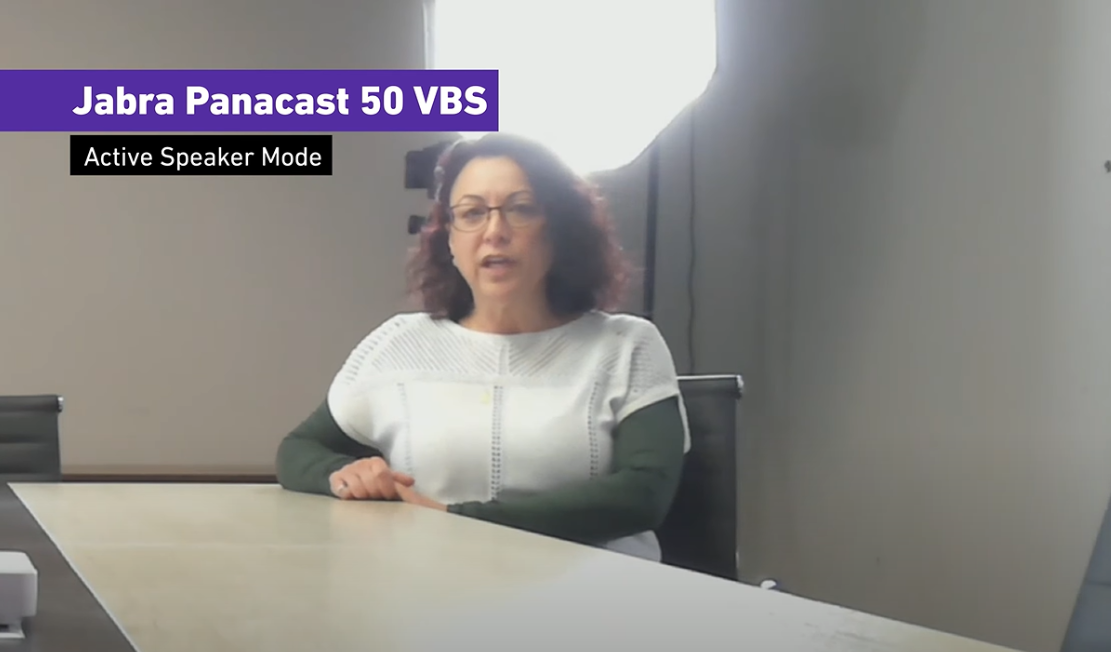
- An intelligent zoom feature that focuses on current speakers. The image below shows an active speaker, which the camera focused on when she started speaking during a test.
- It's designed with premium speakers and beamforming 8-mic technology to pick up voices and isolate background noise (similar to how noise-isolating headphones work). You won't need an extra speaker to increase audio quality in a room of this size.
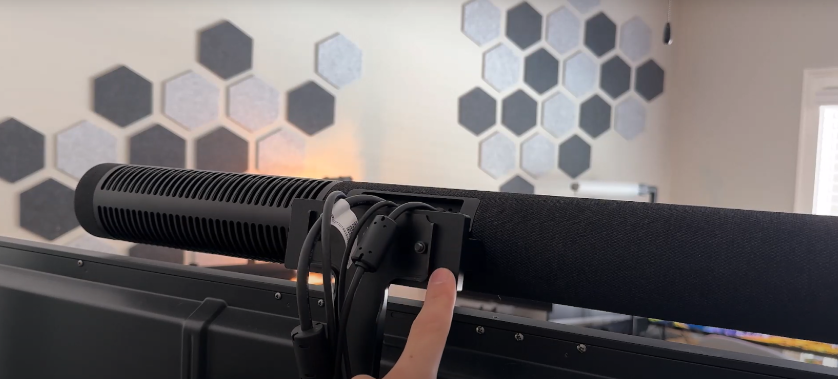
Cable management matters: Hide cables under tables and behind display walls to prevent trip hazards and create a distraction-free environment. Messy cables look unprofessional and steal attention from what matters – your meeting content.
If you use PanaCast 50 VBS, it comes with optional wall and screen mounts to keep your cables neat and well-arranged. Here’s what it looks like:
Lighting strategy: Maximize natural light but avoid glare. Use sheer shades on the floor-to-ceiling windows to diffuse harsh sunlight, which can cause eye strain and wash out video displays.
Combine this with a pendant light for ambient illumination and recessed ceiling lights to provide consistent lighting. This strategy complements natural light without creating distracting reflections.
2. The auditorium style
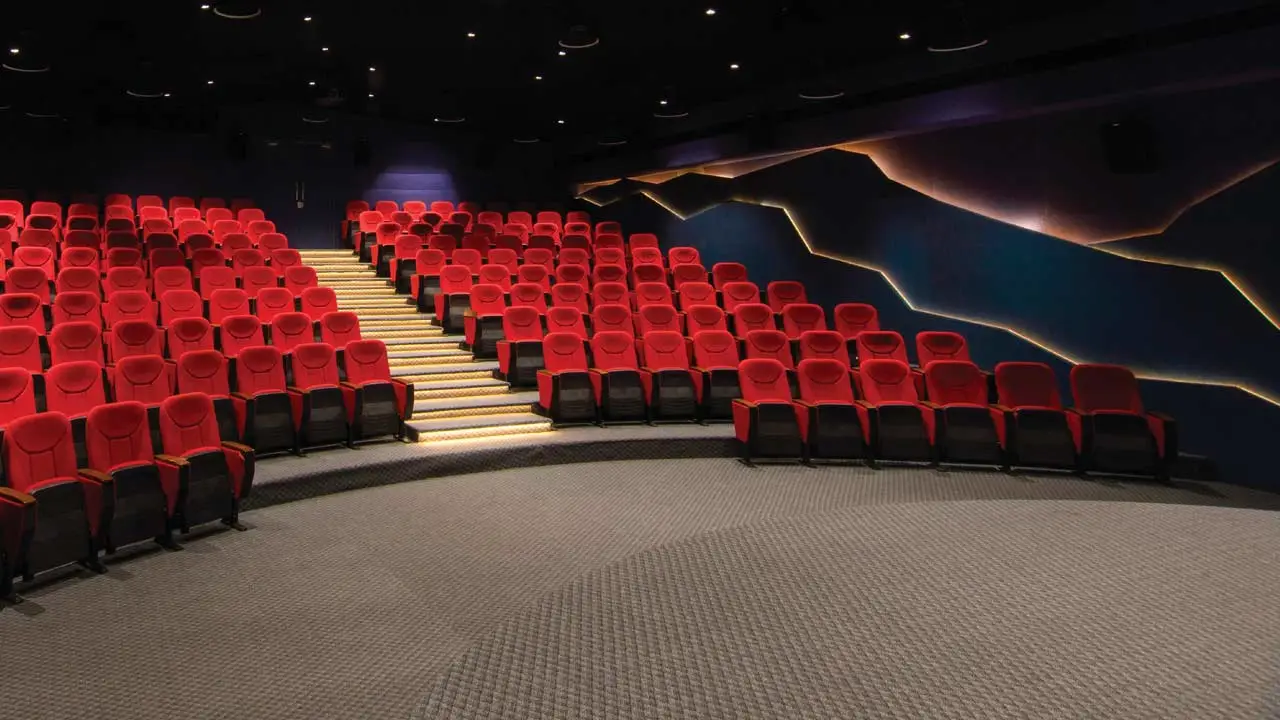
This conference room design is perfect for national company meetings, seminars, product launches, or any other high-impact gathering (even training). It pulls every participant’s focus on the stage (because of the elevation and bright lights), which makes it ideal for these types of sessions.
Here’s what the stage view looks like:
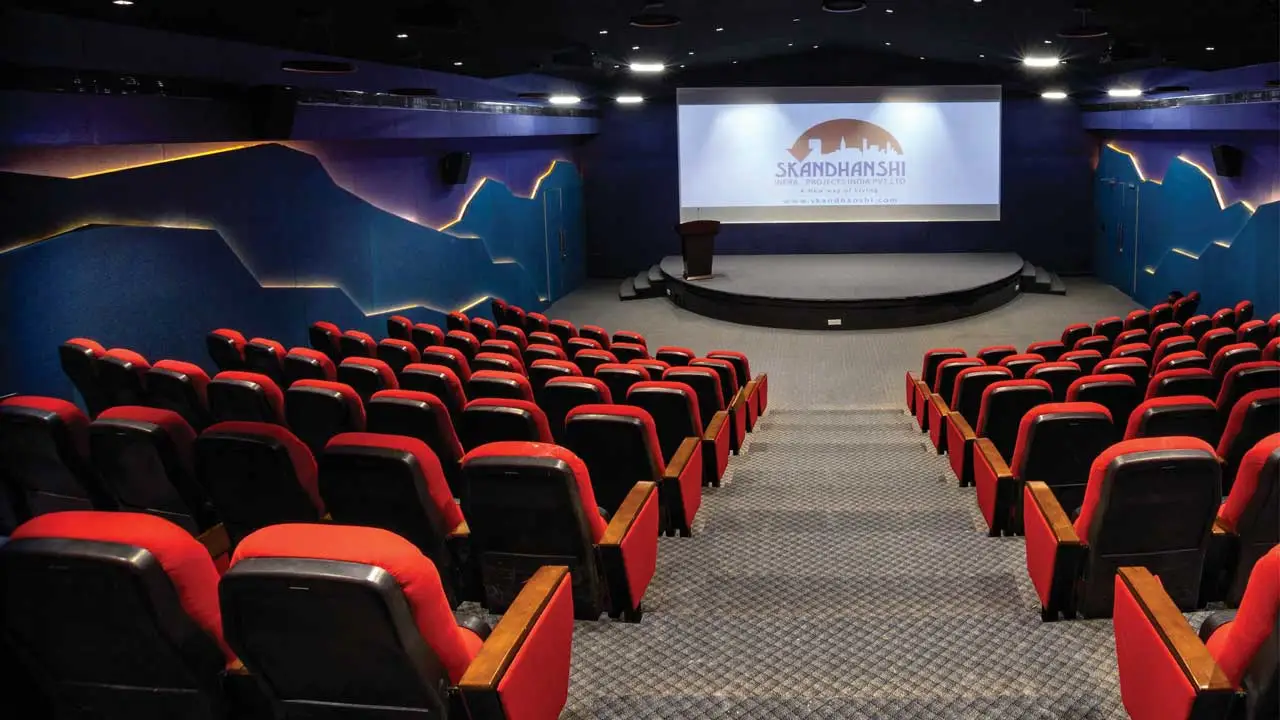
What we love about it:
- The dramatic, backlit wall panels with mountain-like contours add visual interest and depth.
- The elevated stage is ideal for keynote-style presentations.
- The tiered seating also ensures every participant has a clear line of sight to the presenter and screen on the stage.
- Add this to the bold contrast between the deep blue walls and vibrant red seating, and you have a lively and engaging atmosphere for company-wide programs.
- We also appreciate the thoughtful lighting design—focused stage lights with dimmed audience lighting—which creates the perfect environment for attention.
How to replicate this modern conference room design idea:
- Select the right space: This design works for larger teams (50+ people) and requires high ceilings (at least 12 feet).
It's perfect for all-hands company meetings, product launches, or company-wide training sessions. - Invest in proper acoustics: Sound easily gets lost in large rooms. Replicate the wall elements in this design to double as acoustic panels to reduce echo and improve voice clarity.
- Audio distribution: Install a complete sound system for a large auditorium like this: ceiling-mounted speakers, wireless microphones for presenters, projector— a full suite of professional AV equipment.
These will deliver clear sound quality to every seat, even in the back rows.
You can also add Jabra PanaCast 50 Room System to the stage area specifically for remote participants. Its 180° camera angle captures the entire room, and its microphones pick up voices within 20 feet, which is ideal if you have remote participants. - Lighting considerations: Install adjustable lighting that can be brightened for interactive sessions and dimmed for presentations.
3. Executive boardroom with even lighting
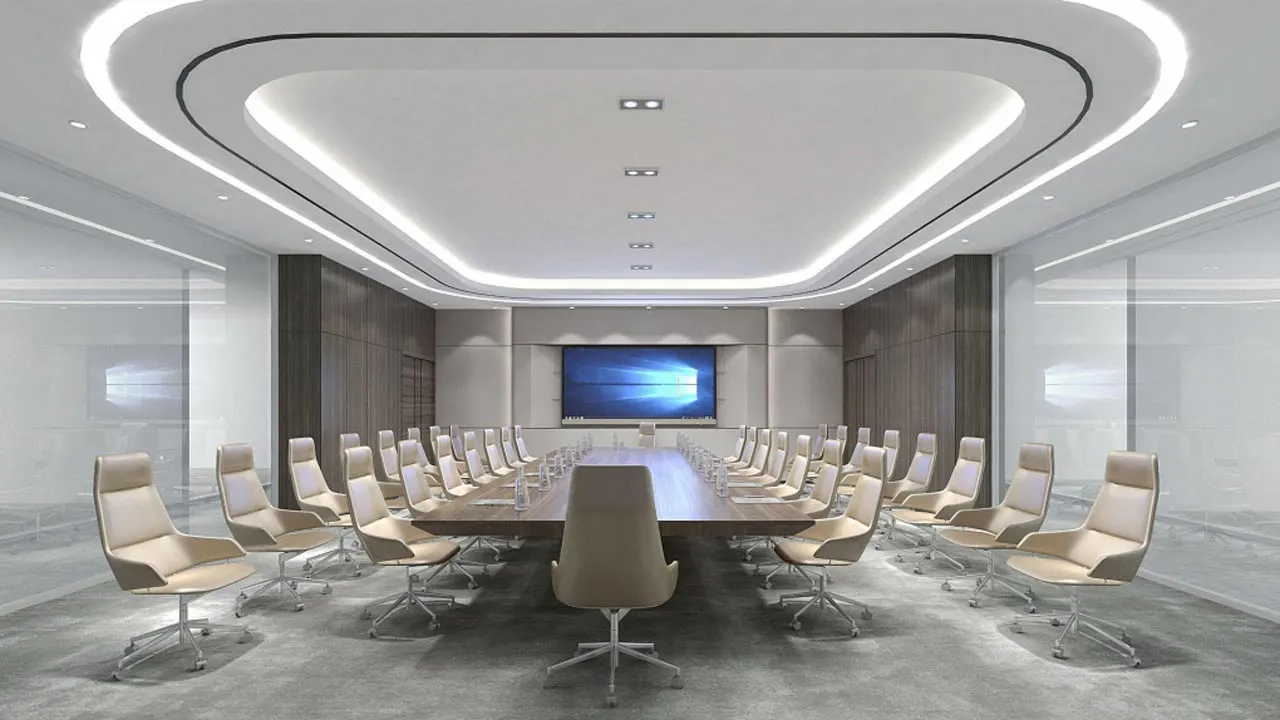
This boardroom design provides a spacious and corporate feel for executive decision-making. The setting keeps every participant visible on a 180° camera like PanaCast 50 VBS, with the right spaced lighting that spreads over the room.
What we love about this modern conference room design:
- The ceiling lighting illuminates faces evenly and prevents shadows that make video participants hard to see.
- The seating layout also gives everyone equal access to the screen and ensures no one sits outside the camera view.
- The table shape allows participants to see each other easily, which encourages discussion. No executive is in a bad seat, so they won't stay in anybody's line of sight.
- This setup also helps remote participants to see everyone clearly, especially if a video camera is mounted at everyone’s face level, preferably under the display.
How to replicate this look:
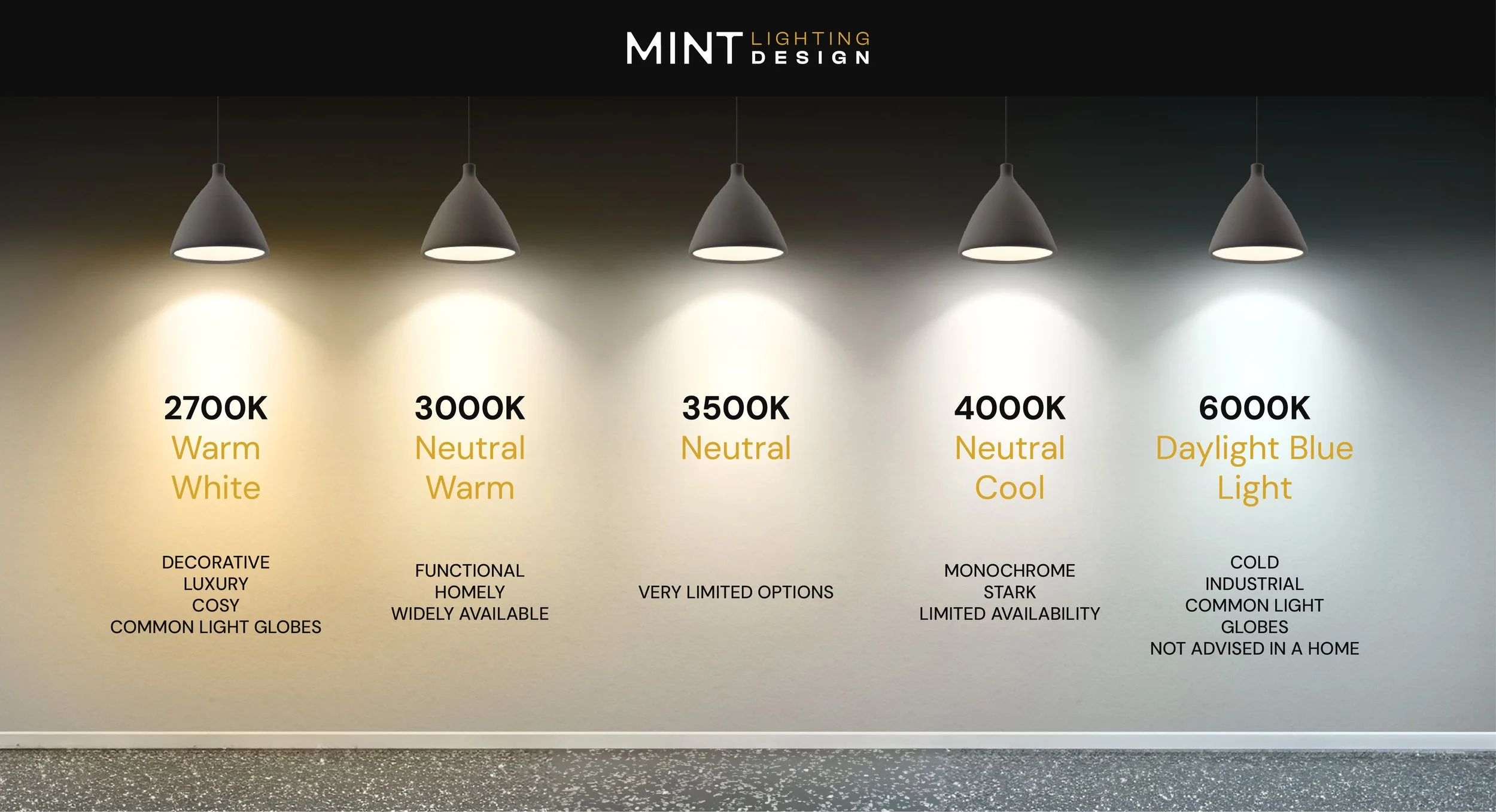
- Invest in even lighting across the ceiling. By this, the lights won't cast shadows on people's faces, which will improve video quality. You can consider any of the color temperature scales here, preferably the 4,000K light scale because it provides illumination that keeps participants alert without being harsh on their eyes.
Look into sound quality. Glass walls reflect sound and create echoes, so consider installing acoustic panels on at least one wall to absorb echoes.
Afterwards, install Jabra PanaCast 50 VBS below the screen to get a 180° video coverage of everyone at the table.
This device doesn’t need an extra add-on because it’s built with eight professional-grade microphones (which pick up everybody’s voice). It’s also designed with four speakers: 2x 50mm woofers and 2x 20mm tweeters, which allow natural, two-way conversations, suppress background noise, and reduce echo.
Choose a properly sized display. A room of this size needs a 75"+ display so everyone can read content on the screen or see remote participants easily.
Keep connections simple. Use Jabra PanaCast Control tablet to start meetings, share content and manage room settings easily (camera view, speaker volume).
For larger boardrooms, add a Jabra Speak 810 speakerphone in the center of the table to ensure remote participants hear everyone's voice (and they can also be heard).

Make the meeting inclusive for remote participants. If presenters are joining remotely, recommend the Jabra PanaCast 20 personal camera. Its intelligent tracking feature follows presenters as they move, which is ideal if they’re presenting or demonstrating something. See the full third-party review here.
4. The U-shaped meeting setup
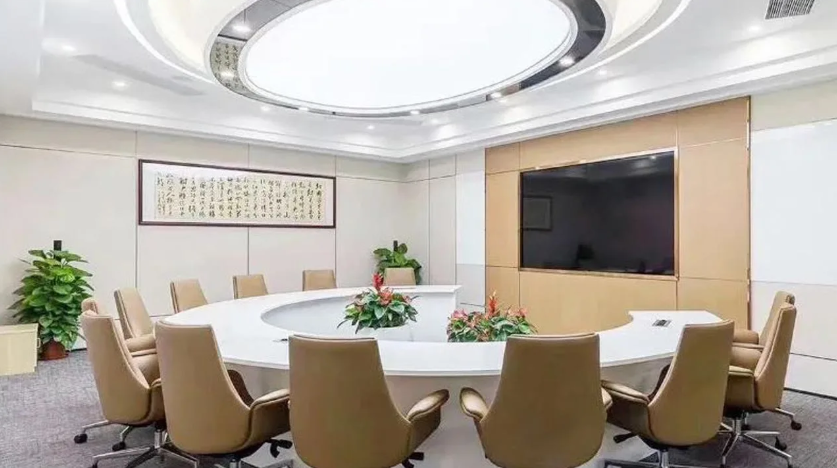
This feels like a more enclosed, private space, and we like how the round table makes the room feel like it’s designed for collaborative sessions.
The modern meeting room chairs are also convenient because of their ergonomic support. We love that the overhead light shines evenly across the room; it won’t cast shadows on anybody’s face, and remote participants can see everyone clearly, too.
Other things we love about this modern meeting room design:
- The wall-integrated display creates a clean, professional backdrop. It maximizes available space, and keeps the room uncluttered.
- The plants also add life to the space without blocking anybody’s line of sight. They soften the room's appearance, are said to reduce stress and enhance focus & creativity, which can make every meeting productive.
How to replicate this look:
Start with the right table: For teams of 8-12 people, choose a round table with an open center (if you want to replicate this specific design). This setup supports collaborative discussions where everyone can see everyone.
For smaller teams of 4-5 people on-site, consider a semi-circular arrangement like the modern meeting room design below. This alternative design maintains the inclusive feeling while fitting comfortably in smaller spaces.
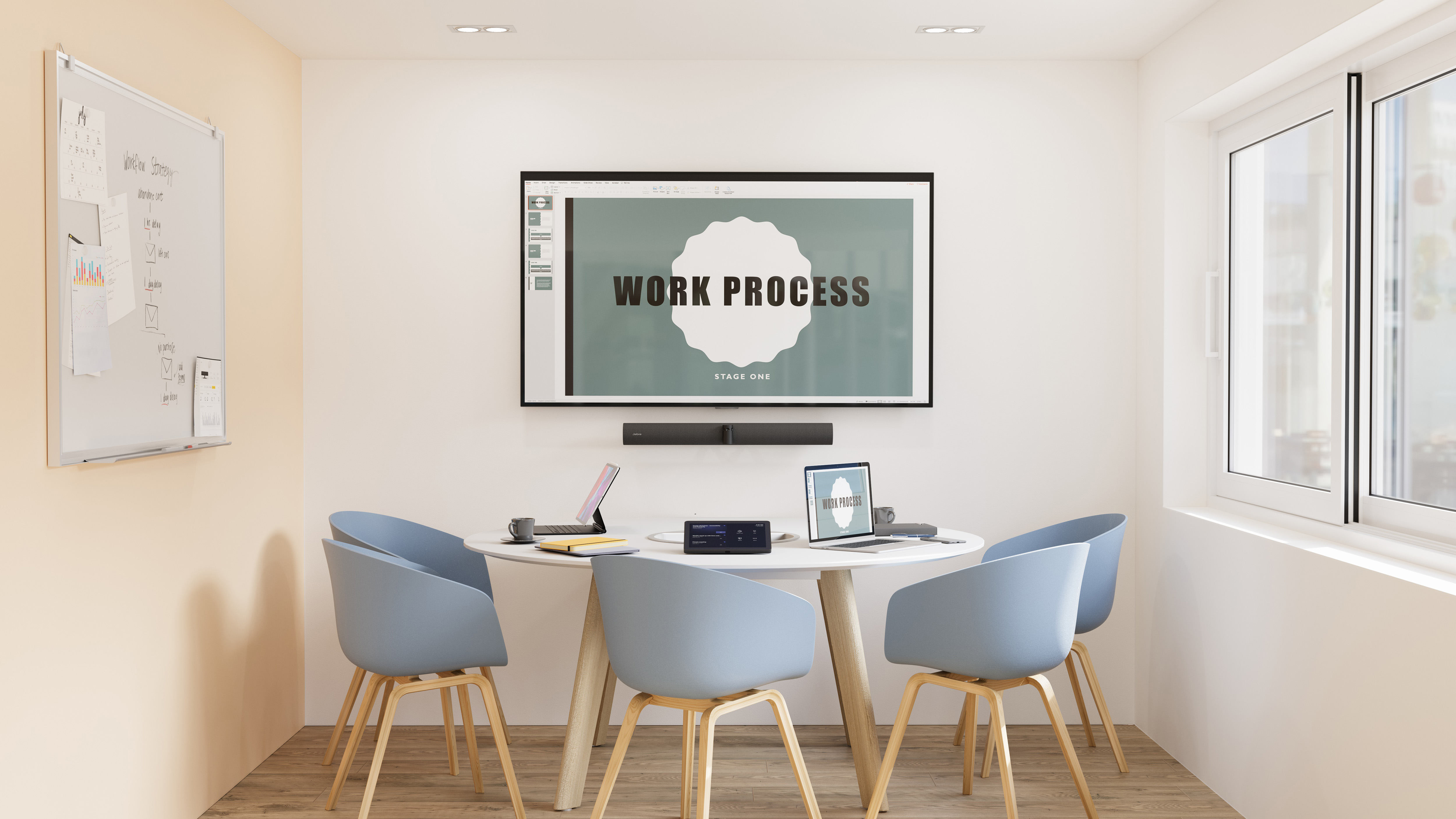
Notice the Jabra PanaCast 50 VBS mounted directly beneath the display (that’s because the VBS is always a perfect add for hybrid meetings for its camera and sound quality). Learn more about the video bar system here.
For presentations, because presenters typically stand, configure your Jabra device through Jabra Direct+ app to follow presenters as they move.
This feature supports natural movement during presentations and makes the meeting more engaging for on-site and remote participants.

5. The creative training room/studio
This training room uses pastel colors and bold graphics to improve the learning environment. The pastel purple chairs complement the lighter background shade on the wall, which has been found to positively influence the work environment and encourage creativity.
What we love about it:
- We love the bold wall graphics, which visually represent the room's purpose. The diagrams of the brain, open book, pen, eye, and others all reflect the different aspects of the human learning process. They also make the room come alive.
- The classroom arrangement also ensures every participant has a clear view of the presenter and the whiteboard, which makes the whole learning experience easier.
How to replicate this look:
- Embrace color psychology: The purple and blue combination stimulates creativity and calm. But you can use a sharper color like yellow to represent energy and optimism. You can even mix colors that include your brand colors to extend a touch of your brand in the room.
- Design the walls: The wall art can reinforce the room's purpose and create mental anchors for learning. You can spin off the ideas in the current design or curate visual metaphors from your slogans, vision statement, or corporate culture values. Anything that sticks.
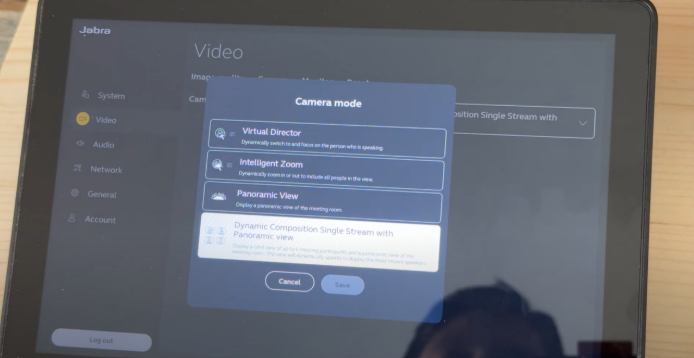
- Optimize for hybrid learning: Mount Jabra PanaCast 50 Room System device at an angle in the room where the camera can capture the whiteboard, the presenter, and the on-site participants. It can look like this:
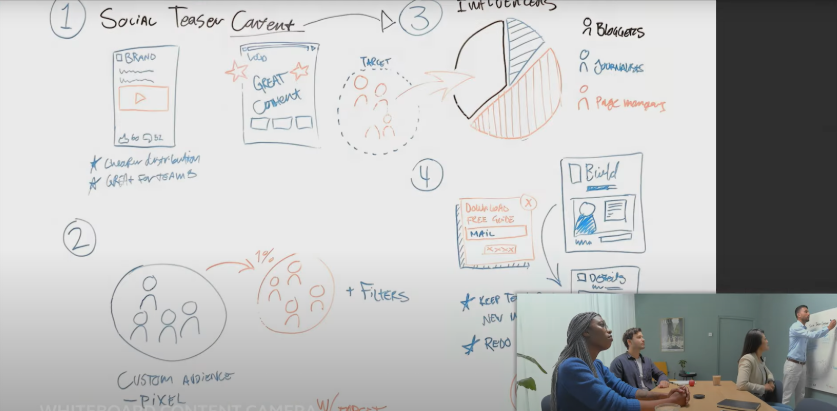
PanaCast 50 also has a built-in whiteboard-sharing feature. This feature lets you point one of the three cameras at your whiteboard and switch between whiteboard and normal views.
- For context, the whiteboard view will point to your whiteboard.
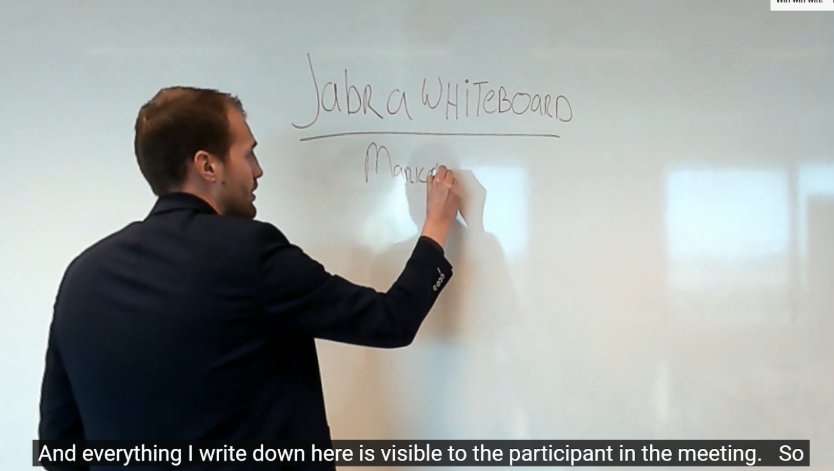
- The normal view will capture the whole room (including participants, if any).
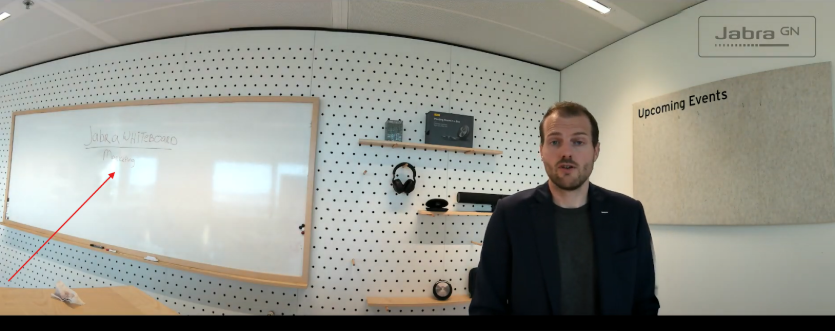
This feature can make your training and meetings more inclusive, even for remote participants.
Learn more about PanaCast 50 and the whiteboard-sharing feature.
6. Multi-display executive boardroom
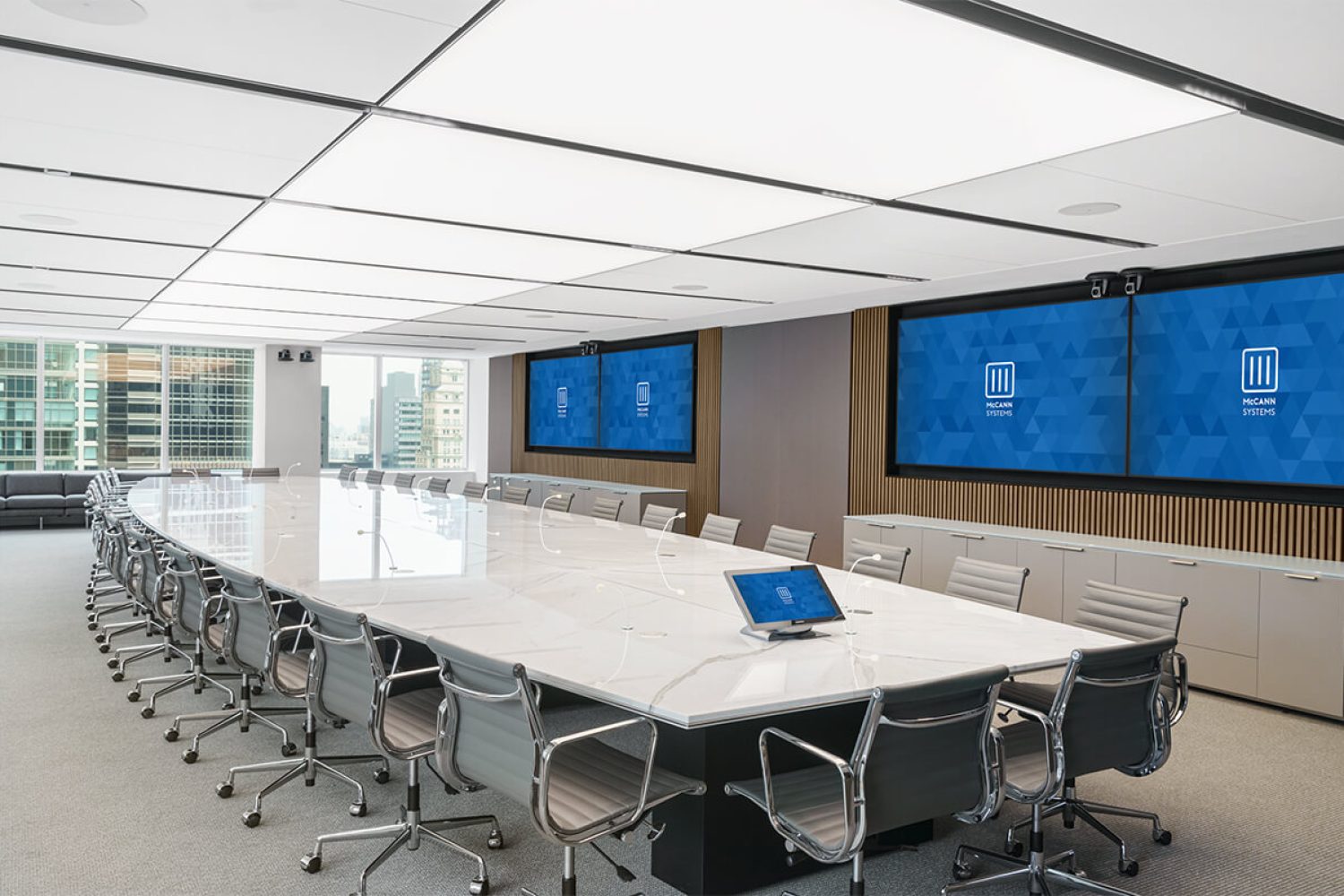
This executive boardroom has four wall-mounted displays that allow teams to view multiple data sets simultaneously. The clean white oval table, large windows, and minimalist design create a professional environment perfect for financial reviews, data analysis, and high-level decision making.
If this sounds like what you’d like to replicate, here’s what we love about it:
- The four-display setup lets everyone see multiple spreadsheets, dashboards, and presentations simultaneously. Participants won’t need to switch between screens while reviewing data or seeing different types of content.
- The clean white oval table creates a sense of unity, while the high-gloss finish adds sophistication.
- The floor-to-ceiling windows also bring in natural light from the side. This positioning prevents glare on screens and keeps the room bright without washing out display content.
- Besides complementing the round table, the swivel chairs also allow participants backing the screen to turn their chairs 360° to face the displays and contribute to discussion around the table easily.
How to replicate this contemporary modern conference room design:
- Use multiple displays because they make it easy to see multiple contents simultaneously. The setup also allows participants to compare different data sets side-by-side.
- Optimize for video conferences: The Jabra PanaCast 50 Room System is perfect here. It can connect to these different displays, and you can use the tablet to join Zoom, Google Meet, or Microsoft Teams calls with one touch.
The three 13-megapixel cameras embedded in the system also produce the best 180° view of everyone at the table (at 4K resolution) to improve video quality. - For audio, PanaCast 50's eight built-in microphones are efficient. It picks up human voices, including the “ummms” and “ohs,” and blocks background noises with its advanced noise isolation feature.
It also has four in-built speakers: two 50mm woofers and two 20mm tweeters. They are configured to produce clear sound quality and allow two-way communication. In practice, if people accidentally talk over each other during a meeting, the conversation can continue smoothly without audio cutting out or one person's voice completely blocked by another's. - Lighting that works for video: The recessed ceiling lights spread illumination evenly across the room to prevent shadows on faces during calls.
For your boardroom, install dimmable lights so you can adjust brightness levels when showing presentations. And add window blinds to control natural light throughout the day, especially when using the displays.
7. The monochrome conference room
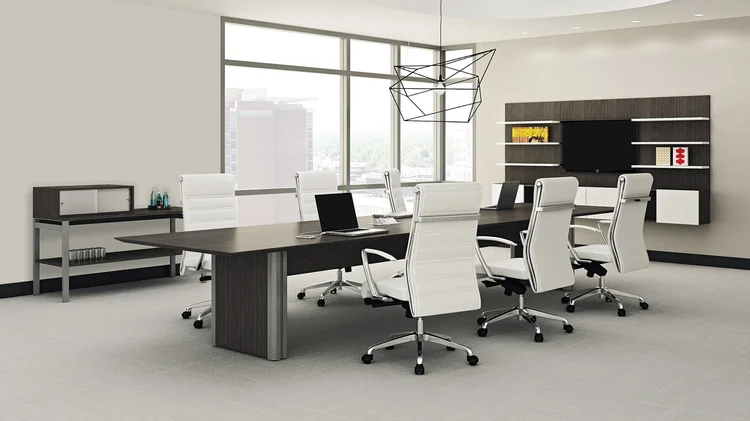
This meeting space uses black and white colors to create a clean, distraction-free environment. The simple design helps teams focus on their work rather than the design of the room.
This minimalist design is perfect for focused decision-making meetings with 6-8 on-site team members.
What we love about it:
- The black and white contrast keeps the space visually clean. Team members can concentrate on the conversation without being distracted by colorful design elements.
- The overhead light fixture also spreads lightly across the table. It’s simply for aesthetics, but it can complement the natural light from the window, and the additional lights in the room. It can also balance the lights on people’s faces to improve video quality.
- The wall-integrated display also eliminates cable clutter. The built-in approach helps maximize usable floor space and maintain visual order.
How to replicate this modern meeting room design:
- Select a table that fits your team. For 6-8 people, a rectangular table has enough space for everyone to spread out materials. Look for table designs with built-in cable management to keep cables out of sight. The smooth, uninterrupted surface will give the space a minimalist feel and keep it uncluttered at all times.
- Mount Jabra PanaCast 50 below your display for audio and video, just like in the above image. The 180° camera can even zoom into notes, so your remote teams can feel more involved in what is happening in the office.
Notice how the Jabra PanaCast 50 VBS mounts directly beneath the display, creating an integration that supports the minimalist approach for hybrid teams.
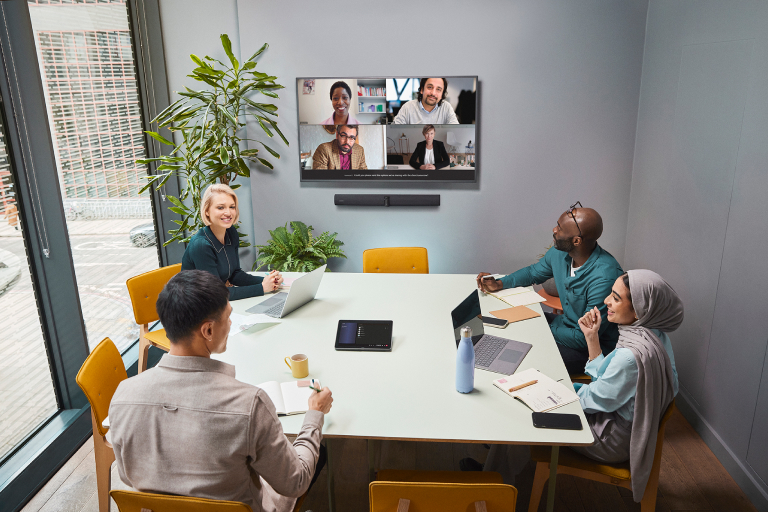
- PanaCast 50 VBS includes a touchscreen tablet for meeting controls that lets you start, manage, and end meetings. This one-touch approach makes it easy to control volumes and speaker sound and adjust camera features from a few taps on the screen.
In our study of 1,000 decision-makers, 94% of people believe in small rooms because they “feel more connected and engaged.” In the same study, 73% believe it helps with collaboration better.
So, if your company doesn't need a conference room-like meeting room, this medium-sized setup is perfect.
Design a modern meeting room for focused, flexible collaboration (checklist)
Use this checklist to ensure your meeting room is modern, functional, and aligned with today’s hybrid work needs.
Location & layout fundamentals
- The meeting room should be easy to access from different offices. It should also be far away from noisy areas like break rooms or busy corridors.
- Install acoustic panels on at least one wall to absorb echo and improve audio quality for remote participants.
- Maximize natural light when possible. Choose rooms with large windows (floor-to-ceiling or rectangular in length). While natural light is perfect because it’s brighter and can increase video call quality, use blinds to control glare on screens. This can improve your video calls.
- Lastly, design for flexibility, except for your boardroom, where strategic decisions are made. Design other meeting rooms with furniture that is easy to move around during breakout sessions.
Comfort & ergonomics
- Invest in chairs designed with lumbar support and height adjustment levers. Uncomfortable seating can cut productive meetings short when participants begin to fidget and lose focus. It can also lead to uncomfortable postures that cause lower back aches.
- Control the climate with air conditioners or well ventilated windows. Maintain temperatures between 70-73°F (21 and 23°C) to keep the room moderately cool but not cold. Research shows that this temperature range is effective for maintaining focus and well-being in office settings.
- Avoid clutter. Keep surfaces clear and provide dedicated storage for equipment, files, and office supplies. This keeps everything tidy, and reduces distraction.
- Provide adequate personal space. To avoid an uncomfortable sitting arrangement, provide at least 30 inches of table space per person. This allows ample leg room so they can move around without distracting others.
Technology & equipment
- Start with audio quality. Good microphone and speaker quality is the foundation of effective communication in any meeting. Everyone can speak and everyone can be heard. So, even with modest budgets, prioritize clear audio quality with Jabra Speak2 series speaker phones.
You can consider Speak2 75 speakerphones for their 8-microphone arrays, which capture voices from anywhere in the room and filter out background noise. - Add a gadget with a 180° field of view. Install Jabra PanaCast 50 Room System, which has a 180° camera range, so remote participants can see everyone at the table.
- Ensure remote participants look their best. Encourage remote team members to use a personal camera like Jabra PanaCast 20. Its intelligent lighting adjustment and automatic framing create professional videos even in poor-lighting environments.
- Include collaborative tools. Install digital whiteboards or use Jabra PanaCast 50's whiteboard-sharing feature with a physical whiteboard to include remote participants in visual brainstorming. This makes every presentation more engaging and memorable to on-site and remote attendees.
- Provide power everywhere. Install table-embedded power outlets and USB charging ports so participants don't run out of battery mid-meeting.
Connectivity & control
- Provide high-speed internet connection and stable Wi-Fi. This keeps your calls going without a break in internet connection.
- Simplify meeting controls. Use a tablet-based control system like Jabra PanaCast Control, to manage displays, audio, and video. You can use the gadget to control volume, camera brightness, angle, and even schedule, start and end meetings.
The most effective modern meeting rooms balance aesthetics with functionality. By addressing each element in this checklist, you create modern meeting rooms that solve communication problems rather than simply looking beautiful.
Start with audio and video quality fundamentals, then build out the supporting elements to achieve truly productive meeting environments.